Brand: Zeiss Ikon
Category: Camera
Document Type:
Language: EN
Brand: Zeiss Ikon
Category: Camera
Document Type:
Language: EN
Uploaded: Aug. 9, 2025, 11:59 p.m.
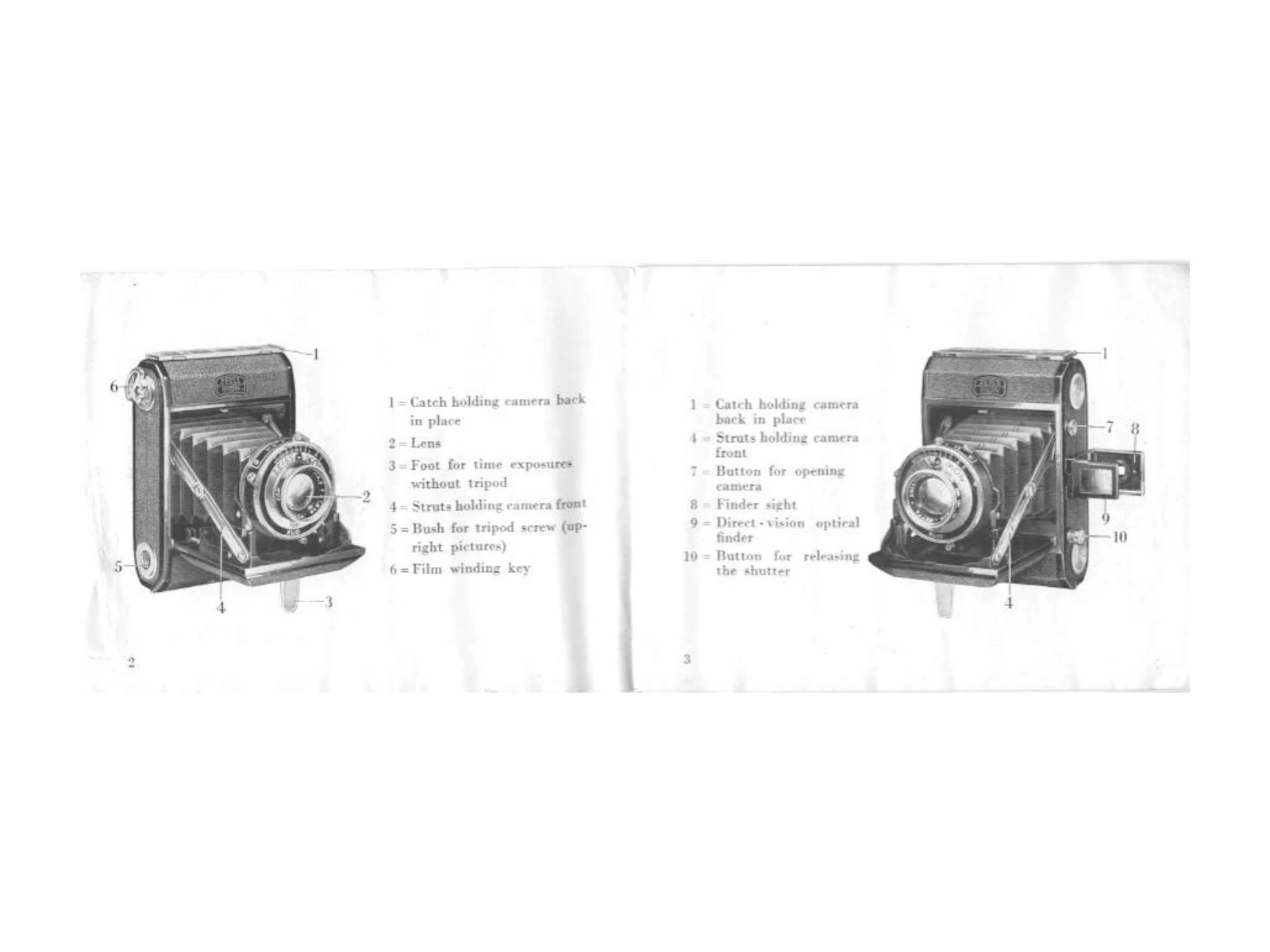
Press the knob (7) to automatically spring the camera into working position. A slight downward tilt is recommended.
Set the lever (11) to the desired number on the scale for aperture control. Higher numbers indicate smaller apertures, longer exposure times, and increased depth of focus. Consult page 20 for depth of focus details.
Adjust exposure time by turning the milled ring (12). Align the red mark with the desired speed (1/25, 1/50, 1/100, etc.). Intermediate speeds are available between 1/1 and 1/100 second.
Press the knob (10) to release the shutter. For delayed action, set the lever (14) and the shutter will activate after approximately 10 seconds.
Hold the camera firmly and without vibration. A common method is to rest it in the right palm with the left hand supporting the body, using the middle finger of the left hand to press the release knob.
Focus by turning the lens. A scale on the lens cell shows the set distance. Refer to page 20 for depth of field information.
Hold the finder close to your eye, ensuring the viewing plate is not pressed against the front to avoid image distortion. The image in the finder matches the picture on the film.