Manual for FVENW5X1

Manual for FVENW5X1

Brand: ZANUSSI

Category: Oven

Document Type: Manual

Language: EN
Uploaded: Nov. 21, 2025, 6:16 p.m.

Daily Use:

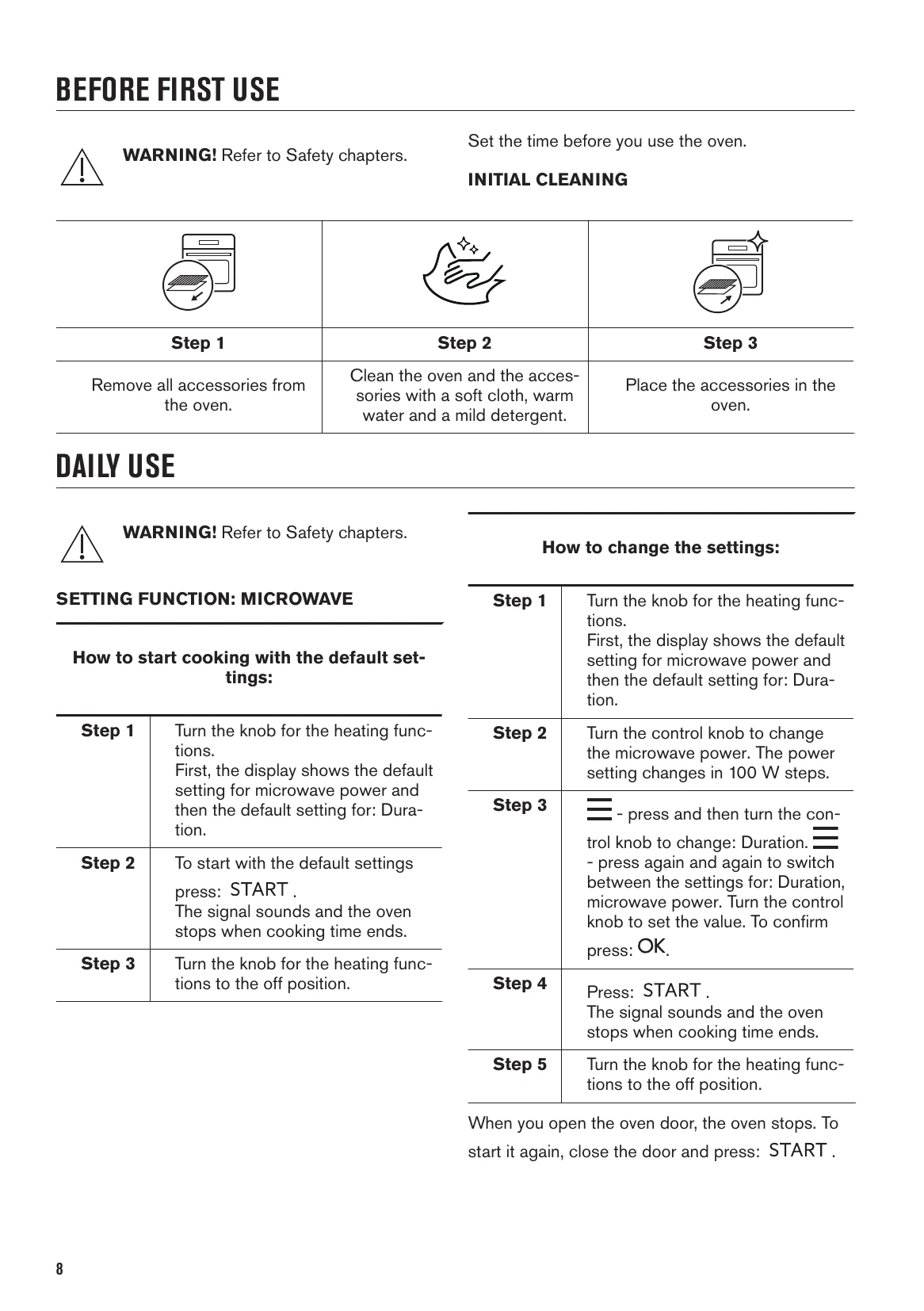
  • Microwave Setting: Turn the knob for heating functions. The display shows the default microwave power and duration. Press START to begin. The oven stops automatically when cooking time ends. Turn the knob to the off position to deactivate.
  • Changing Settings: Use the control knob to adjust microwave power in 100 W steps. Press the menu button (=) and turn the control knob to change duration. Press OK to confirm.
  • Combi Functions: Insert the low grill rack. Select the desired heating function (e.g., Grill + MW). The display shows default microwave power. Press START. Microwave power is limited to 500 W for Combi functions.
  • Oven Functions: Select functions like Light, Grill, Reheating, Defrost, Melting, Popcorn, etc., using the heating function knob. Follow on-screen prompts for specific settings.
  • Clock Functions: Set Time of Day, Duration, End Time, and Time Delay using the control knob and OK button. Minute Minder can be set independently.

Troubleshooting and error codes

Problem Check if... Components Error codes Check if...
The oven does not turn on or does not heat up The oven is correctly connected to an electrical supply.
The automatic switch-off is deactivated.
The fuse is blown.
The Child Lock is off.
The lamp does not work. The lamp is burnt out. Contact an Authorised Service Centre.
The turntable set makes noise. There is food residue below the turntable set. The display shows... 12:00 There was a power cut. Set the time of day.
Privacy Policy