Manual for ZDI101

Manual for ZDI101

Brand: ZANUSSI

Category: Dishwasher

Document Type: Manual

Language: EN
Uploaded: Nov. 21, 2025, 8:29 p.m.

Warranty Information

Refer to warranty card for details. Not explicitly stated in this excerpt.

Operation Summary

This manual provides instructions for the ZANUSSI ZDI101 dishwasher. It covers safety information, control panel operation, washing programs, appliance usage, and maintenance.

Key operations include:

  • Safety: Read all instructions before use. Do not use if damaged. Keep children away. Use only branded dishwasher products.
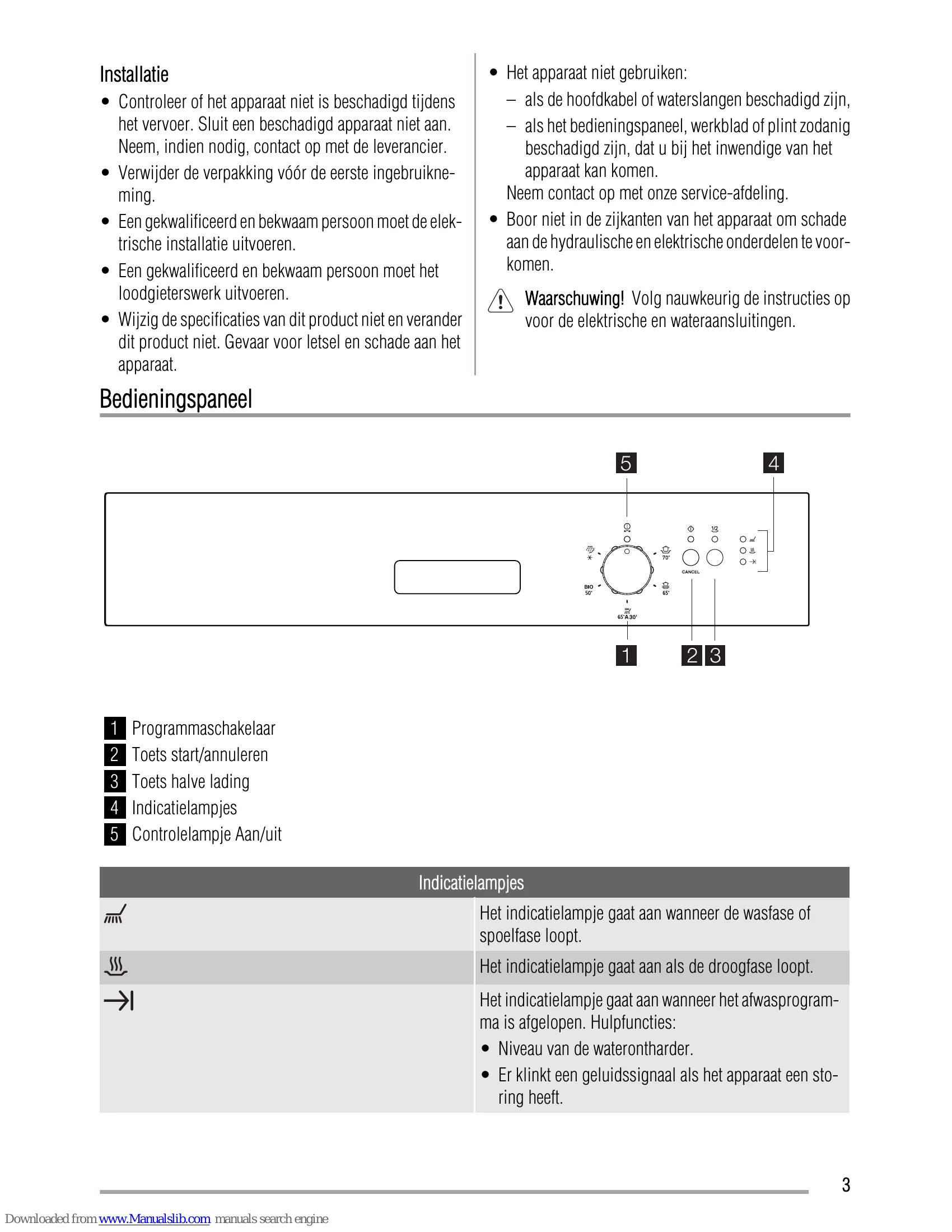
  • Control Panel: Use the programme knob to select a wash program and the start/cancel button to start or stop. The half-load button is for smaller loads. Indicator lights show program status.
  • Washing Programmes: Select a program based on soil level and load type (e.g., Heavy soil, Normal soil, BIO).
  • Appliance Use: Check water softener level, fill salt and rinse aid dispensers, load dishes correctly, and select the appropriate program and detergent.
  • Care and Cleaning: Clean filters regularly. Wipe down the exterior.

Refer to specific sections for detailed instructions on each step.

Troubleshooting and error codes

Error Code and Malfunction Possible Cause and Solution
The programme does not start.
  • The appliance door is not closed. Close the door.
  • The mains plug is not plugged in. Plug in the mains plug.
  • The fuse in the meter box has blown. Replace the fuse.
  • The delayed start is set. Cancel the delayed start to start the programme immediately.
The appliance does not fill with water.
  • The water tap is blocked by limescale. Clean the water tap.
  • The water tap is closed. Open the water tap.
  • The filter in the water inlet hose is blocked. Clean the filter.
  • The connection to the water inlet hose is incorrect. The hose may be kinked or squashed. Ensure the connection is correct.
  • The sink drain is blocked. Unclog the sink drain.
  • The connection to the water drain hose is incorrect. The hose may be kinked or squashed. Ensure the connection is correct.
The wash water is not drained.
  • The water tap is closed. Close the water tap and contact the service department.
The anti-overflow device is activated.
  • Continuously flashing of the start/cancel indicator light.
  • 3 flashes of the end programme indicator light.
The dishes are not clean.
  • The selected washing programme is not suitable for the type of load and degree of soiling.
  • The racks are not loaded correctly, so water cannot reach all surfaces.
  • The spray arms cannot rotate freely due to incorrect loading of the dishes.
  • The filters are dirty or not correctly placed.
  • Too little or no detergent was used.
There are limescale residues on the dishes.
  • The salt container is empty.
  • The water softener is set to the wrong level.
  • The cap of the salt container is not closed properly.
The dishes are wet and dull.
  • No rinse aid was used.
  • The rinse aid dispenser is empty.
The glasses and dishes show streaks, milky spots or a blue haze.
  • Reduce the rinse aid dosage.
Dried water drops on glasses and dishes.
  • Increase the rinse aid dosage.
  • The detergent may be the cause.
Privacy Policy