Manual for ELECTRO 35 GX

Manual for ELECTRO 35 GX

Brand: Yashica

Category: Camera

Document Type:

Language: EN
Uploaded: Aug. 9, 2025, 11:46 p.m.

Warranty Information

Warranty information is not available in the provided pages.

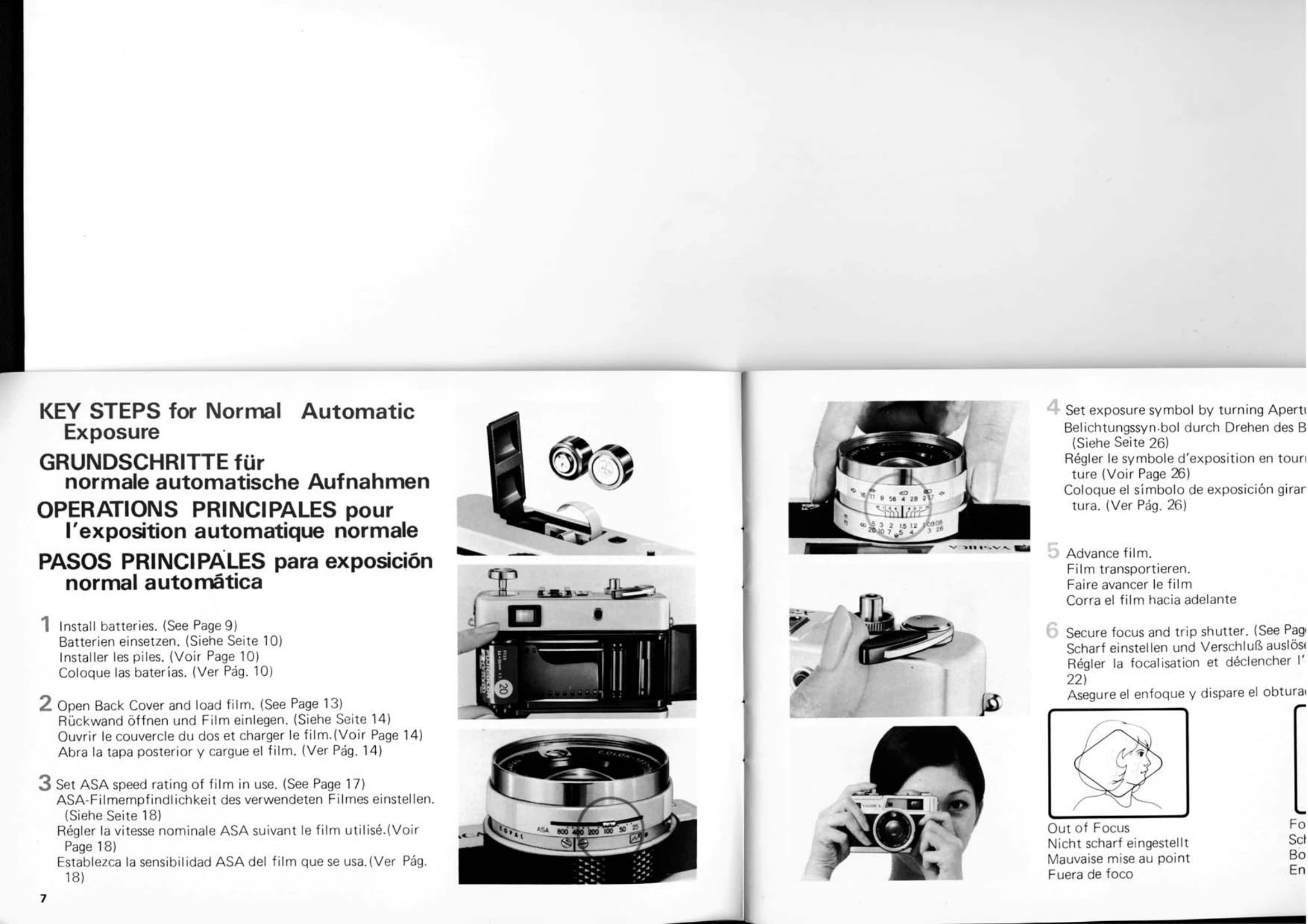
1. Install Batteries: Open the battery compartment, insert two 1.4V mercury batteries, ensuring correct polarity. Close the cover.
2. Load Film: Open the back cover by lifting the rewind knob. Insert a 35mm film cassette, right side up. Push the rewind knob down. Thread the film leader into the take-up spool. Advance the film using the lever until the exposure counter shows '1'.
3. Set ASA Speed: Press the ASA Film Speed Setting Lever and align it with the ASA rating of your film.
4. Set Exposure Symbol: Turn the Aperture Ring to align the appropriate exposure symbol with the index.
5. Focus and Shoot: Sight the subject through the viewfinder and turn the Focusing Ring until the image is sharp. Press the shutter release button gently.

Troubleshooting and error codes

Condition Cause Remedy
Battery Checker Lamp does not come on Batteries installed with reverse polarity Correct polarity
Poor contact due to oil smears on battery ends Wipe battery ends with a dry cloth
Battery power drained Replace batteries
Battery compartment empty Install batteries
Privacy Policy