Manual for UW10

Manual for UW10

Brand: YAMAHA

Category: Audio/Video

Document Type: Manual

Language: EN
Uploaded: Nov. 21, 2025, 9:22 p.m.

Manual Publish Date: 2003-01-01

Warranty Information

Yamaha warrants the original purchaser that the SOFTWARE will perform as described in the manual.

  • Digital and analog interface: The UW10 allows for digital recording of MDs and cassette tapes to a computer, and music creation using audio/MIDI sequencers and MIDI tone generators. Analog inputs convert analog signals to digital, preventing audio deterioration.
  • Easy Hot Swap Connection: The UW10 can be connected and disconnected while the computer is on, drawing power from the USB bus, eliminating the need for a power adapter.
  • Versatile software programs: Includes TWEplus Wave Editor for recording and editing wave files (MP3, WAV, AIFF), and S-YXG50 SoftSynthesizer for playing MIDI data and converting it to wave files.
  • Supports Windows: Compatible with Windows 98/Me/2000/XP.
  • Notes on USB: Avoid connecting/disconnecting the USB cable during computer operations like driver loading, OS startup/shutdown, sleep mode, or active audio/MIDI applications. Do not frequently connect/disconnect cables or place the computer in sleep mode during data transfer.
  • Connections: Features USB, DIGITAL IN/OUT, INPUT L/R, OUTPUT L/R, and headphone jacks.
  • Signal Flow: Audio signal paths vary depending on the SOURCE SELECT switch setting (INPUT, DIGITAL, TRACK DOWN).
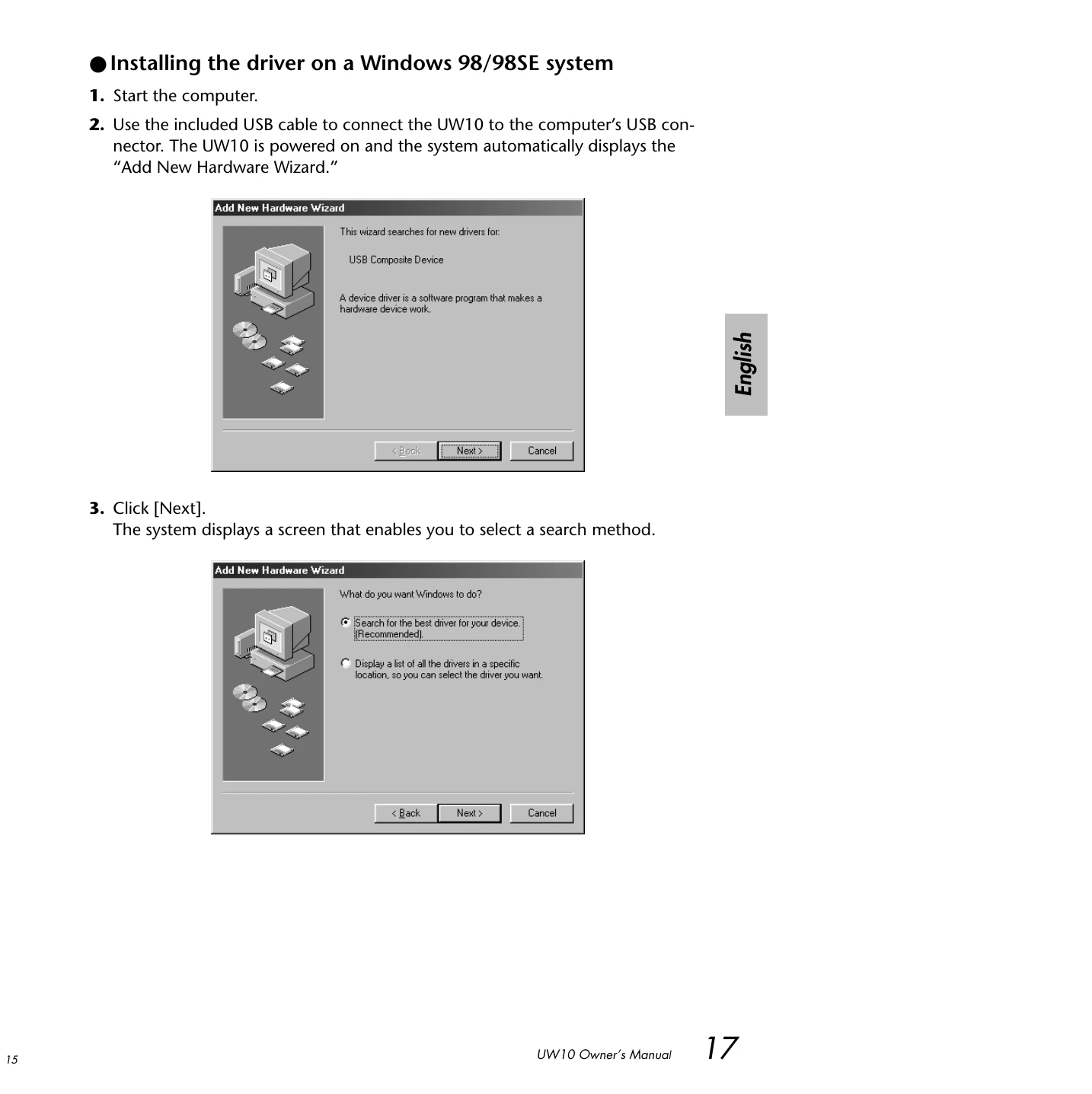
  • Installing the driver: Essential for transferring audio signals between the computer and UW10. Follow on-screen instructions for Windows 98/98SE, Me, 2000/XP.
  • Setting up software: Includes installation instructions for TWEplus Wave Editor, S-YXG50 SoftSynthesizer, XGplayer, Acrobat Reader, and MidRadio Player.

Troubleshooting and error codes

Problem Solution
The driver cannot be installed.
  • Check USB cable connection.
  • Disconnect and reconnect USB cable.
  • Ensure USB function is enabled on the computer.
  • Check for "Unknown device" in Device Manager and delete if present.
  • Try installing the driver again.
  • Avoid using a USB hub powered by the USB bus power supply. Connect directly to the computer.
  • Disconnect other USB devices during driver installation.
The UW10 does not operate correctly, or no sound is heard.
  • Did you install the driver?
  • Are cables connected correctly?
  • Check volume settings for tone generator, playback device, and application.
  • Is the appropriate device selected for your audio application?
  • Is the sampling frequency set correctly?
  • Are wave files compatible with sampling frequency and bit resolution?
  • Check "Enable digital CD audio for this CD-ROM device" checkbox for music CDs.
  • Is the SOURCE SELECT switch set correctly?
  • Is the input signal copyright protected?
The sound is interrupted or distorted.
  • Does your computer satisfy the system requirements?
  • Quit all unnecessary application programs.
  • Playing multiple wave files might cause issues depending on computer performance.
  • Adjust computer settings for optimal performance (Hardware accelerator, sampling rate conversion quality, high-speed mode, driver upgrades).
  • Ensure file system is correctly set and virtual memory is configured.
  • Update device drivers or BIOS if necessary.
Cannot place the computer in Save Energy (Sleep) mode (or cancel the mode).
  • Is the computer in Sleep mode while the audio application is operating?
  • Disconnect and reconnect the USB cable.
The recorded level is very low.
  • Set the computer's "Volume Control" to maximum.
  • Record from the headphone jack of an AV device and adjust output level as needed, or use the Normalize function after recording.
Privacy Policy