Brand: YAMAHA
Category: Audio/Video
Document Type: Manual
Language: EN
Brand: YAMAHA
Category: Audio/Video
Document Type: Manual
Language: EN
Uploaded: Nov. 21, 2025, 6:38 p.m.
Warranty information is not explicitly stated but implied by standard product practices.
| Trouble | Possible Cause | Remedy |
|---|---|---|
| No power | Power cord is not plugged in. | Plug the power cord firmly into the AC outlet. |
| No power | Power cord is damaged. | Ask your dealer for a replacement power cord. |
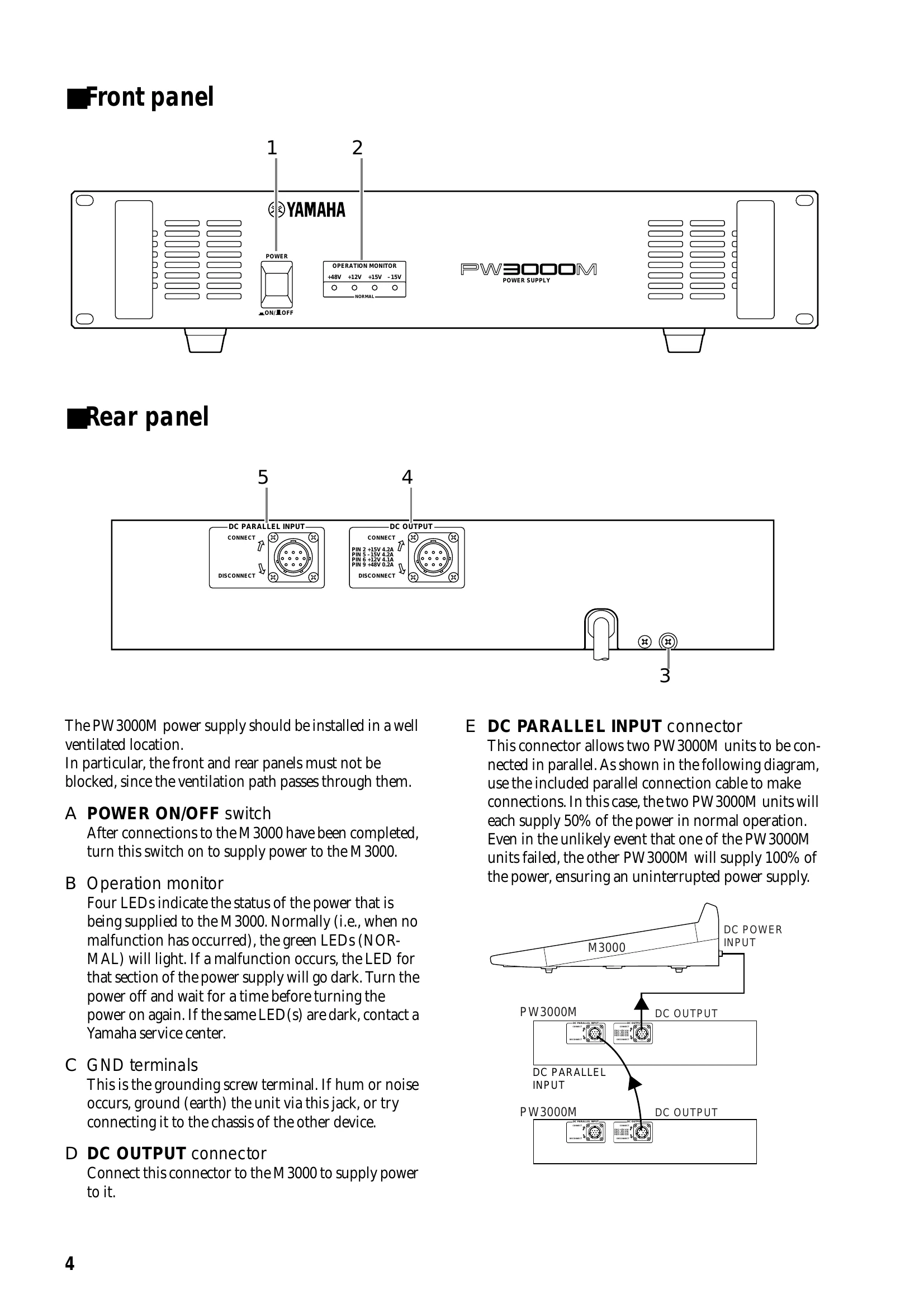
| No power | POWER ON/OFF switch is OFF. | Turn the POWER ON/OFF switch ON. |
| No power | Internal fuse blown. | Consult your dealer for service. |
| Hum or noise | Unit is not properly grounded. | Ground the unit using the GND terminal. |
| Hum or noise | Interference from other equipment. | Relocate the unit or the interfering equipment. |
| Operation monitor LEDs are dark | Malfunction in the power supply section. | Turn the power off, wait, and turn it on again. If the LEDs remain dark, contact a Yamaha service center. |