Brand: Wiko
Category: Mobile Phone
Document Type:
Language: EN
Brand: Wiko
Category: Mobile Phone
Document Type:
Language: EN
Uploaded: Aug. 10, 2025, 12:12 a.m.
Manual Publish Date: 2017-07-31
WIKO's warranty does not cover normal wear and tear.
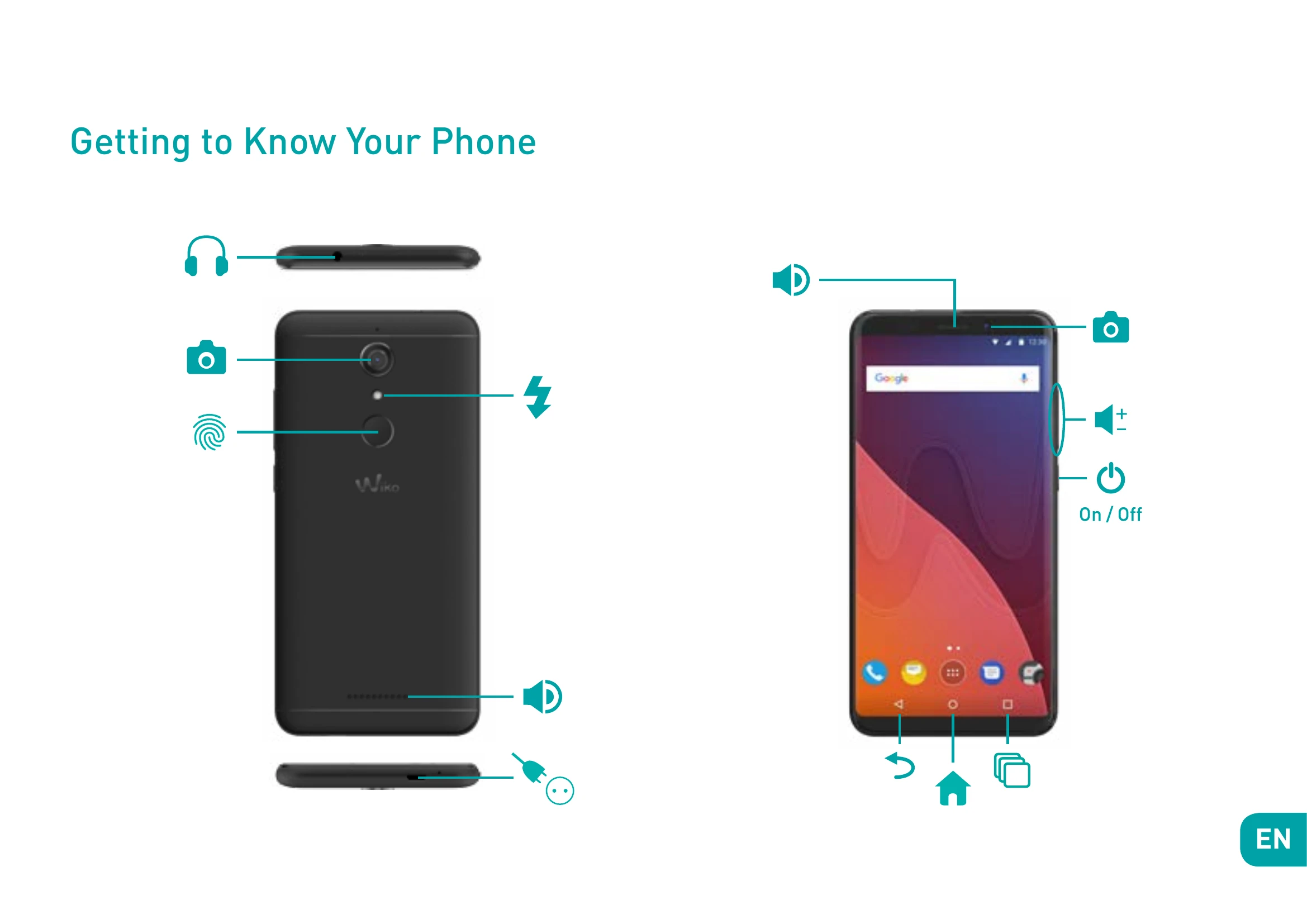
The phone has buttons on the top, bottom, and sides. Key buttons include:
Insert a MicroSD memory card (up to 128 GB) into the provided slot.
Connect the charger to a power outlet and the micro USB cable to the phone's USB port. The status indicator turns red when charging and green when fully charged.
Press and hold the ON/OFF button until the phone vibrates. If the SIM card is locked, enter the PIN. To turn off, press and hold ON-OFF, select 'Power Off', and confirm.