Brand: Wiko
Category: Mobile Phone
Document Type:
Language: EN
Brand: Wiko
Category: Mobile Phone
Document Type:
Language: EN
Uploaded: Aug. 10, 2025, 12:13 a.m.
Manual Publish Date: 2018-01-01
WIKO's warranty does not cover normal wear and tear such as batteries, screens, or lenses.
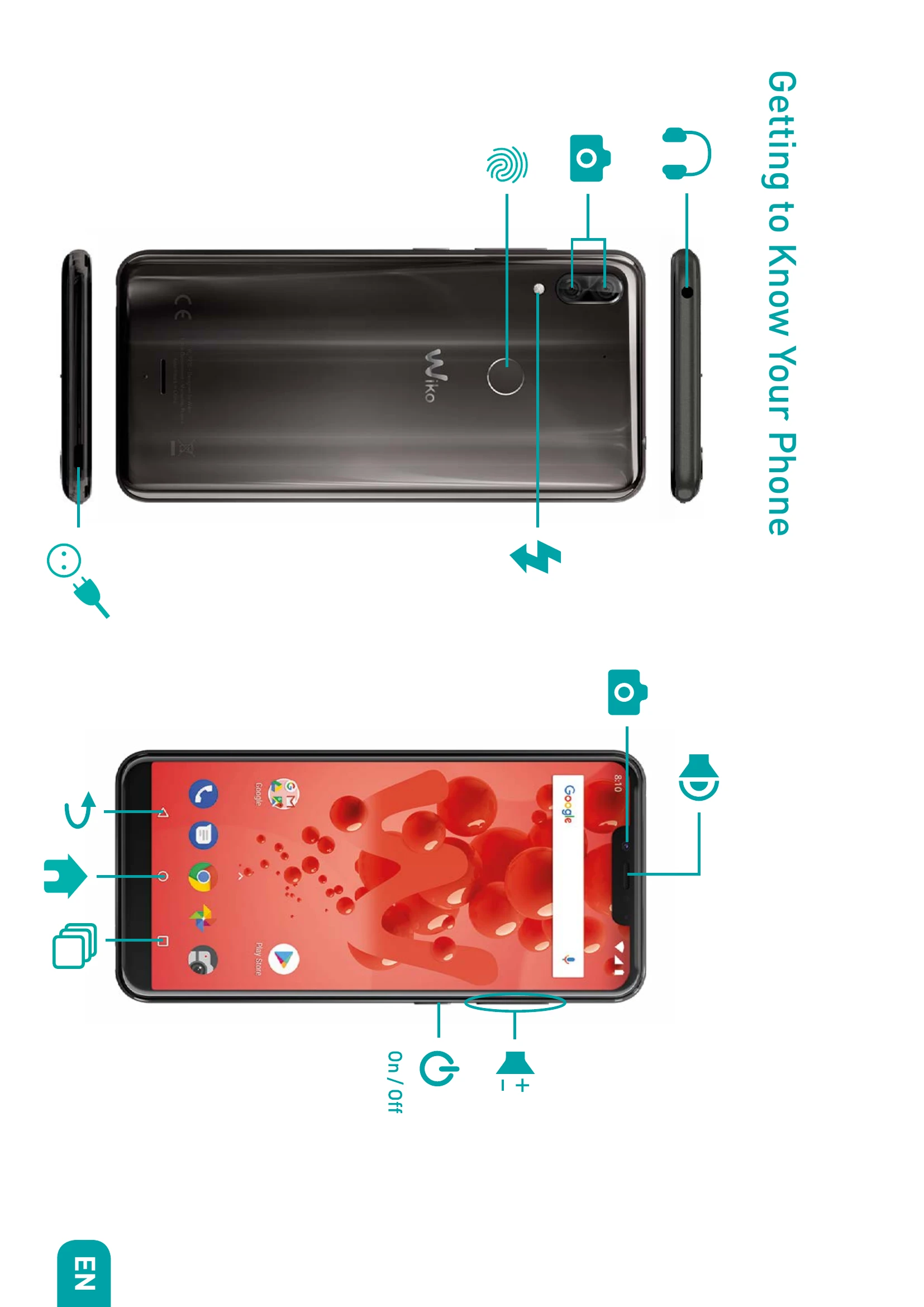
Powering On/Off: Press and hold the ON/OFF button to turn the phone on or off. A quick press locks the screen.
SIM Card Insertion: Insert Nano SIM cards into SIM1 and SIM2 slots as shown in the diagram.
Memory Card Installation: Insert a MicroSD card (up to 256 GB) into the designated slot.
Charging the Battery: Connect the charger to a power outlet and the micro USB cable to the phone. A red indicator means charging, green means fully charged.
Navigation: Use Home to return to the home screen, Overview for recent apps, and Return to go back.
Volume Control: Use Volume +/- to adjust sound levels. Press and hold Volume- for meeting profile.