Brand:
Whirlpool
Category: Dishwasher
Document Type: Quick Start Guide
Language: EN
Brand:
Whirlpool
Category: Dishwasher
Document Type: Quick Start Guide
Language: EN
Uploaded: Nov. 21, 2025, 7:14 p.m.
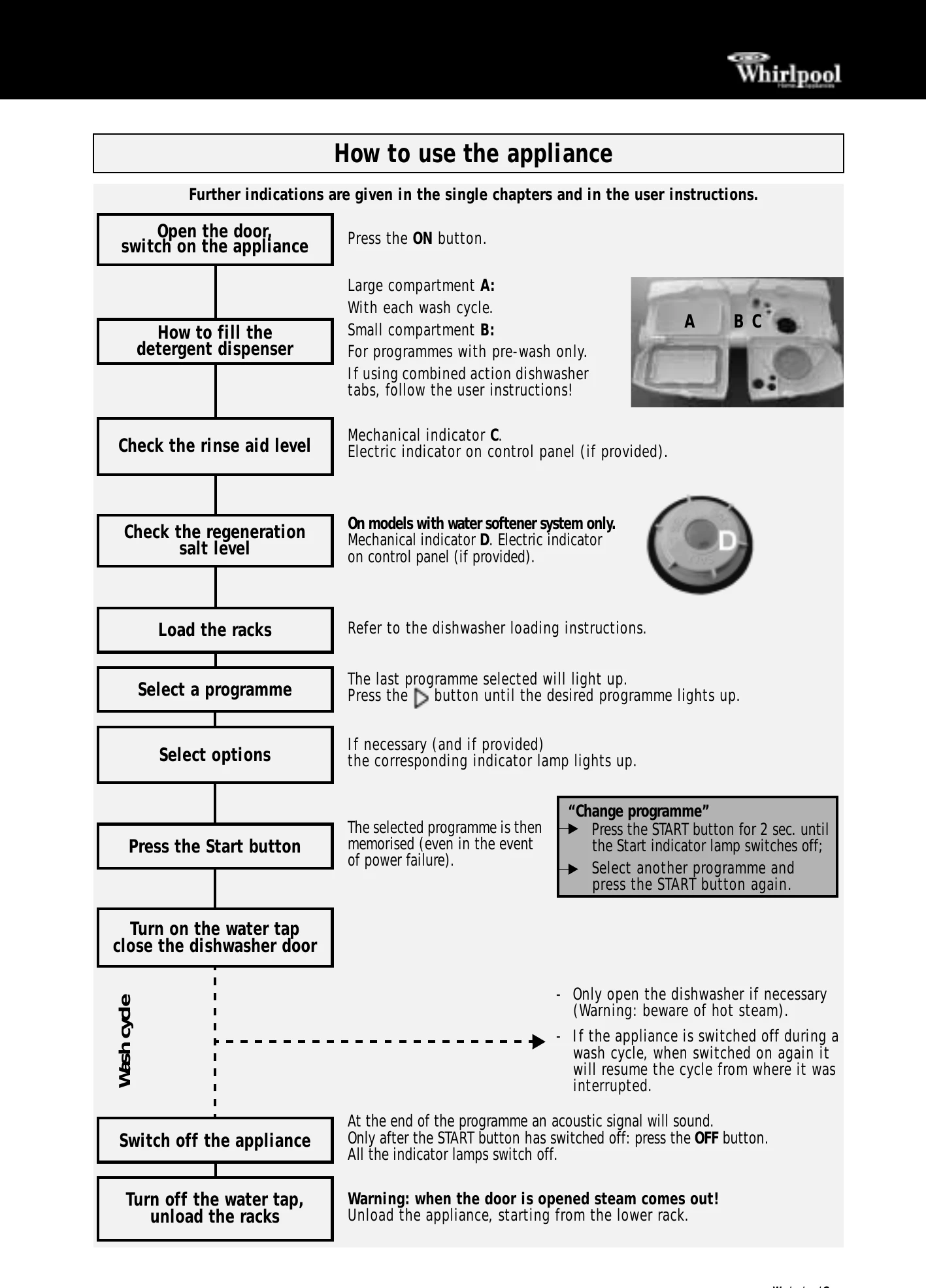
Switch on: Press the ON button.
Detergent: Fill large compartment A for each wash cycle. Use small compartment B for programmes with pre-wash only.
Rinse Aid: Check the mechanical indicator C or electric indicator on the control panel.
Salt: On models with a water softener system, check the mechanical indicator D or electric indicator on the control panel.
Loading: Refer to the dishwasher loading instructions.
Programme Selection: Press the programme selection button until the desired programme lights up.
Options: If available, select options and their corresponding indicator lamp will light up.
Start: Press the Start button. The selected programme is memorised.
Changing Programme: Press and hold the START button for 2 seconds until the indicator switches off, then select a new programme and press START again.
Wash Cycle: Turn on the water tap and close the dishwasher door.
Switch Off: At the end of the programme, an acoustic signal will sound. Press the OFF button only after the START button has switched off.
Unloading: Warning: steam may escape when the door is opened. Unload from the lower rack first.
| Problem | Cause | Remedy |
|---|---|---|
| The appliance is not working | No water supply. | Open the tap. |
| The appliance does not load sufficient water. | Clean the water supply tap filter. Ensure there are no kinks in the water hose. |
|
| There is a power failure. | Insert the plug into the mains socket. Close the door. Check the domestic circuit fuse. The programme can be set to "0" to start. |
|
| If crockery is not perfectly dry | Starting the selected programme. | Press the Start button. |
| Insufficient rinse aid. | Increase dosage *. | |
| Residual water in cavities. | Load crockery at an angle. | |
| If crockery is not perfectly clean | The water jet does not reach the crockery. | Arrange crockery so that items do not touch each other. |
| Insufficient detergent. | Load crockery upside down. Follow recommended detergent dosage. |
|
| Unsuitable programme. | Select a more intense wash cycle. | |
| Spray arms blocked. | The spray arms must be able to turn freely. | |
| Spray arm nozzles clogged. | Remove any impurities obstructing the water flow *. | |
| Incorrect detergent/detergent too old. | Use a good quality detergent. | |
| Sandy or grainy residues | Clogged filters. | Check filters regularly/if necessary clean *. |
| Filters incorrectly assembled. | Insert the filter correctly *. | |
| Colour of plastic parts faded | Tomato/carrot juice,... | Depending on the material, if necessary use a detergent with a greater whitening power. |
| Deposits on crockery | removable | Streaks on the crockery/glasses. Streaks on glasses. Layer of salt on crockery/glasses. |
| Increase the rinse aid dosage *. Reduce the rinse aid dosage *. Close the salt container lid properly *. |
||
| not removable | Insufficient water softening, calcium deposits. | |
| Change water hardness setting, if necessary add salt *. | ||
| Opaque glasses/ glasses not sparkling | Cannot be washed in the dishwasher. | Use suitable glasses. |
| Rust on cutlery | Not made of stainless steel. | Use suitable cutlery. |
| Identifying appliance faults | The START indicator lamp flashes. Indicator F... (if provided). |
Ensure the filter assembly is not clogged and that there is no interruption to the water supply (if necessary, clean the filters *). Start the programme again. Press the START button for 2 seconds, until the START indicator lamp switches off. Select a new programme and press the Start button again. |