Brand: Vivitar
Category: Movie Camera
Document Type: Manual
Language: EN
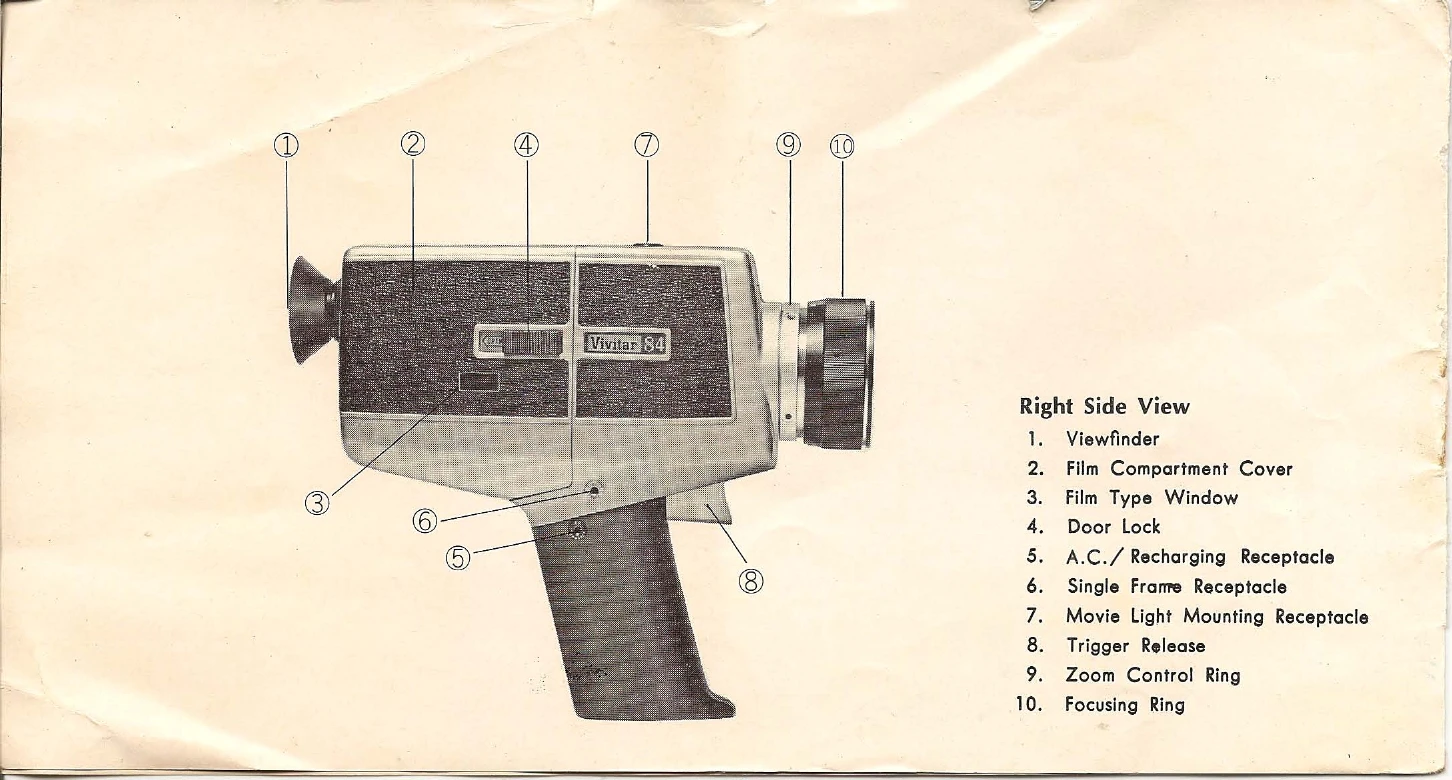
Brand: Vivitar
Category: Movie Camera
Document Type: Manual
Language: EN
Uploaded: Aug. 10, 2025, 12:54 a.m.
1. Open the battery compartment cover by inserting a coin in the slot and twisting a quarter turn.
2. Remove the battery magazine and insert batteries as shown in the diagram.
3. Insert the magazine into the compartment and replace the cover.
1. Rechargeable batteries can be used similarly to regular batteries.
2. To test, use the battery tester. If the needle is in the red, recharge.
3. To recharge, insert the cord into the camera's receptacle and the prongs into an AC socket. Full recharge takes 13 hours.
1. Push the slide lock to "Open" and open the compartment cover.
2. Insert the film cartridge with the label facing outward.
3. Close the cover and push the slide lock to "Lock".
| Problem | Possible Cause |
|---|---|
| Camera motor will not run. |
|
| Pictures not sharp. |
|