Manual for 50XP37

Manual for 50XP37

Brand: TOSHIBA

Category: Television

Document Type: Manual

Language: EN
Uploaded: Nov. 21, 2025, 8:35 p.m.

Manual Publish Date: 2004-03-01

Warranty Information

Consult the manual for specific warranty details.

Basic Operation and Setup

  1. Safety First: Always adhere to safety precautions, especially those related to electrical hazards and electrostatic discharge (ESD).
  2. Signal Input: Understand the applicable signals for VIDEO and PC inputs, as detailed on page 3.
  3. Service Modes: Access CAT (Computer Aided Test) mode by pressing and holding Volume Down on the front panel and pressing Status on the remote. Within CAT mode, you can access IIC, CD, SD, MS, and ID modes for various service functions, including alignment and diagnostics.
  4. Alignment Procedures: Follow detailed alignment procedures for panel white balance (PC, RGB, HD) to ensure optimal picture quality.
  5. Troubleshooting: Utilize the self-check feature and the LED blinking timing chart to diagnose power issues and other abnormalities.
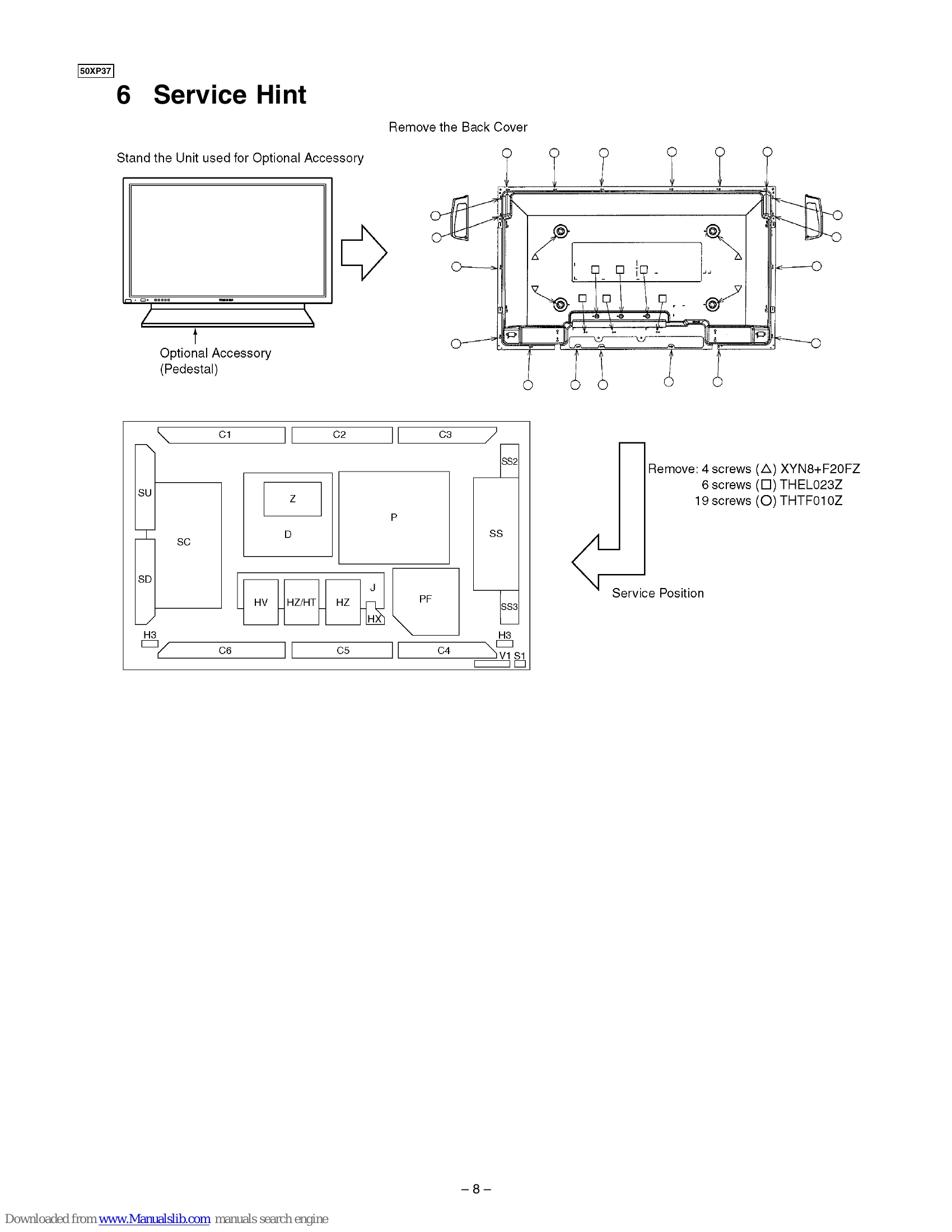
  6. Panel Replacement: Follow strict handling precautions and procedures for replacing the plasma panel to avoid damage.

Troubleshooting and error codes

Blinking times Blinking timing Contents Board Name
2 Blinking pattern for 2 times Data Driver SC, SS
3 Blinking pattern for 3 times 3.3V SOS D
4 Blinking pattern for 4 times 5V SOS D, P
5 Blinking pattern for 5 times Power SOS P
6 Blinking pattern for 6 times FAN Power FAN motor
7 Blinking pattern for 7 times SCAN Driver SC, SU, SD
9 Blinking pattern for 9 times SUS Driver SS
Privacy Policy