Brand: TOSHIBA
Category: Television
Document Type: Manual
Language: EN
Brand: TOSHIBA
Category: Television
Document Type: Manual
Language: EN
Uploaded: Nov. 21, 2025, 7:14 p.m.
Toshiba offers limited warranties covering defects in materials or workmanship for 90 days, 1 year, and 2 years for the picture tube.
Welcome to your new Toshiba TV!
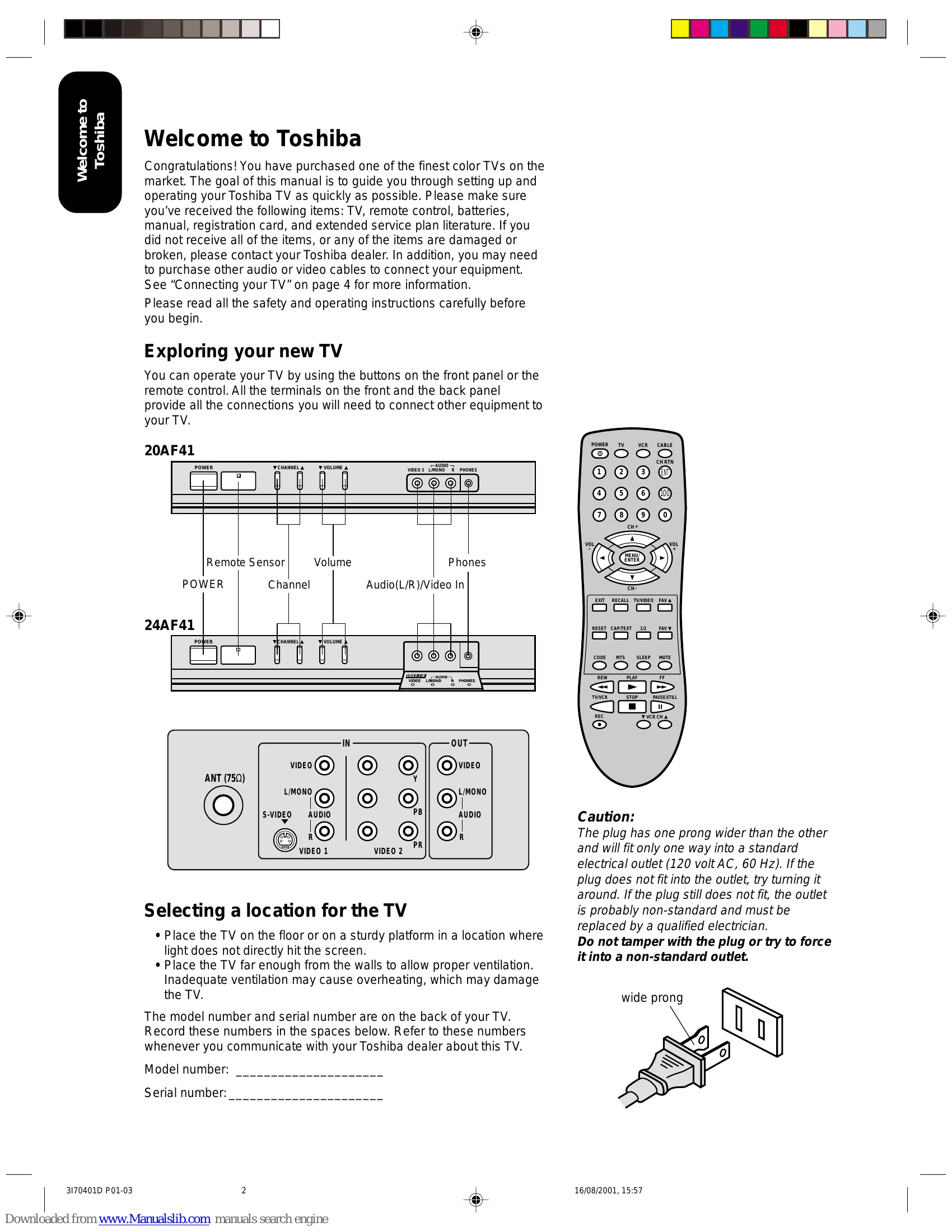
This manual guides you through setting up and operating your TV. It covers connecting various devices like VCRs, DVD players, and audio amplifiers. You'll learn to use the remote control, program channels, adjust picture and sound settings, and utilize features like the sleep timer and closed captions.
Explore your TV's capabilities through the menu system and learn how to customize your viewing experience.
| Problem | Solution |
| TV will not turn on | • Make sure the power cord is plugged in, then press POWER. • The remote control batteries may be dead. Replace the batteries. |
| No picture, no sound | • Check the antenna/cable connections. |
| No sound, picture OK | • The sound may be muted. Press VOLUME. • The station may have broadcast difficulties. Try another channel. |
| Poor sound, picture OK | • The station may have broadcast difficulties. Try another channel. |
| Poor picture, sound OK | • Check the antenna connections. • The station may have broadcast difficulties. Try another channel. • Adjust the PICTURE menu. |
| Poor reception of broadcast channels | • The station may have broadcast difficulties. Try another channel. • Check the antenna connections. • If you are using a VCR, make sure the TV/VCR button is set correctly. |
| Cannot receive above channel 13 | • Make sure TV/CABLE is set to CABLE mode. |
| Unable to select a certain channel | • The channel may be blocked out with the V-Chip feature, or erased with the add/erase feature. |
| Multiple images | • The station may have broadcast difficulties. Try another channel. • Use a highly directional outdoor antenna. |
| Poor color or no color | • The station may have broadcast difficulties. Try another channel. • Adjust the TINT and/or COLOR in the PICTURE menu. • If you change the direction of the TV while it is turned on, the picture could suffer from color shading. If so, turn off the TV and allow it to cool down for several hours before turning it on again. |
| No stereo or SAP sound from a known MTS broadcast | • Make sure the MTS feature is set properly. |
| The remote control does not operate | • Check if the TV/VCR/CABLE mode is properly set. • There may be an obstruction between the remote control and the remote control sensor. • The remote control batteries may be dead. Replace the batteries. |
| The V-Chip PIN code does not work | • Change or reset your PIN code (see page 14, Selecting a PIN code). |