Brand: SONY
Category: Video Camera
Document Type: Manual
Language: EN
Brand: SONY
Category: Video Camera
Document Type: Manual
Language: EN
Uploaded: Aug. 10, 2025, 12:15 a.m.
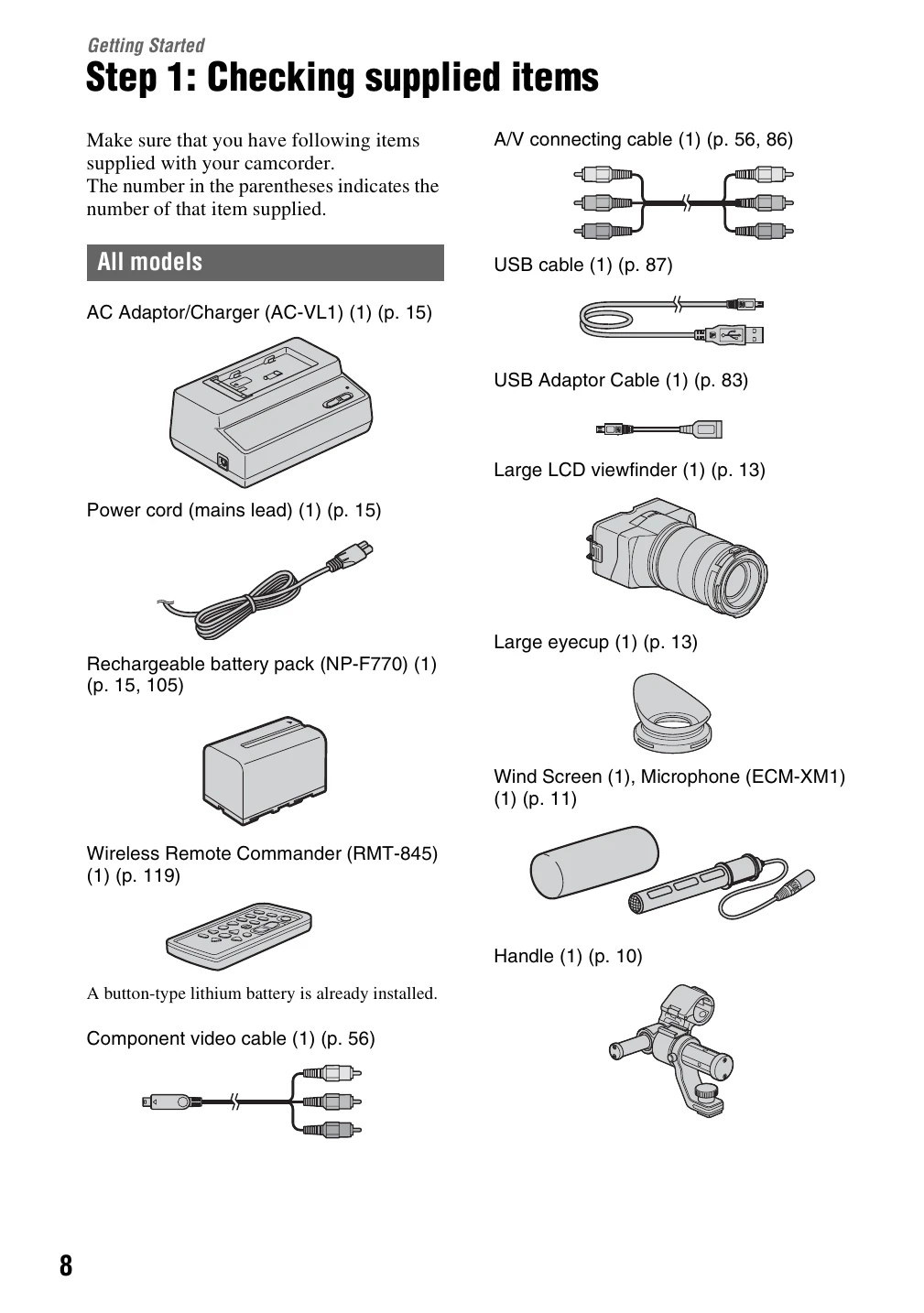
Step 1: Checking supplied items: Ensure all accessories like cables, AC adaptor, battery pack, lens, viewfinder, microphone, handle, grip, and software CDs are present.
Step 2: Attaching the supplied accessories: Instructions for attaching the lens by aligning mounting indexes and locking it. Also covers attaching the handle, microphone, and grip for comfortable and stable operation.
Step 3: Charging the battery pack: Guide on charging the "InfoLITHIUM" battery pack using the supplied AC Adaptor/Charger. Includes charging times and notes on battery usage.
Step 4: Attaching the lens: Detailed steps on how to attach and remove the E 18-200 mm F3.5-6.3 OSS lens, including aligning mounting indexes and using the lens release button. Also covers cleaning the image sensor and attaching the lens hood.
Step 5: Turning on the camcorder and setting the date and time: Instructions for powering on the camcorder and setting the initial date and time. Also includes steps for changing the language setting.