Brand: SONY
Category: Video Camera
Document Type: Manual
Language: EN
Brand: SONY
Category: Video Camera
Document Type: Manual
Language: EN
Uploaded: Aug. 10, 2025, 12:24 a.m.
SONY disclaims liability for damages resulting from failure to implement proper security measures or data leaks.
The HXC-P70 is a high-definition video camera with a 2/3-inch Exmor CMOS image sensor, designed for a variety of applications due to its compact, box-shaped case.
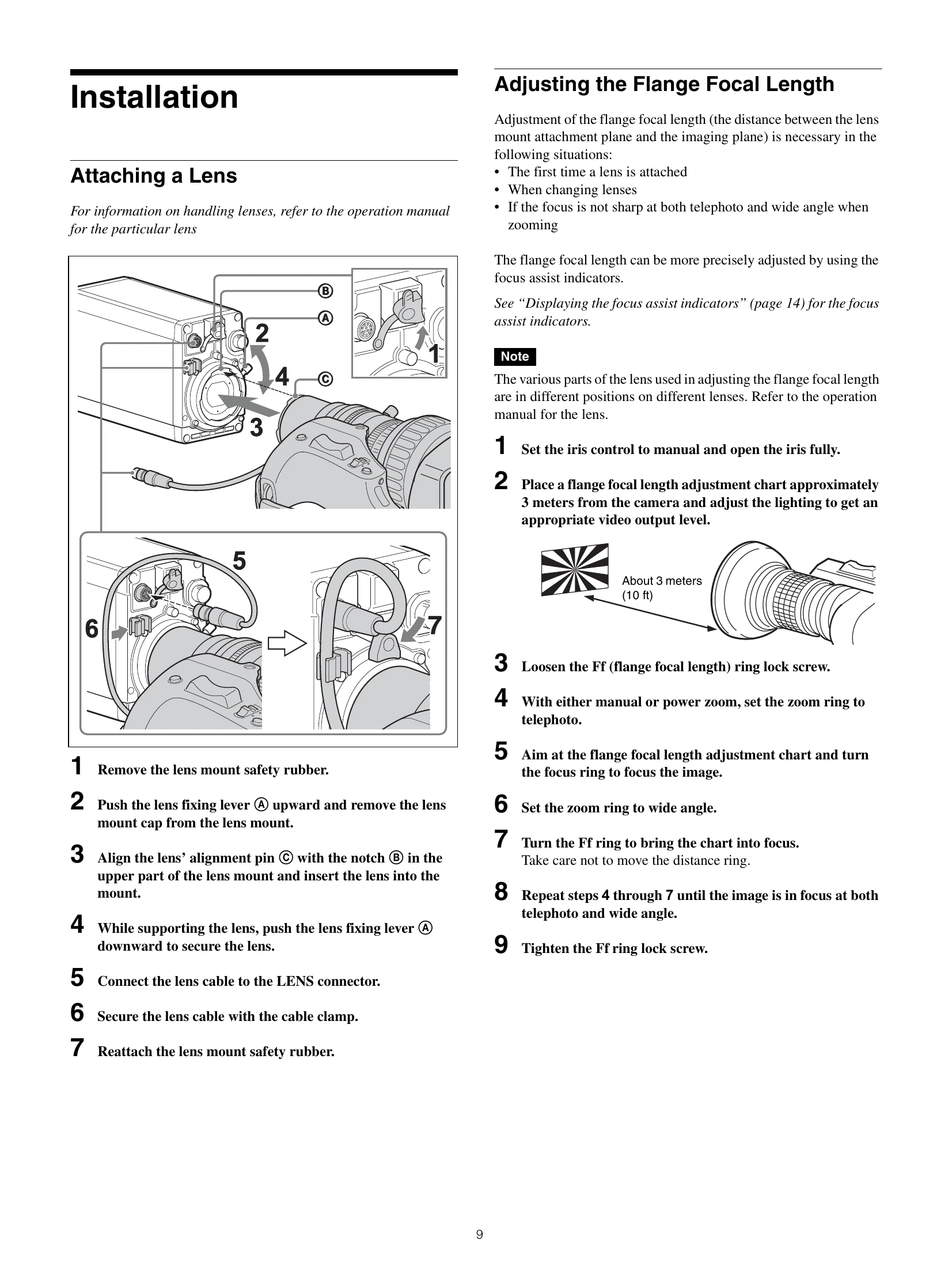
Attaching a Lens: Remove lens mount safety rubber, push lens fixing lever, align lens pin with notch, insert lens, secure with lever, connect lens cable, secure cable, reattach safety rubber.
Adjusting Flange Focal Length: Set iris to manual and open fully. Use a chart 3 meters away. Loosen Ff ring lock, zoom to telephoto, focus. Zoom to wide angle, turn Ff ring to focus. Repeat until focus is sharp at both telephoto and wide angle. Tighten Ff ring lock.
Mounting to Tripod: Attach tripod attachment adapter or V shoe/tripod adapter, mount camera, check security.
Area of Use: Turn on camera, use menu to select COUNTRY. Requires setting before use.
Local Time: Set DISPLAY/MENU switch to MENU while holding menu control knob. Navigate to TOP menu, then MAINTENANCE, then
Control System Connection: Configure LEGACY, BRIDGE, or PC CONTROL mode via MAINTENANCE menu.
VF Detail: Enable VF DETAIL in OPERATION menu to add detail signal to sharp edges. Adjust CRISP, FREQUENCY, FLICKER, AREA, ZOOM LINK.
Focus Assist Indicators: Use