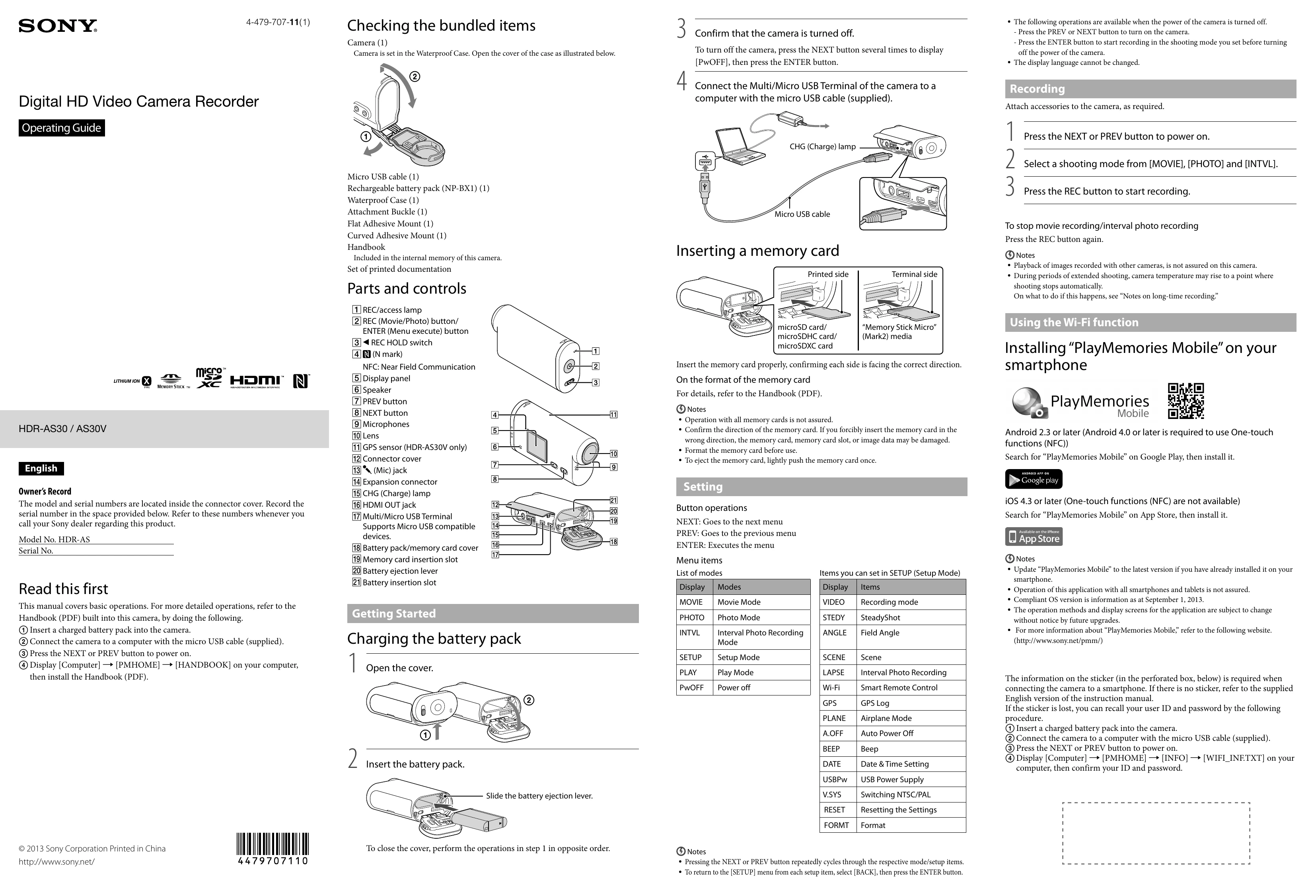
Checking the bundled items
1. Open the waterproof case and confirm the camera is present.
2. Ensure the camera is turned off by pressing NEXT/PREV until [PwOFF] is displayed, then press ENTER.
3. Connect the camera to a computer using the micro USB cable.
4. Insert a charged battery pack.
Inserting a memory card
1. Insert the memory card in the correct orientation.
2. Format the memory card before use if necessary.
Setting
1. Power on the camera by pressing NEXT or PREV.
2. Select a shooting mode ([MOVIE], [PHOTO], [INTVL]) using NEXT/PREV and confirm with ENTER.
3. Press the REC button to start recording.
Charging the battery pack
1. Open the battery pack cover.
2. Insert the battery pack.
Using the Wi-Fi function
1. Install "PlayMemories Mobile" on your smartphone (Android or iOS).
2. Follow on-screen instructions to connect the camera to your smartphone via Wi-Fi using the provided SSID and password. The sticker with this information is found inside the connector cover or within the camera's internal memory.
Connecting to a computer
1. For Android: Connect the camera to your computer with the micro USB cable and select the appropriate mode.
2. For iPhone: Connect to your computer, open iTunes, and manage content.
Others
- Notes on long-time recording: Allow the camera to cool down if it gets too hot during extended use.
- About the software: Download "PlayMemories Home" for image management.