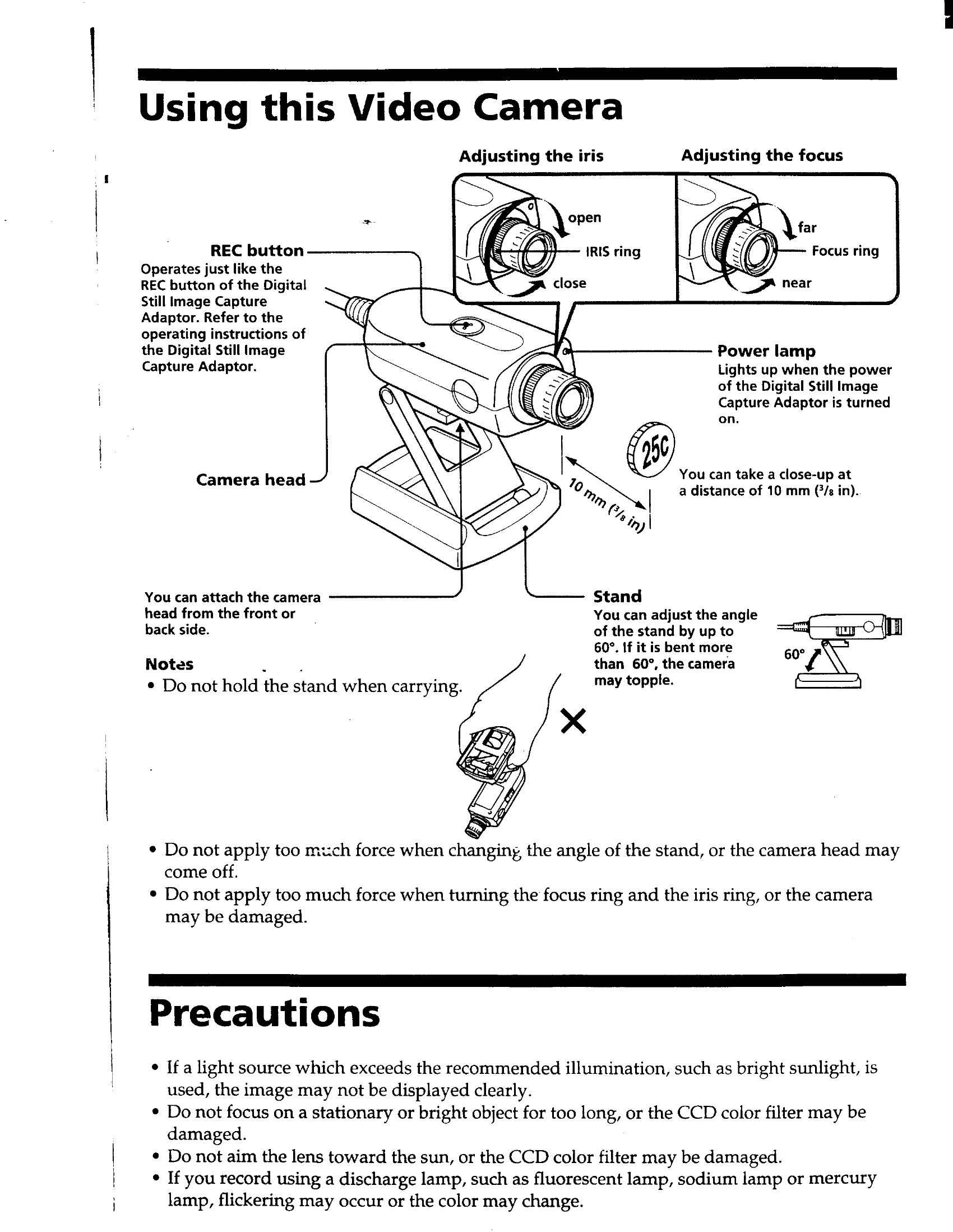
Connecting the Camera: Connect the video camera to the Digital Still Image Capture Adaptor using the provided cable, ensuring it's plugged into the CAMERA terminal.
Adjusting Iris and Focus: Use the IRIS ring to adjust the aperture and the Focus ring for image clarity.
Using the REC Button: The REC button functions similarly to the one on the Digital Still Image Capture Adaptor.
Stand Adjustment: Adjust the stand angle up to 60°. Bending it further may cause the camera to topple.
Power Lamp: The power lamp indicates when the Digital Still Image Capture Adaptor is turned on.
Close-up Shots: The camera can take close-up shots at a distance of 10 mm (3/8 in).