Manual for Xperia 1 VI XQ-EC54/XQ-EC72

Manual for Xperia 1 VI XQ-EC54/XQ-EC72

Brand: SONY

Category: Smartphone

Document Type: Manual

Language: EN
Uploaded: Nov. 21, 2025, 6:33 p.m.

Warranty Information

For information about warranty, SAR (Specific Absorption Rate), and safety guidelines, please read the Important information provided on your device.

Popular topics

  • Taking a screenshot
  • Home screen
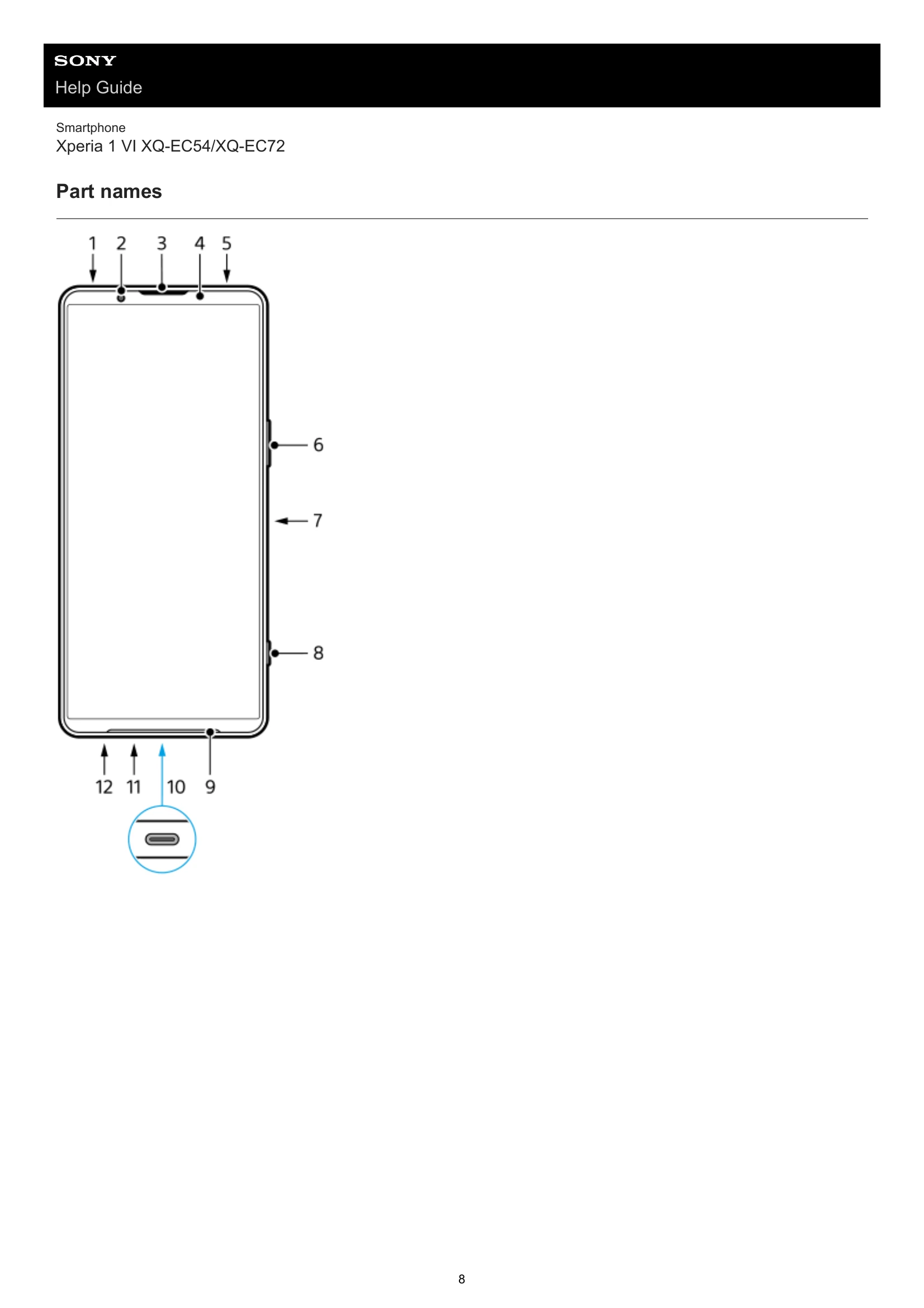
  • Part names

Topics for starting up your device

  • Inserting a SIM card and microSD card
  • Configuring an eSIM (XQ-EC54 only)
  • Charging your device

Getting started

  • Part names
  • Inserting a SIM card and microSD card
  • Configuring an eSIM (XQ-EC54 only)
  • Setting SIMs
  • Turning your device on or off
  • Turning the screen on or off
  • Setting up a Google account on your device
  • Charging your device
  • Charging your device with a wireless charger

Learning the basics

  • Home screen
  • Icons in the status bar
  • Quick settings panel
  • Taking a screenshot
  • Recording your device screen
  • Scanning QR Codes
  • Turning Side sense on or off

Camera

  • Photo mode overview
  • Taking photos in the [Photo] mode
  • Video mode overview
  • Recording videos

More

  • Telephoto macro
  • Taking photos in high resolution (48 MP)
  • Recording videos with the Bokeh effect
  • Live streaming
  • Panorama

Video Creator

  • Video Creator

External monitor

  • Using the External monitor app in the Monitor mode
  • External monitor Streaming mode
  • External monitor Audio settings
  • Recording a video that you are monitoring on your device
  • Monitor endurance mode

Music Pro

  • Music Pro

Music

  • Transferring music from a computer to your device
  • Listening to music
  • Music app features

Game enhancer

  • Launching the Game enhancer app
  • Using the Game enhancer menu

Support app

  • About the Support app

Settings

  • Settings menu
  • Volume, vibration, and sound
  • Display settings
  • Setting Side sense options
  • Using location services
  • Date and time
  • Battery management
  • Enhancing the sound
  • Smart call handling

Maintenance

  • Updating your device
  • App updates
  • Restarting, resetting, and repairing

Internet and networks

  • Mobile data connection
  • Increasing Wi-Fi signal strength
  • Controlling data usage

Connectivity

  • Bluetooth wireless technology
  • NFC (Near Field Communication)
  • Using your device as a wallet
  • Wirelessly mirroring the screen of your device on a TV
  • Connecting your device to USB devices

Device security

  • Making sure your device is protected
  • Finding the IMEI numbers of your device
  • Finding, locking, or erasing a lost device

Notes on use, accessibility, and legal information

  • About this Help Guide
  • Accessibility
  • Using your device in wet and dusty conditions
  • Legal information
  • Warranty, SAR, and usage guidelines
Privacy Policy