Brand: SONY
Category: Navigation Device
Document Type: Manual
Language: EN
Brand: SONY
Category: Navigation Device
Document Type: Manual
Language: EN
Uploaded: Nov. 21, 2025, 6:36 p.m.
Manual Publish Date: 2005-01-01
Sony warrants this product against defects in material or workmanship for one year from the date of purchase.
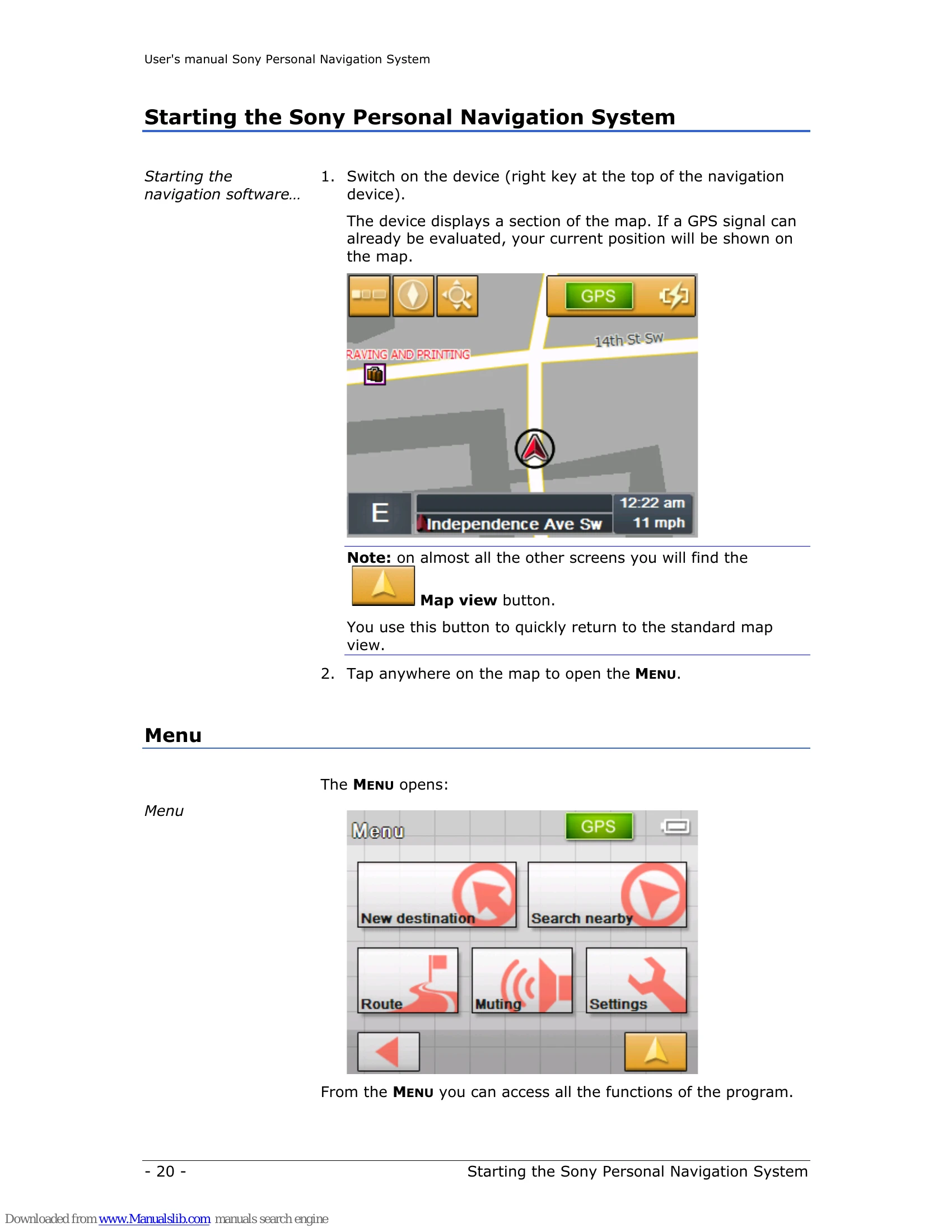
1. Switch on the device using the POWER switch. The map will be displayed, showing your current position if a GPS signal is available.
2. Tap anywhere on the map to open the MENU. From here, you can access all program functions.
Touch the map to enter map scrolling mode. Drag the screen to move the map. Use +/- to adjust the scale. Tap the cross-hair on a desired point to access the map scrolling mode menu, where you can set it as a destination.
Access various settings via the MENU > Settings. Options include Volume, Select map, Map information, Route information, Signpost information, Light sensor, Graphical look, Touch screen calibration, Auto mode, Routing options, and Itinerary.
| Problem | Solution |
| The operation icons on the display do not function. | An operation may take time while a map is displayed. |
| The unit does not turn on. |
|
| The built-in battery cannot be charged. |
|
| GPS signal cannot be received. |
|
| The car position on the map does not match the current road. | The GPS satellite signal error margin may be a few hundred meters. |
| Voice guidance cannot be heard. |
|
| The LCD is not displayed normally. |
|