Brand: SONY
Category: Cordless Phone
Document Type: Manual
Language: EN
Brand: SONY
Category: Cordless Phone
Document Type: Manual
Language: EN
Uploaded: Nov. 21, 2025, 6:27 p.m.
Manual Publish Date: 1998-01-01
©1998 by Sony Corporation
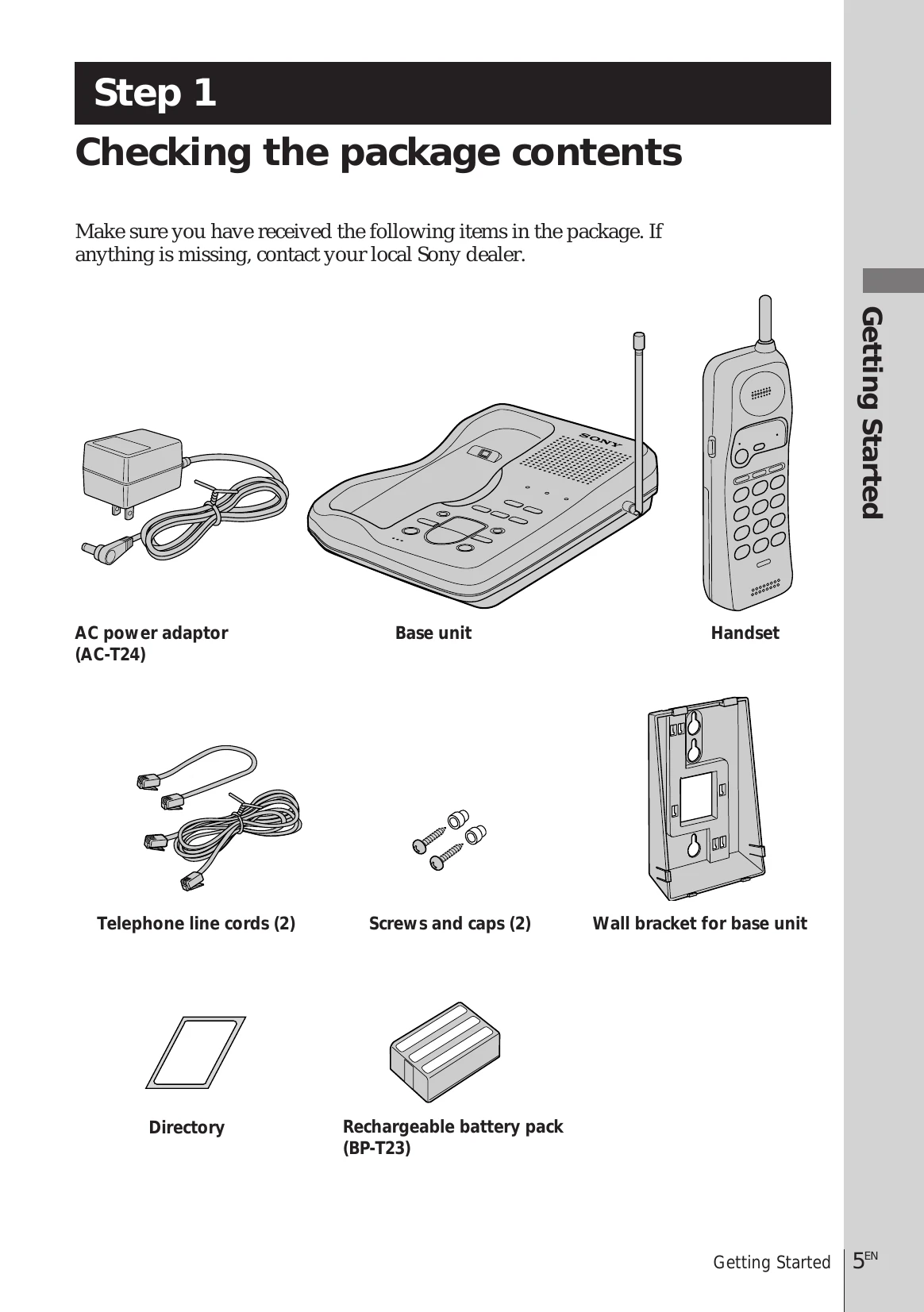
Step 1: Checking the package contents
First, unpack the phone and the supplied accessories. Ensure you have received all items: AC power adaptor, base unit, handset, telephone line cords (2), screws and caps (2), wall bracket for base unit, directory, and rechargeable battery pack (BP-T23).
Step 2: Setting up the base unit
Choose the best location for the base unit, considering away from heat sources, microwave ovens, moisture, dust, and electronic equipment. Connect the base unit by plugging the telephone line cord into the LINE jack and a telephone outlet, and the AC power adaptor into the DC IN 10V jack and an AC outlet. Raise the antenna vertically. Select the dialing mode (tone or pulse) using the DIAL MODE switch.
Step 3: Preparing the battery pack for the handset
Insert the rechargeable battery pack into the handset, then place the handset on the base unit to charge. The CHARGE lamp will light up, and it takes about 10 hours for a full charge. A fully charged battery lasts approximately 7 hours of conversation or 7 days in standby mode.
| Symptômes | Remèdes |
|---|---|
| You hear four short error beeps when you press (TALK). |
|
| You do not hear a line tone. |
|
| The telephone connects to the wrong number or not at all, even when the dialed number is correct. |
|
| The telephone does not redial correctly. |
|
| The handset does not ring. |
|
| You hear interference during conversation. |
|
| You hear a beep during conversation and the BATT LOW indicator flashes. |
|