Welcome
Congratulations on your purchase of the Sony PC. Sony has combined leading-edge technology in audio, video, computing, and communications to provide you with state-of-the-art personal computing.
Key Features:
- Exceptional performance: Fast Intel Pentium processor, 8x CD-ROM drive, 28.8 Kbps DSVD modem.
- Sony audio and video quality: "Sony Tuned" video, 3-D sound.
- Preinstalled software titles: Productivity, reference, multimedia, and games.
- Windows 95: Latest operating system from Microsoft.
- VAIO Space: Desktop environment for organizing and launching applications.
- Sony A/V Suite: Play audio CDs, WAV, MIDI, and video files.
- Communications: Online services, e-mail, Internet, speakerphone, answering machine, fax.
- Excellent customer support: Sony Online Support (SOS) for remote diagnostics and updates.
About this User Guide
This guide provides a quick introduction and reference to your Sony PC.
- Setting Up Your Sony PC: Connecting standard and additional components.
- Getting Started with VAIO Space: Exploring the VAIO Space environment.
- Introducing the Sony A/V Suite: Using audio and video components.
- Getting Help: Support options, Sony Online Support, troubleshooting.
- Upgrading and Maintaining Your Sony PC: Installing hardware, changing battery.
- Computer Basics: Using mouse, keyboard, CD-ROM, diskette drive.
- Other Information: Facts, advice, regulatory information.
Setting Up Your Sony PC
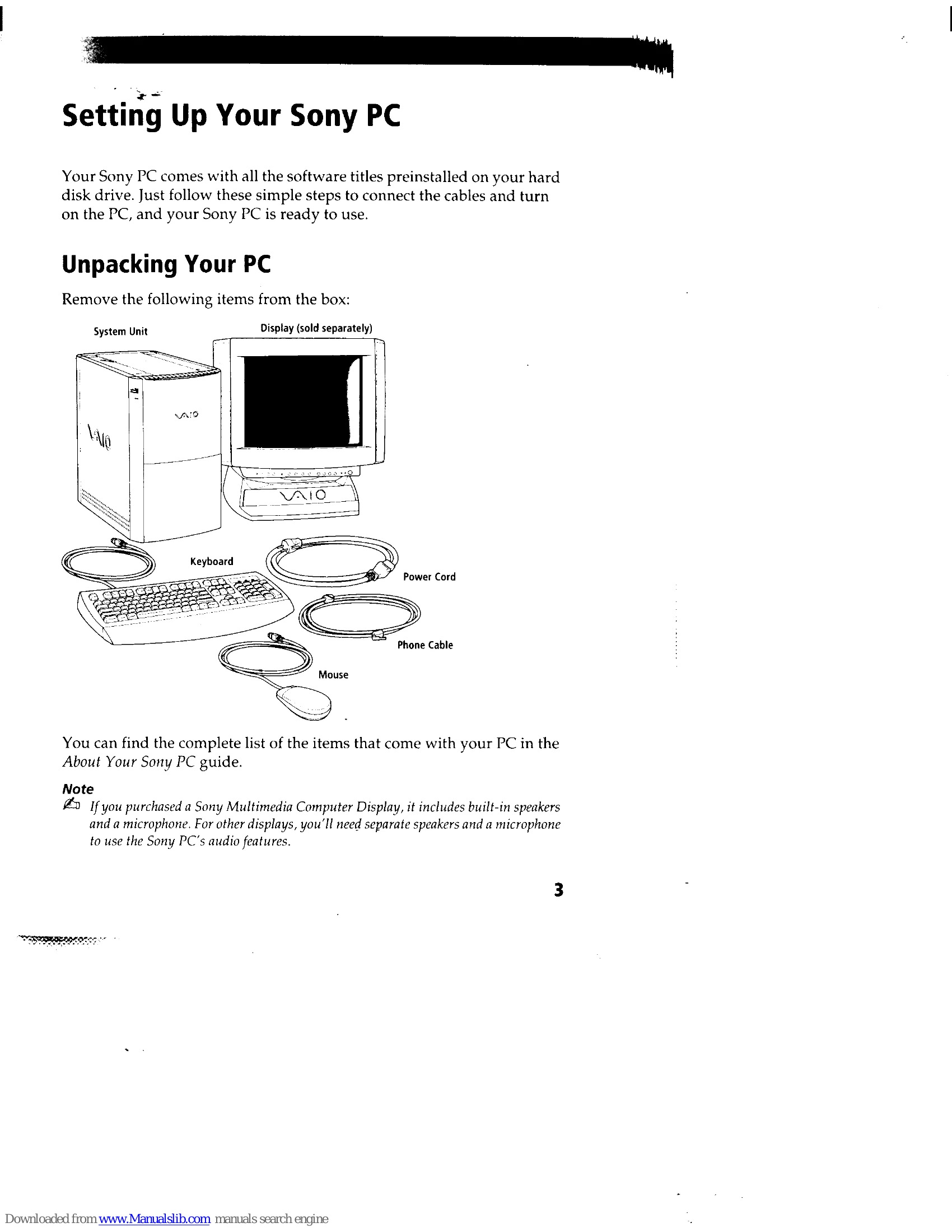
- Unpacking Your PC: Remove items from the box (System Unit, Display, Keyboard, Mouse, Power Cord, Phone Cable).
- Choosing a Location for Your PC: Consider stable work surface, ventilation, and ergonomic placement of devices.
- Back Panel Overview: Identify connectors for Power, Mouse, Keyboard, USB, Printer, Monitor, Headphones, Line In, Microphone, Game/MIDI, Line, Phone, Serial ports.
- Connecting the Sony Multimedia Computer Display: Connect Monitor, Headphones, and Microphone using color-coded cables.
- Connecting a Display, Speakers, and a Microphone: For non-Sony displays, connect Monitor, Speakers, and Microphone.
- Connecting the Optional Palmrest: Attach palmrest to keyboard.
- Connecting the Keyboard and Mouse: Plug into designated ports.
- Connecting the Phone Line and Phone: Connect phone to PC and wall jack for online services.
- Connecting the Power Cords: Plug power cords into PC, display, and grounded AC outlet.
- Connecting Additional Components: Connect printer, joystick, or MIDI device.
- Connecting a Joystick or MIDI Instrument: Plug into the GAME connector.
- Starting Your Sony PC: Press power switches on display and PC.