Brand: SONY
Category: Camcorder
Document Type: Manual
Language: EN
Brand: SONY
Category: Camcorder
Document Type: Manual
Language: EN
Uploaded: Aug. 10, 2025, 12:15 a.m.
No specific warranty period information is available in the provided document excerpt.
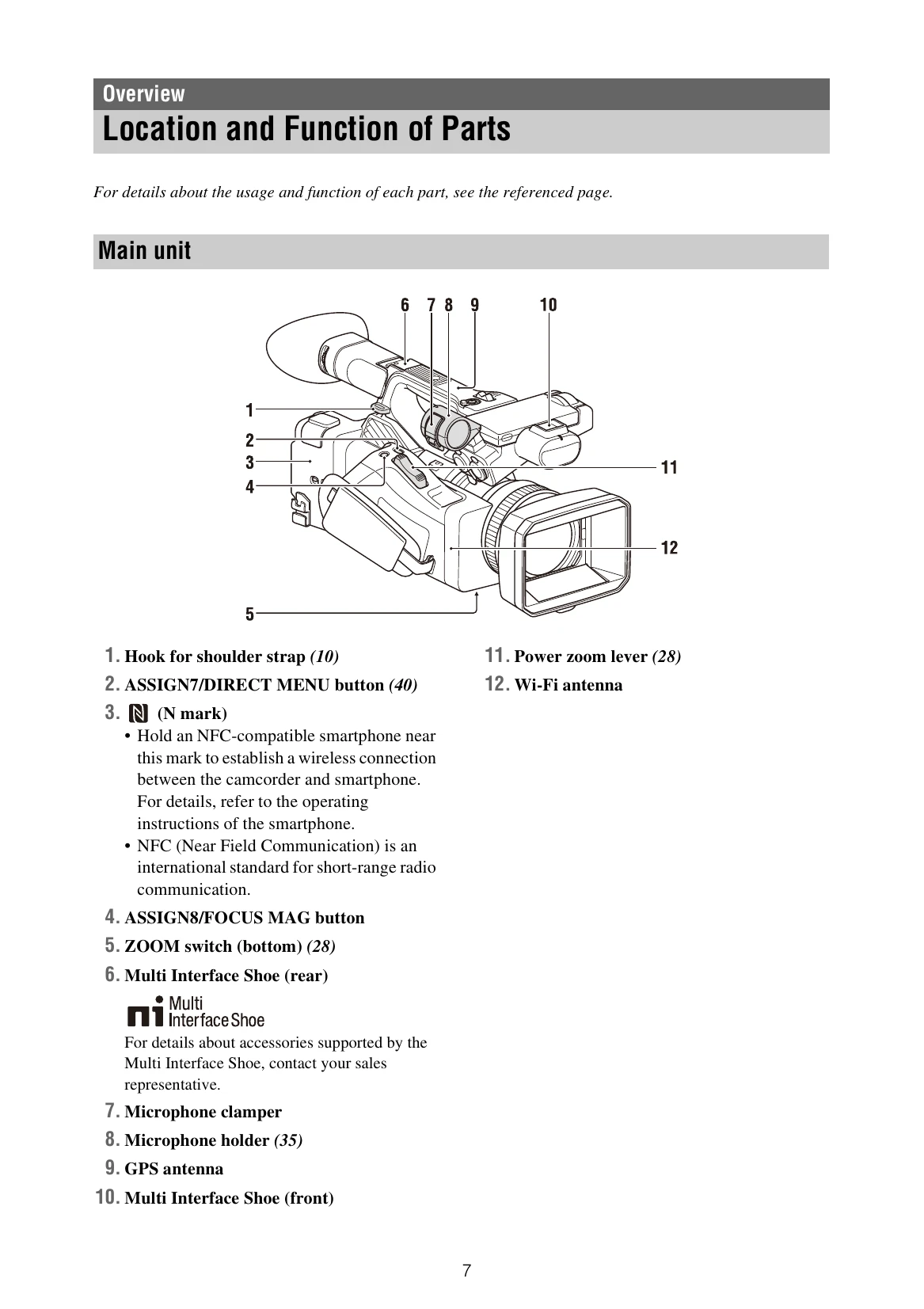
This section details the various parts of the camcorder, including buttons, switches, connectors, and indicators. It provides numbered diagrams of the main unit, side views, and top views, with corresponding explanations of each part's function and page references for more details.
Explains the information displayed on the LCD/viewfinder screen during shooting and playback. It covers various indicators such as network status, recording mode, battery level, zoom position, white balance, and more. Information can be shown or hidden using the DISPLAY button.
Details how to power the camcorder using either a battery pack or an AC adapter. It lists compatible Sony battery packs and AC adapters, provides instructions for attaching and removing battery packs, and explains how to check the remaining battery capacity and what happens when the battery charge becomes low.
Guides the user through setting the camcorder's internal clock, including date, time, and time zone. It also mentions that these settings can be changed later via the System menu.
Provides instructions for attaching the lens hood and the large eyecup. It includes diagrams and step-by-step guidance for each process.
Explains how to adjust the LCD screen and viewfinder. This includes opening and rotating the LCD screen, adjusting the viewfinder's clarity using the diopter adjustment dial, and adjusting the brightness of both the LCD and viewfinder screens, including using an assignable button for quick access.
Covers the basics of using SxS memory cards, including inserting, removing, switching between, and formatting them. It also explains how to check the remaining recording time and restore an SxS memory card.