Manual for HDR-AS50

Manual for HDR-AS50

Brand: SONY

Category: Camcorder

Document Type: Manual

Language: EN

Uploaded: Aug. 10, 2025, 12:22 a.m.
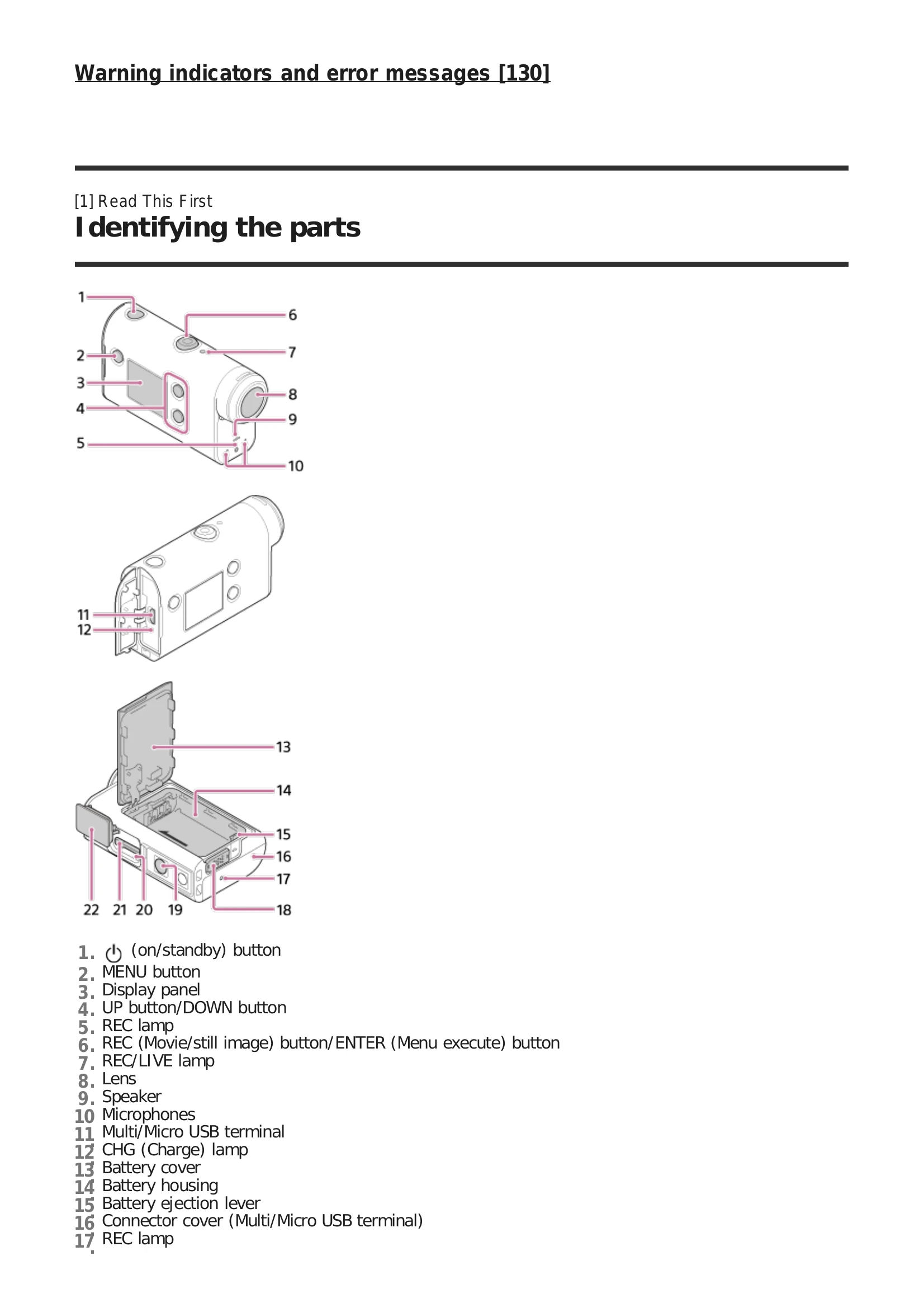
  • Getting Started: Insert battery and memory card, charge the camera, set date/time, and use the underwater housing.
  • Shooting: Capture movies and still images using various modes like loop recording and time-lapse. Adjust settings like image quality and movie format.
  • Changing Settings: Customize various camera settings including image quality, movie format, Wi-Fi, Bluetooth, and more.
  • Viewing: View images and movies, and delete unwanted content.
  • Highlight Movie Maker: Create highlight movies and import background music.
  • Live Streaming: Stream real-time movies to a streaming site.
  • Connecting Devices: Connect to smartphones, Live-View Remote, and Handycam via Wi-Fi.
  • Editing: Edit imported images using Action Cam Movie Creator or Action Cam App.
Privacy Policy