Brand: SONY
Category: Camcorder
Document Type: Manual
Language: EN
Brand: SONY
Category: Camcorder
Document Type: Manual
Language: EN
Uploaded: Aug. 10, 2025, 12:21 a.m.
Manual Publish Date: 1998-01-01
Quick Start Guide:
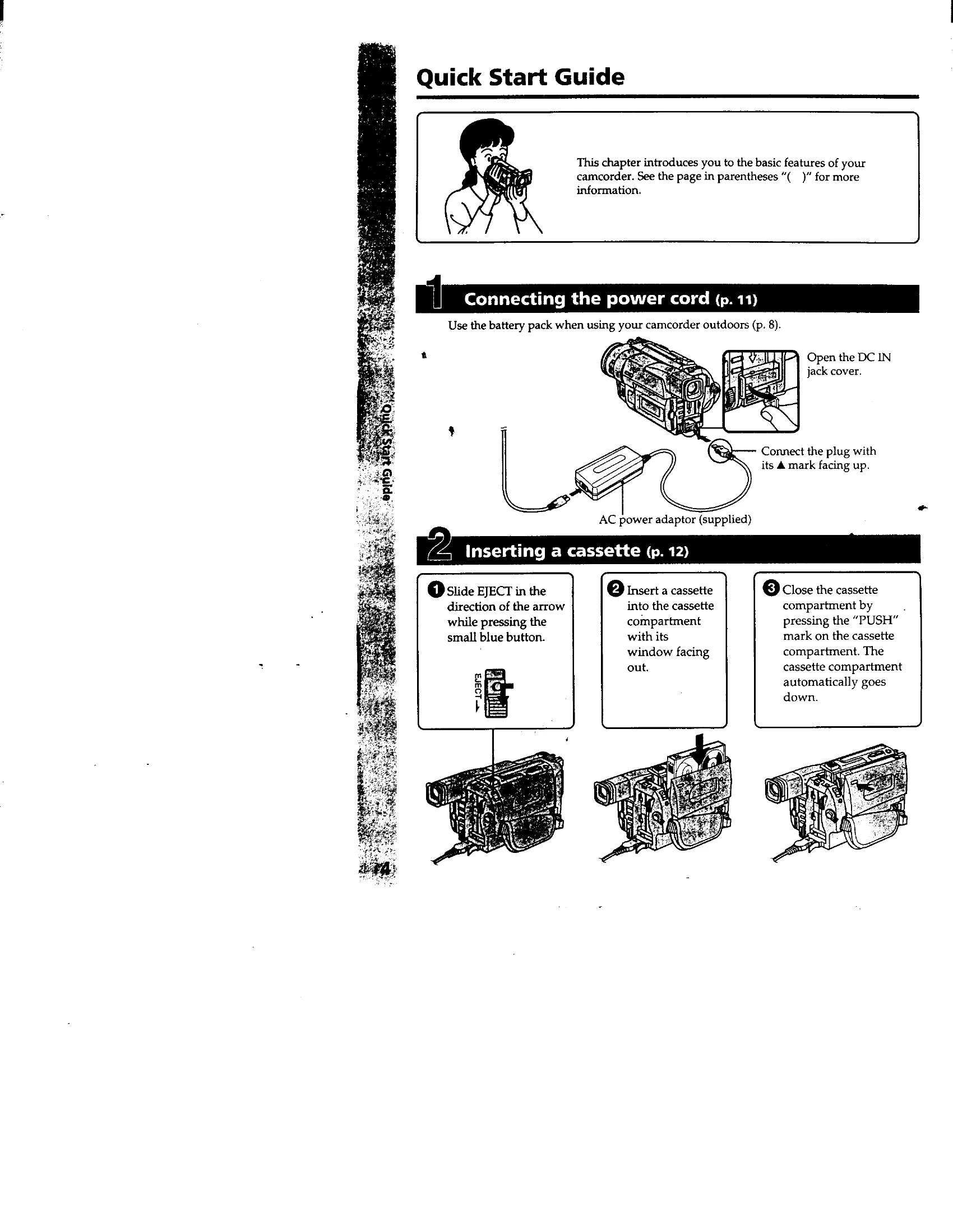
1. Connecting the power cord: Use the battery pack for outdoor use or connect the AC power adapter. Ensure the plug mark faces up.
2. Inserting a cassette: Slide EJECT, insert cassette with window facing out, and close compartment.
3. Recording a picture: Remove lens cap, set POWER to CAMERA, open LCD panel, turn STANDBY to STANDBY, and press START/STOP to record.
4. Monitoring playback: Set POWER to VTR, rewind the tape using REW, and press PLAY to start.
Basic Operation:
The manual guides users through setup, recording, playback, and advanced features like digital effects and editing.
Care: Avoid moisture, extreme temperatures, and direct sunlight. Clean with a soft cloth.