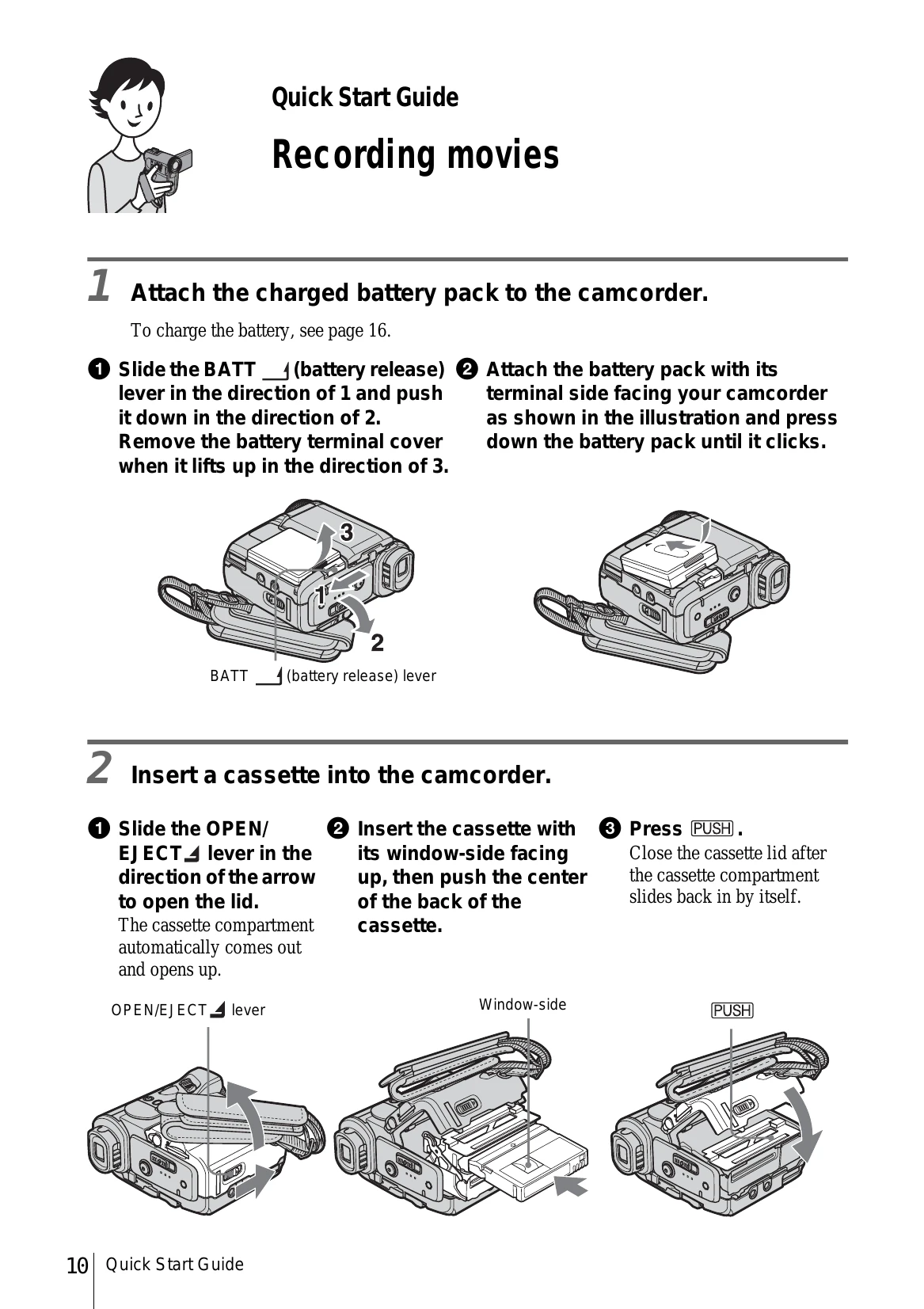
Quick Start Guide: Recording Movies:
1. Attach the charged battery pack.
2. Insert a cassette.
3. Start recording by pressing REC START/STOP.
4. View recorded picture by sliding the POWER switch to PLAY/EDIT and touching Play.
Quick Start Guide: Recording Still Images:
1. Attach the charged battery pack.
2. Insert a "Memory Stick Duo".
3. Start recording by pressing PHOTO.
4. View recorded picture by sliding the POWER switch to PLAY/EDIT and touching PB.
Quick Start Guide: Recording/Playing back with ease:
Press EASY to activate Easy Handycam operation for simplified recording/playback.