Manual for DCR-IP1

Manual for DCR-IP1

Brand: SONY

Category: Camcorder

Document Type: Manual

Language: EN
Uploaded: Aug. 10, 2025, 12:15 a.m.

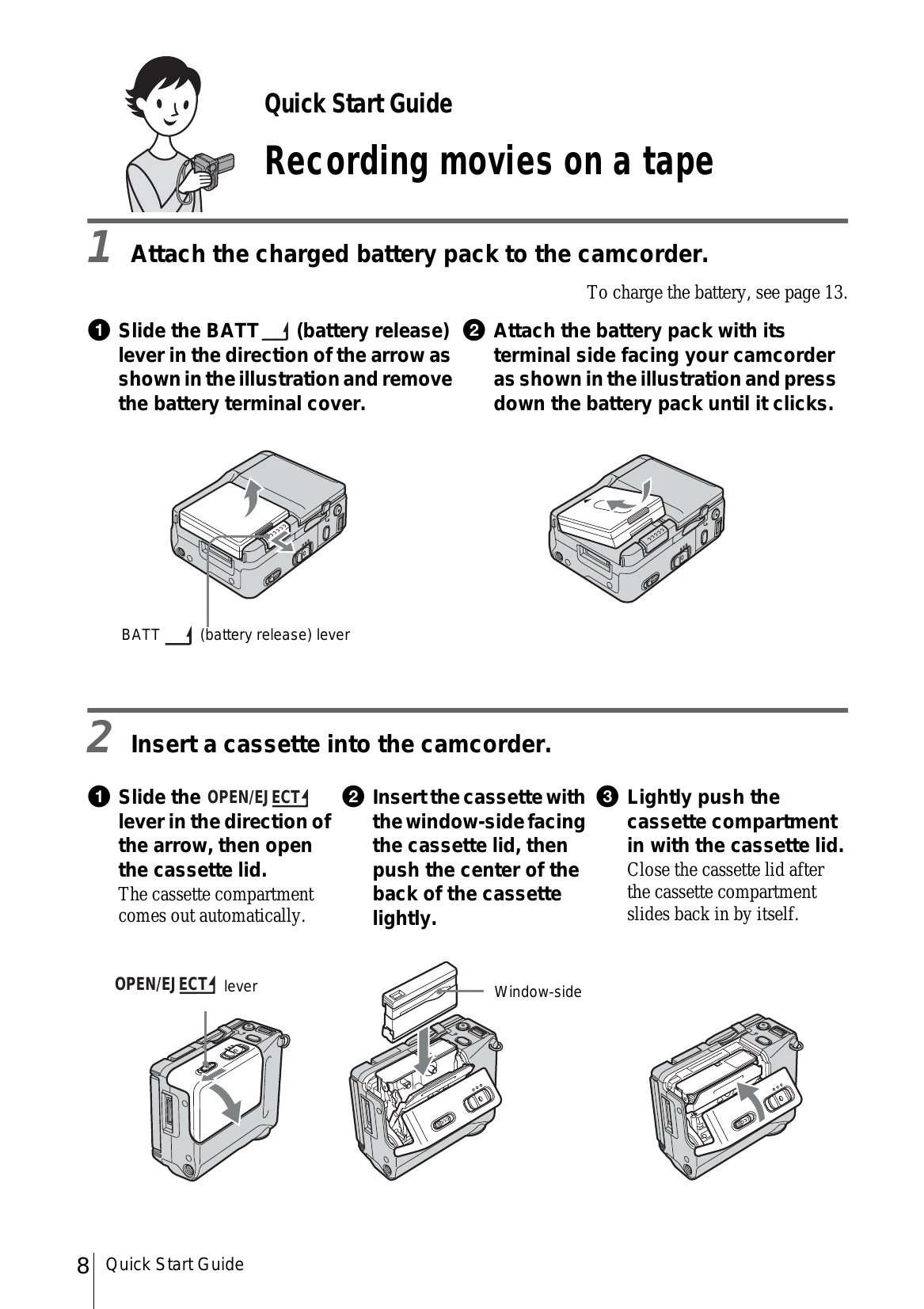
Quick Start Guide

Recording movies on a tape

  1. Attach the charged battery pack to the camcorder.
  2. Insert a cassette into the camcorder.
  3. Start recording while checking the subject.
  4. View the recorded picture.

Recording still images on a "Memory Stick Duo"

  1. Attach the charged battery pack to the camcorder.
  2. Insert a "Memory Stick Duo" into the camcorder.
  3. Start recording while checking the subject.
  4. View the recorded picture.

Getting started

Step 1: Checking supplied items

Make sure you have following things supplied with your camcorder.

Step 2: Charging the battery pack

You can charge the battery by attaching the "InfoLITHIUM" battery pack (F series) to your camcorder.

Step 3: Turning the power on

You need to slide the POWER switch repeatedly to select the desired mode to record or play.

Step 4: Adjusting the LCD panel

You can adjust the angle and brightness of the LCD panel to meet various recording situations.

Step 5: Setting the date and time

Set the date and time when using this camcorder for the first time.

Step 6: Inserting the recording media

Inserting a cassette tape

Inserting a "Memory Stick Duo"

Step 7: Setting the screen language

You can select the language to be used on the LCD screen.

Privacy Policy