Manual for CCD-TRV30/TRV40

Manual for CCD-TRV30/TRV40

Brand: SONY

Category: Camcorder

Document Type: Manual

Language: EN
Uploaded: Aug. 10, 2025, 12:16 a.m.

Getting Started

  • Charging and Installing the Battery Pack: Ensure the battery pack is charged before use. Connect the AC power adaptor, align the battery, and set the selector to CHARGE. The CHARGE lamp indicates charging status.
  • Inserting a Cassette: Make sure a power source is installed. Slide the lid release knob, open the lid, press EJECT, insert the cassette with the window facing out, and close the compartment.

Basic Operations

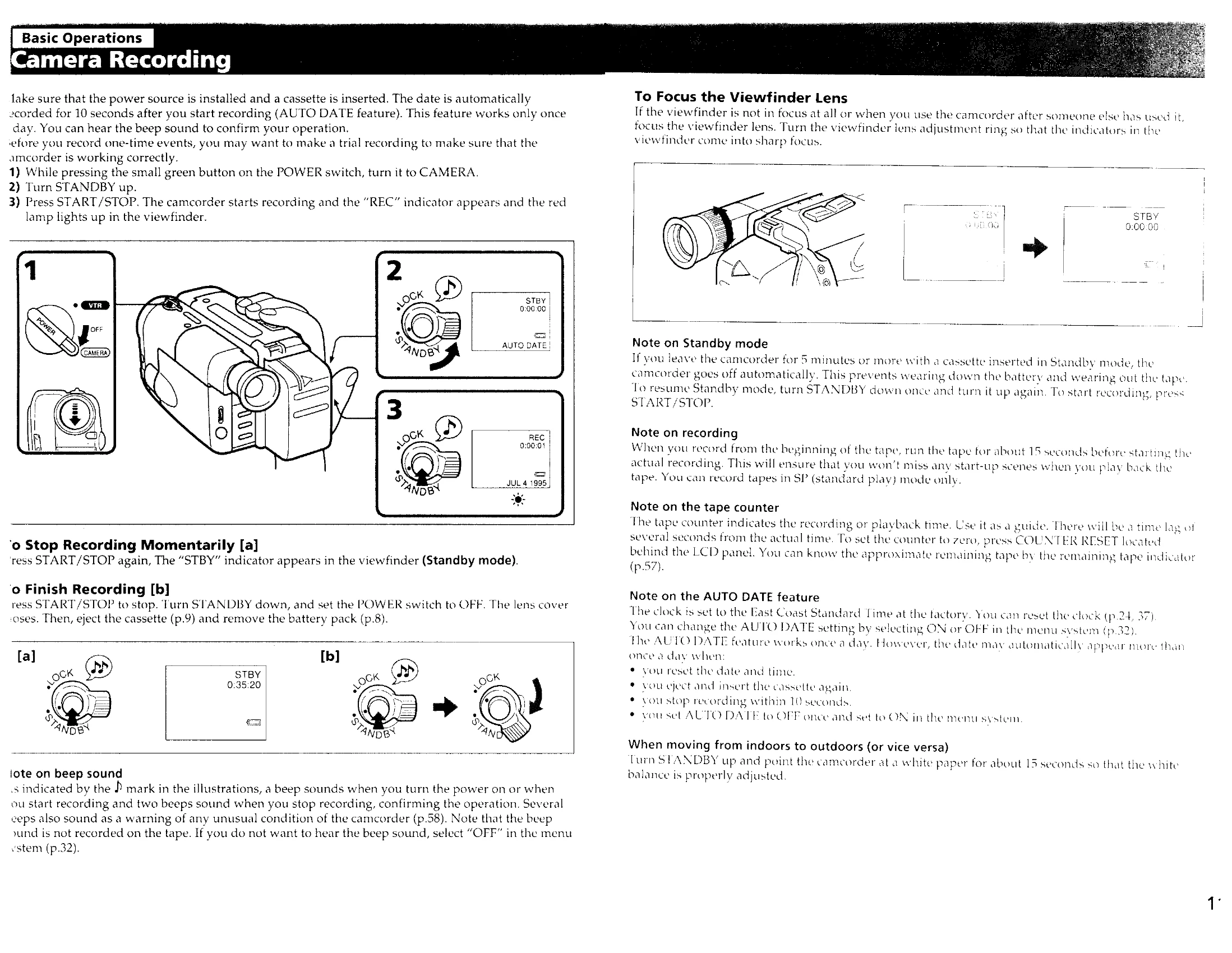
  • Camera Recording: Power on the camcorder to CAMERA, turn STANDBY up, and press START/STOP to begin recording. The "REC" indicator and red lamp will appear.
  • Focusing the Viewfinder Lens: Adjust the viewfinder lens so indicators are sharp.
  • Stopping Recording: Press START/STOP to pause, or turn STANDBY down and set POWER to OFF to finish.
  • Using the LCD Screen: Open the LCD panel to record. The viewfinder turns off.

Playback Modes

  • Playing Back a Tape: Turn POWER to VTR, insert the tape, open the LCD panel, and press to play. Adjust volume with VOL.
  • Various Playback Modes: Explore still picture (pause), picture search, skip scan, and slow playback options.

Troubleshooting

If issues arise, consult the troubleshooting table which covers power, picture/sound, and other common problems.

Privacy Policy