Brand: SONY
Category: Camcorder
Document Type: Manual
Language: EN
Brand: SONY
Category: Camcorder
Document Type: Manual
Language: EN
Uploaded: Aug. 10, 2025, 12:24 a.m.
Manual Publish Date: 2001-01-01
No specific warranty period is mentioned in the provided pages.
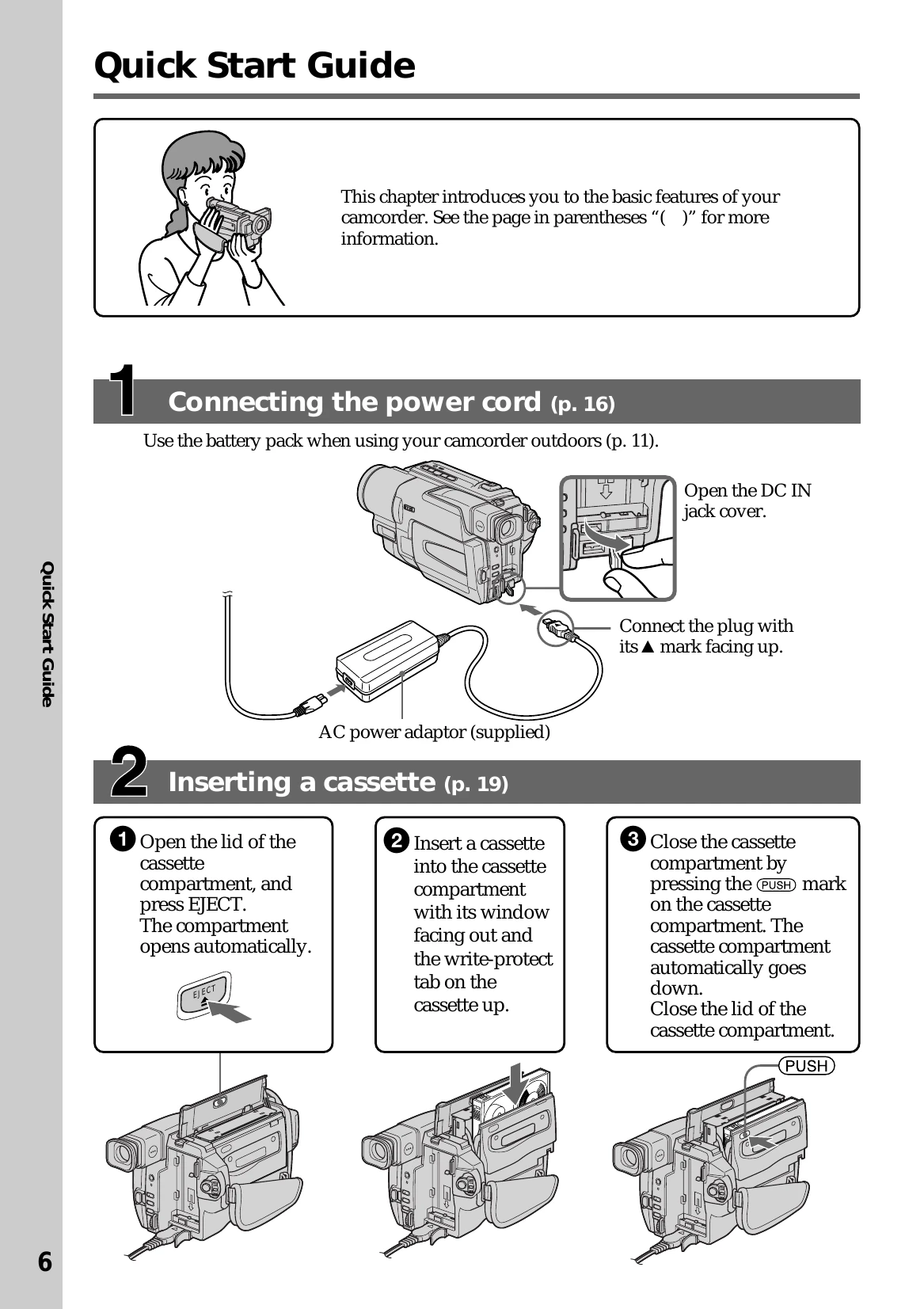
Connecting the power cord: Use the AC power adaptor to connect to a wall outlet. Use the battery pack for outdoor use.
Inserting a cassette: Open the compartment, press EJECT, insert the cassette with the window facing out and write-protect tab up, then close the compartment.
Recording a picture: Remove the lens cap, set the POWER switch to CAMERA, open the LCD panel, and press START/STOP to begin recording. Press START/STOP again to stop.
Monitoring playback: Set the POWER switch to PLAYER, press REW to rewind, and press PLAY to begin playback.
| Type of Trouble | Possible Cause | Solution |
|---|---|---|
| No picture or sound | • Tape counter is reset to 0:00:00. | Press COUNTER RESET (p. 76). |
| No picture | • Lens cap is not removed. | Remove lens cap (p. 20). |
| Playback pictures contain noise or are unclear | • Video head is dirty. | Clean video head with a cleaning cassette (optional) (p. 68). |
| Playback pictures are hardly visible or do not appear | • Video head is dirty. | Clean video head with a cleaning cassette (optional) (p. 68). |