Brand: SONY
Category: Camcorder
Document Type: Manual
Language: EN
Brand: SONY
Category: Camcorder
Document Type: Manual
Language: EN
Uploaded: Aug. 10, 2025, 12:20 a.m.
Manual Publish Date: 1992-01-01
None
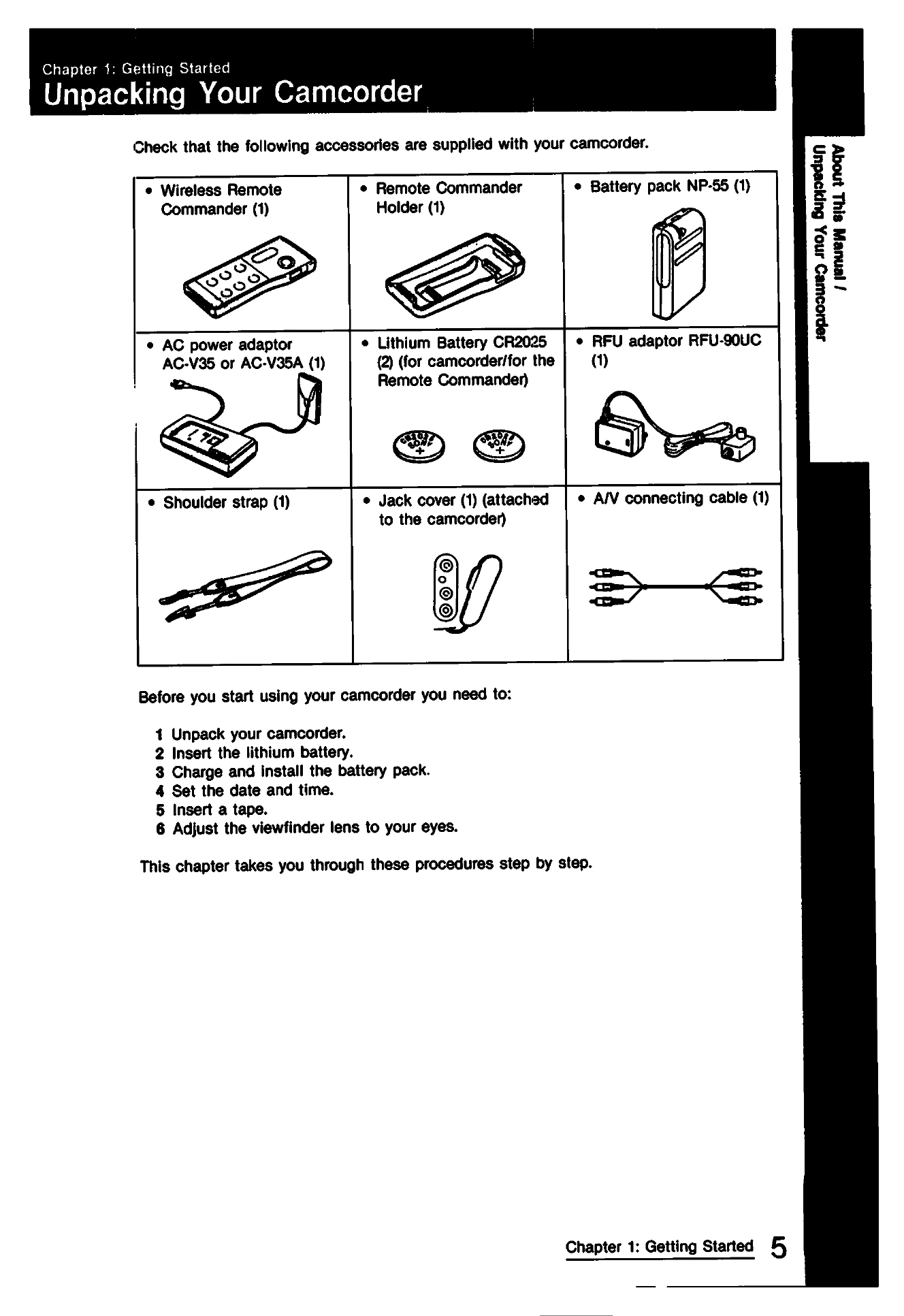
1. Unpack your camcorder.
2. Insert the lithium battery.
3. Charge and install the battery pack.
4. Set the date and time.
5. Insert a tape.
6. Adjust the viewfinder lens.
1. Hold the camcorder.
2. Slide the LENS COVER switch to OPEN.
3. Slide the POWER switch to CAMERA.
4. Slide the AUTO LOCK switch up.
5. Turn the STANDBY switch up.
6. Press START/STOP to begin recording.
1. Connect the camcorder to a TV.
2. Set INPUT/OUTPUT selector to OUTPUT.
3. Set the TV/VCR selector to VCR.
4. Press PLAY to start playback.