Brand: SONY
Category: Camcorder
Document Type: Manual
Language: EN
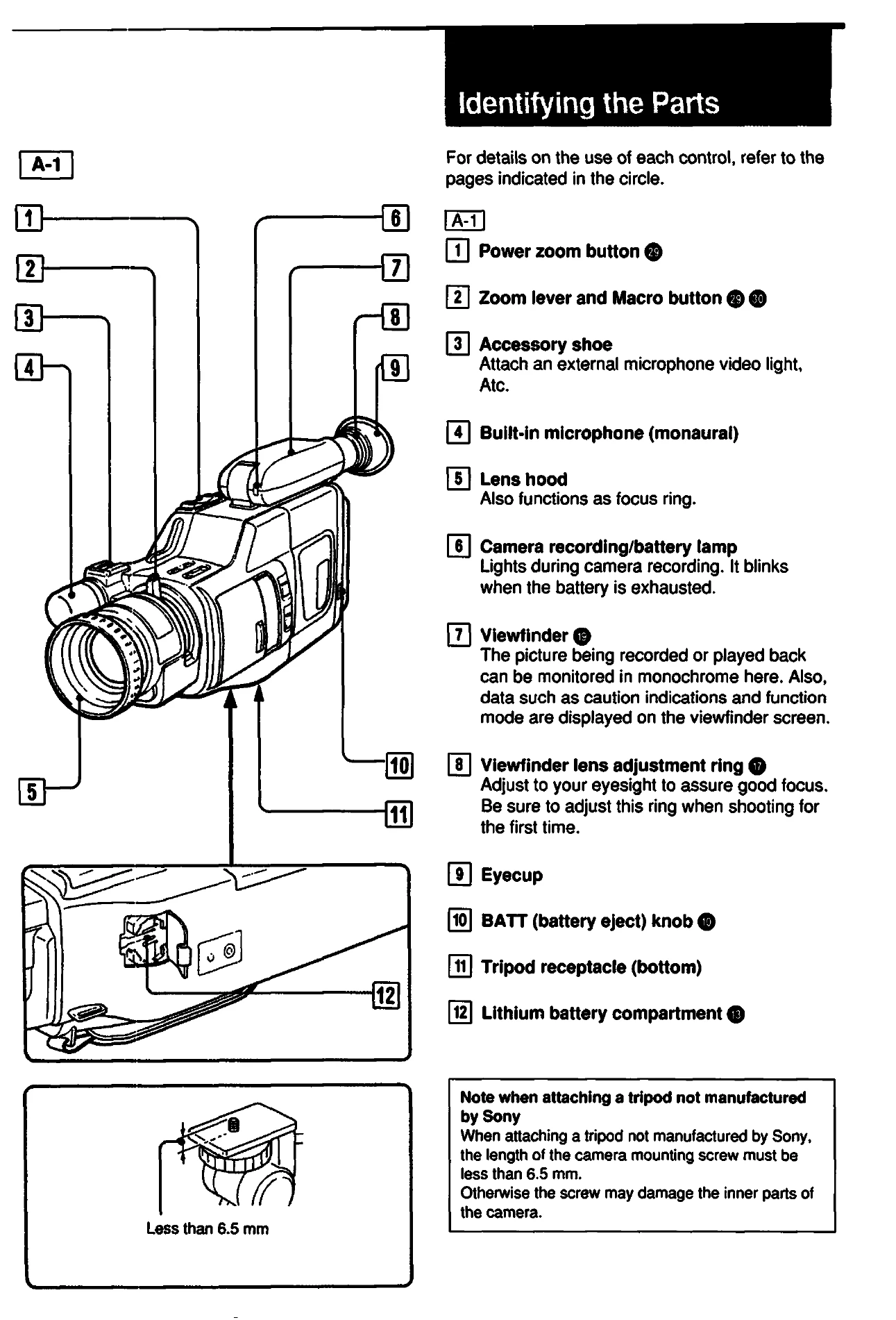
Brand: SONY
Category: Camcorder
Document Type: Manual
Language: EN
Uploaded: Aug. 10, 2025, 12:23 a.m.
1. Connect a power source (AC adapter, battery pack, or alkaline batteries).
2. Set the date and time.
3. Insert a tape.
4. Adjust the viewfinder lens.
5. Adjust the grip belt.
6. Set the auto function on for automatic adjustments of focus, white balance, iris, and shutter speed. Manual adjustments are available.
Automatic Adjustments:
Playback:
- Tape counter for indexing.
- ZERO MEM function to mark points.
- Editing capabilities to transfer tapes.
- Hints for better shooting (stable pictures, lighting).
- Troubleshooting guide for common issues.