Brand: SONY
Category: Audio
Document Type: Manual
Language: EN
Brand: SONY
Category: Audio
Document Type: Manual
Language: EN
Uploaded: Nov. 21, 2025, 7:29 p.m.
Manual Publish Date: 2007-01-01
This manual does not contain specific warranty information.
About the Manuals
This PDF-format Operation Guide explains standard and advanced features of the player. It includes sections on setup, basic operations, importing songs to a computer, transferring them to the player, and playing them back. It also covers troubleshooting common problems.
Browsing the Operation Guide
Navigate the guide using the buttons in the upper right: 'Contents' for the table of contents, 'Menu' for the home menu list, and 'Index' for a keyword index. You can also jump to pages by clicking page numbers or references.
Using SonicStage Help
For details on using the SonicStage software (importing and transferring songs), access the 'Help' menu within SonicStage itself.
About the Serial Number
The serial number, found on the rear of the player, is required for customer registration.
Parts and Controls
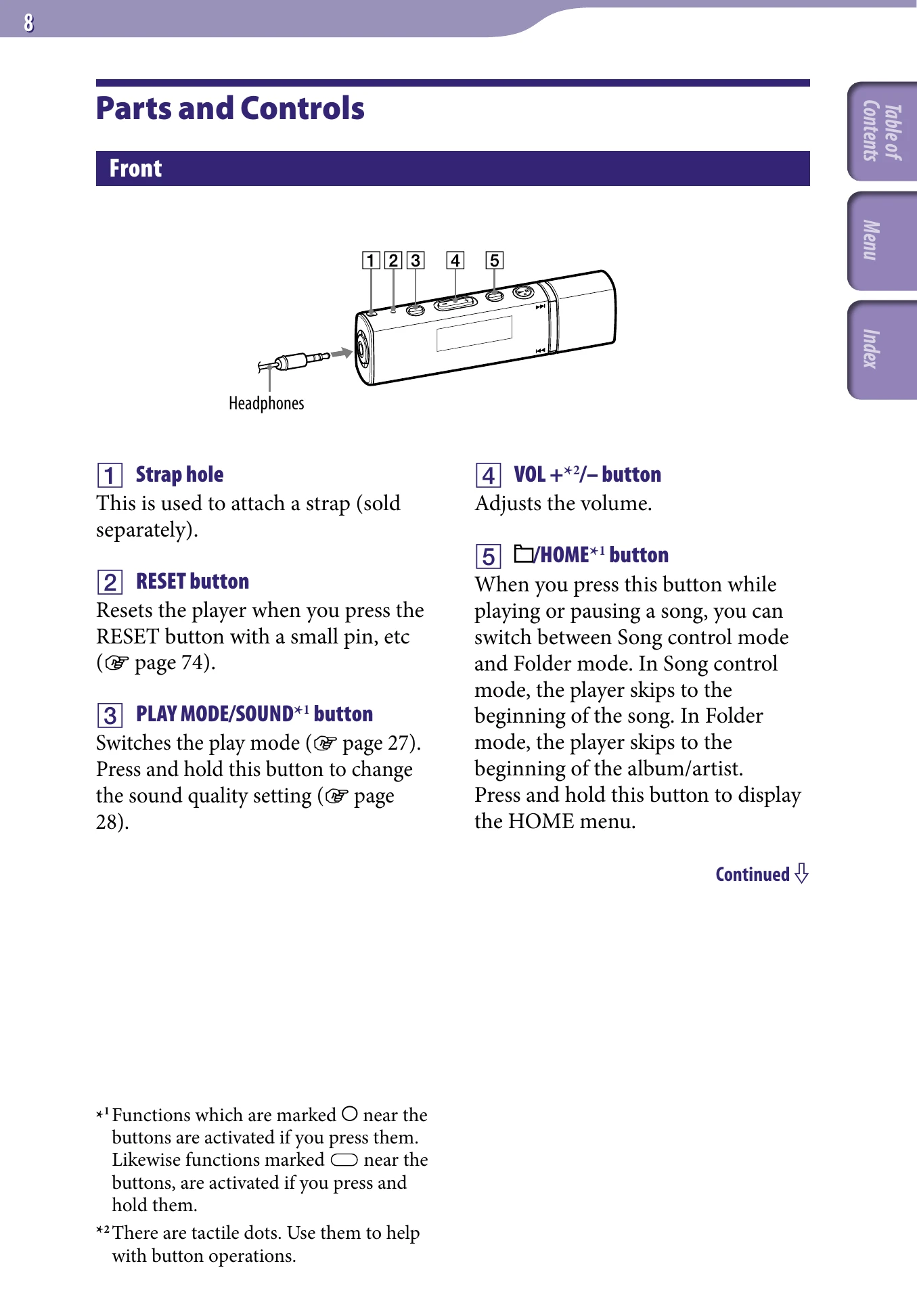
Familiarize yourself with the player's front and rear controls, including the strap hole, RESET button, PLAY MODE/SOUND button, VOL+/- button, /HOME button, HOLD switch, and USB cap.
Display
Understand the display indicators for Jacket Mode ON/OFF, song information, playback status, lapse time, play mode, sound quality, and remaining battery.
Playing Songs (All Songs)
To play all songs, press and hold the /HOME button to access the HOME menu, select 'All Songs', and press the -II button.