Manual for HD Camcorder with HDMI connection

Manual for HD Camcorder with HDMI connection

Brand: SILVER CREST

Category: Electronics

Document Type: Manual

Language: EN
Uploaded: Nov. 21, 2025, 7:17 p.m.

Warranty Information

36-month warranty from the date of purchase, with a 12-month warranty for rechargeable batteries.

  • Charging the Battery: Use the supplied charger or connect via USB to a computer. The status indicator turns orange during charging and green when complete. Charging can take up to 3 hours.
  • Inserting Battery: Slide the battery cover lock to open the compartment. Ensure battery contacts align with tray markings.
  • Turning On/Off: Press the On/Off button.
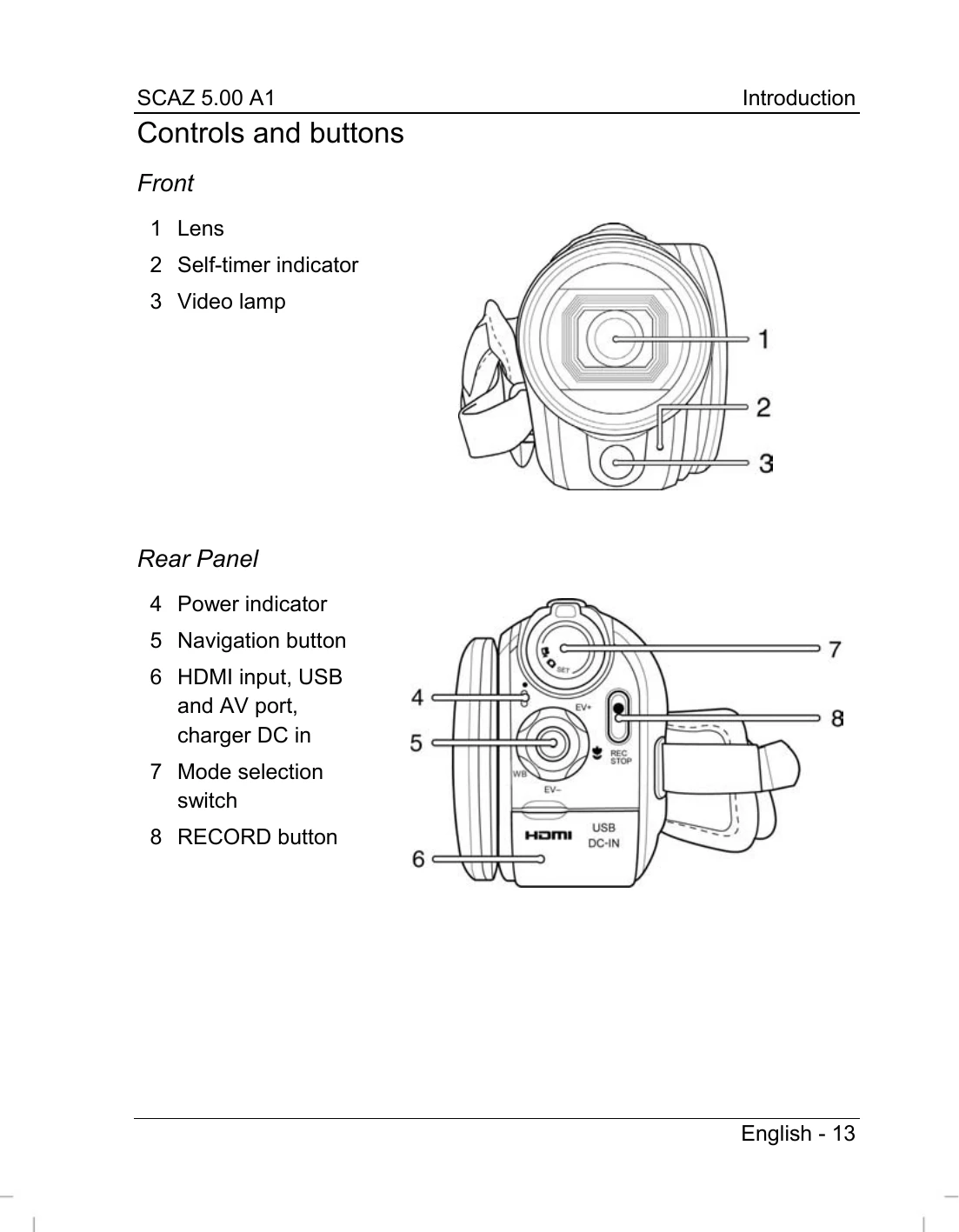
  • Recording Videos: Select recording mode, then press the RECORD button. Press again to stop.
  • Capturing Pictures: Select photo mode and press the shutter button.
  • Playback: Use the PLAY button and navigation controls to review recordings and photos.
  • Connecting to TV: Use the HDMI cable to connect to a television screen for viewing.
Privacy Policy