Brand: SILVER CREST
Category: Audio
Document Type: Manual
Language: EN
Brand: SILVER CREST
Category: Audio
Document Type: Manual
Language: EN
Uploaded: Nov. 21, 2025, 6:17 p.m.
The product comes with a 3-year warranty covering material or manufacturing defects.
| Problem | Cause / Solution |
|---|---|
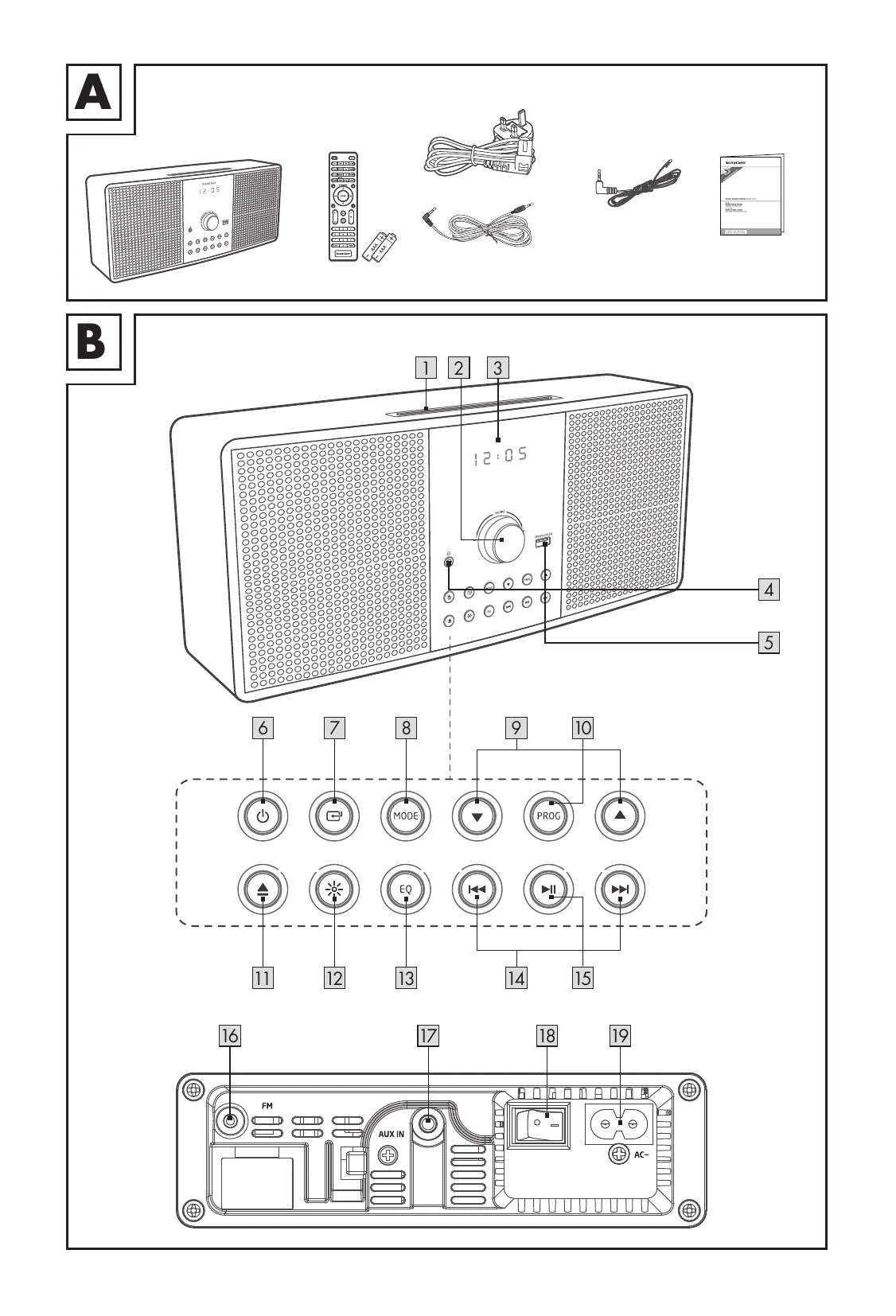
| No power | Ensure the power cord (46) is properly connected. Ensure power is at the AC outlet. Press 6 / 20 to turn the product on. |
| Remote control does not work | Select the correct audio source. Reduce distance between remote and product. Insert batteries correctly (+/-). Replace batteries. Aim remote at the sensor on the main unit. |
| No response from the product | Disconnect and reconnect the power plug (46). Turn the product on again. |
| Clock setting erased | Power was interrupted or power cord (46) disconnected. Reset the clock. |
| I cannot find the Bluetooth name of this product on my Bluetooth device | Ensure Bluetooth is activated on your device. Re-pair the product. |
| The disc does not play | No disc inserted. Insert disc correctly (label side up). Clean the disc. PAUSE mode may be active. Use a valid disc. Allow 1 hour for condensation to clear. |
| This is a 15 minutes power off function (ERPII standard) | When the external input signal is too low, the product turns off automatically in 15 minutes. Increase the external device's volume level. |