Brand: SIEMENS
Category: Refrigeration
Document Type: Manual
Language: EN
Brand: SIEMENS
Category: Refrigeration
Document Type: Manual
Language: EN
Uploaded: Nov. 21, 2025, 7:10 p.m.
Information on warranty is not explicitly stated in this section.
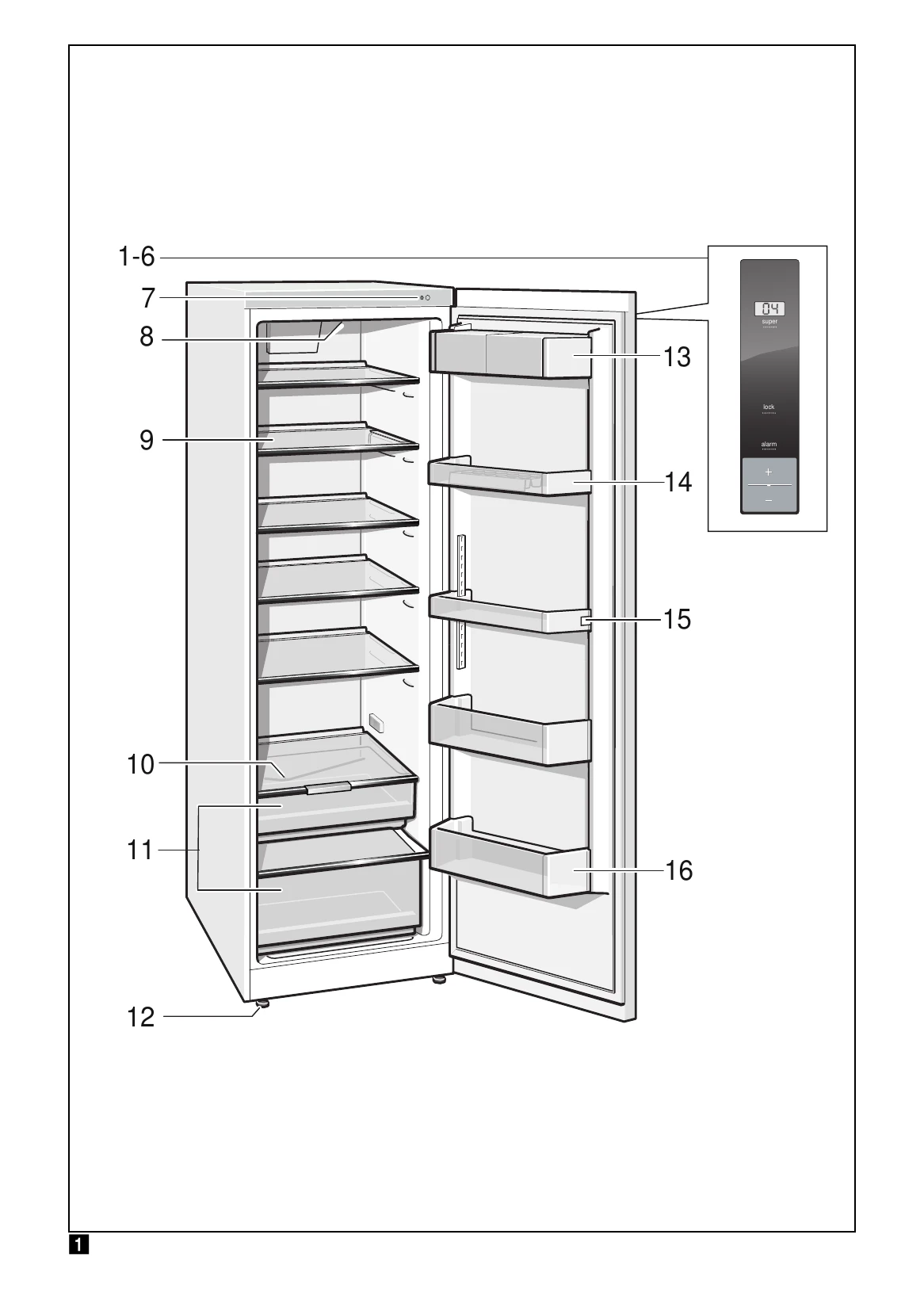
Press the On/Off button. The temperature display shows the selected temperature. The appliance starts to cool, and the light switches on when the door is open. It may take several hours for the set temperature to be reached. Do not put food in the appliance beforehand.
Water droplets or a thin layer of ice may form on the rear panel; this is normal and defrosts automatically. If air humidity is high, condensation may form on shelves; pack food and select a lower temperature.
The temperature can be set from +2 °C to +8 °C by pressing the temperature selection buttons. The last selected value is saved and shown on the display.
When not in use, the display switches to energy saving mode with reduced luminosity. The display returns to normal when the appliance is operated.
The door alarm activates if the appliance is left open too long. Close the door to switch it off. The alarm signal can be switched off using the alarm button.
The compartment is ideal for meat, dairy, eggs, etc. Pack food to retain aroma and freshness. Allow warm food to cool before storing. Avoid contact between food and the rear panel.
| Fault | Possible cause | Remedial action |
| Temperature differs greatly from the set value. | In some cases it is adequate to switch off the appliance for 5 minutes. If the temperature is too high wait a few hours and check whether the temperature has approached the set value. If the temperature is too low check the temperature again the next day. | |
| Displays do not illuminate. | Power failure; the fuse has been switched off; the mains plug has not been inserted properly. | Connect mains plug. Check whether the power is on, check the fuses. |
| The light does not function. | The LED light is defective. | See chapter "Light (LED)" section. |
| Bottom of the refrigerator compartment is wet. | Appliance was open too long. | When the appliance is closed and opened, the light is on again. |
| The temperature in the refrigerator compartment is too cold. | The condensation channel or drainage hole are blocked. | Clean the condensation channel and the drainage hole. See chapter Cleaning the appliance. Fig. 16 |
| The refrigerating unit is switching on more frequently and for longer. | Temperature has been set too low. | Increase the temperature. |
| Appliance opened frequently. | Do not open the appliance unnecessarily. | |
| The ventilation openings have been covered. | Remove obstacles. | |
| Appliance is not cooling, temperature display and light are lit. | Showroom mode is switched on. | Hold down alarm button, Fig 2/4, for 10 seconds until an acknowledgement signal sounds. After a short time check whether your appliance is cooling. |
| The temperature display does not light up. | Energy saving mode is activated. | Hold down alarm button, Fig 2/4, for 5 seconds until an acknowledgement signal sounds. |