Brand: SIEMENS
Category: Mobile Phone
Document Type: Manual
Language: EN
Brand: SIEMENS
Category: Mobile Phone
Document Type: Manual
Language: EN
Uploaded: Nov. 21, 2025, 8:05 p.m.
Manual Publish Date: 2000-01-20
None
Overview: Explains display indicators, fast access keys, call keys, and soft keys for basic phone functions.
Getting Started: Guides through inserting the SIM card, charging the battery, switching the phone on, and entering the PIN.
Making Calls: Details how to dial numbers, end calls, and handle busy lines. It also covers redialling and reminders.
Incoming Calls: Explains how to answer or reject calls and turn off the ringer.
Phonebook: Covers adding new entries, calling from the phonebook, VIP phonebook, special characters, and managing phonebook entries.
Fast Access Keys: Describes setting up speed dialling and assigning functions to keys.
During a Call: Explains volume control, call waiting, ending calls, and conference/toggling features.
In Call Menu: Lists functions available during a call, including volume control, microphone settings, conference, time/cost, and call transfer.
| Problem | Possible Causes | Possible Corrective Measures |
|---|---|---|
| Unable to switch phone on | On/Off key not pressed long enough | Press on/off key for at least 2 seconds |
| Empty battery. | Charge battery. Check charging indicator in display. | |
| Standby time insufficient | Battery contacts dirty. | Clean contacts. |
| Battery totally discharged. | Charge battery for half an hour, detach the charging cable briefly, then charge as normal. | |
| Charging error | Frequent use of organizer/ games. | Restrict use if necessary. |
| Memory effect | Carry out battery care function (see p. 48) | |
| Economy power mode not activated. | Activate economy power mode (see p. 48). | |
| Display illumination active. | Switch off display illumination | |
| Keys pressed unintentionally (illumination!) | Activate key lock. | |
| Battery totally discharged. | Charge battery for half an hour, detach the charging cable briefly, then charge as normal. | |
| Temperature exceeds -10 °C to +45 °C range. | Make sure the ambient temperature is right, allow time, then charge again. | |
| Contact problem. | Check mains socket and connection to phone. | |
| No mains power | Connect to a different mains socket or check the mains supply. | |
| Charger defective | If the charger does not warm up, replace it. | |
| Wrong charger | Only use Original Siemens accessories. | |
| Battery defective. | Replace battery. | |
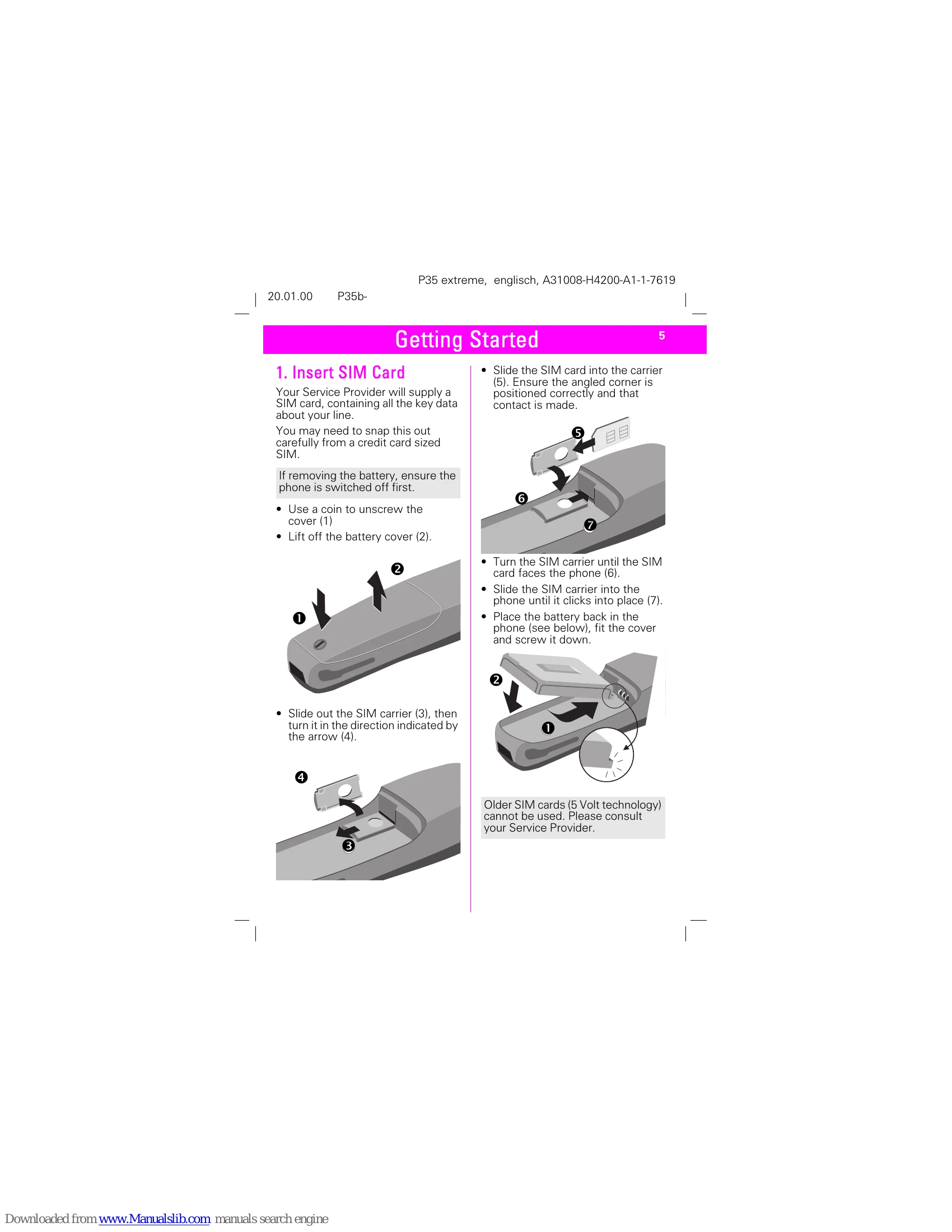
| SIM error | SIM card not correctly inserted | Make sure that the SIM card is inserted correctly. The card carrier must engage (see p. 5). |
| SIM card contacts dirty | Clean the SIM card with a dry cloth. | |
| SIM card has wrong volt rate | Only use 3 volt SIM cards | |
| SIM card damaged. | Make visual check. Return SIM card to Service Provider. | |
| No connection to network | Signal weak. | Move higher, to a window or open space. |
| Outside GSM coverage. | Check Service Provider coverage map. | |
| SIM not valid | Contact Service Provider for replacement SIM | |
| New network not authorised | Try reselecting manually or try a different network (see p. 51) | |
| Phone loses network | Barring set. | Check barring (see p. 52) |
| Network overloaded | Try again later. | |
| Signal too weak. | Reconnection or connection to another Service Provider is automatic (see p. 50). Switching off and on may accelerate this. | |
| Calls not possible | Dialling error. | Redial |
| 2nd line set. | Set different call line. (see p. 50) | |
| New SIM fitted. | Check for new restrictions. | |
| Charge limit reached. | Call your Service Provider or use PIN 2 to reset (see p. 44). | |
| Certain calls not possible | Call restrictions set. | Restrictions may be set by your Service Provider. Check restrictions (see p. 50). |
| Phone number has more than 20 digits | Check phone number. | |
| Cannot save in Phonebook | Call restriction set. | Check restrictions (see p.49). |
| Phonebook is full. | Delete some Phonebook entries (see p. 14). | |
| Cannot change Phonebook | SIM restriction set. | Call Service Provider. |
| SIM has been changed | Refit original SIM. |