Brand: SIEMENS
Category: Mobile Phone
Document Type: Manual
Language: EN
Brand: SIEMENS
Category: Mobile Phone
Document Type: Manual
Language: EN
Uploaded: Nov. 21, 2025, 6:14 p.m.
Manufacturer's Guarantee for new devices and components is valid for 24 months from purchase, with some exceptions.
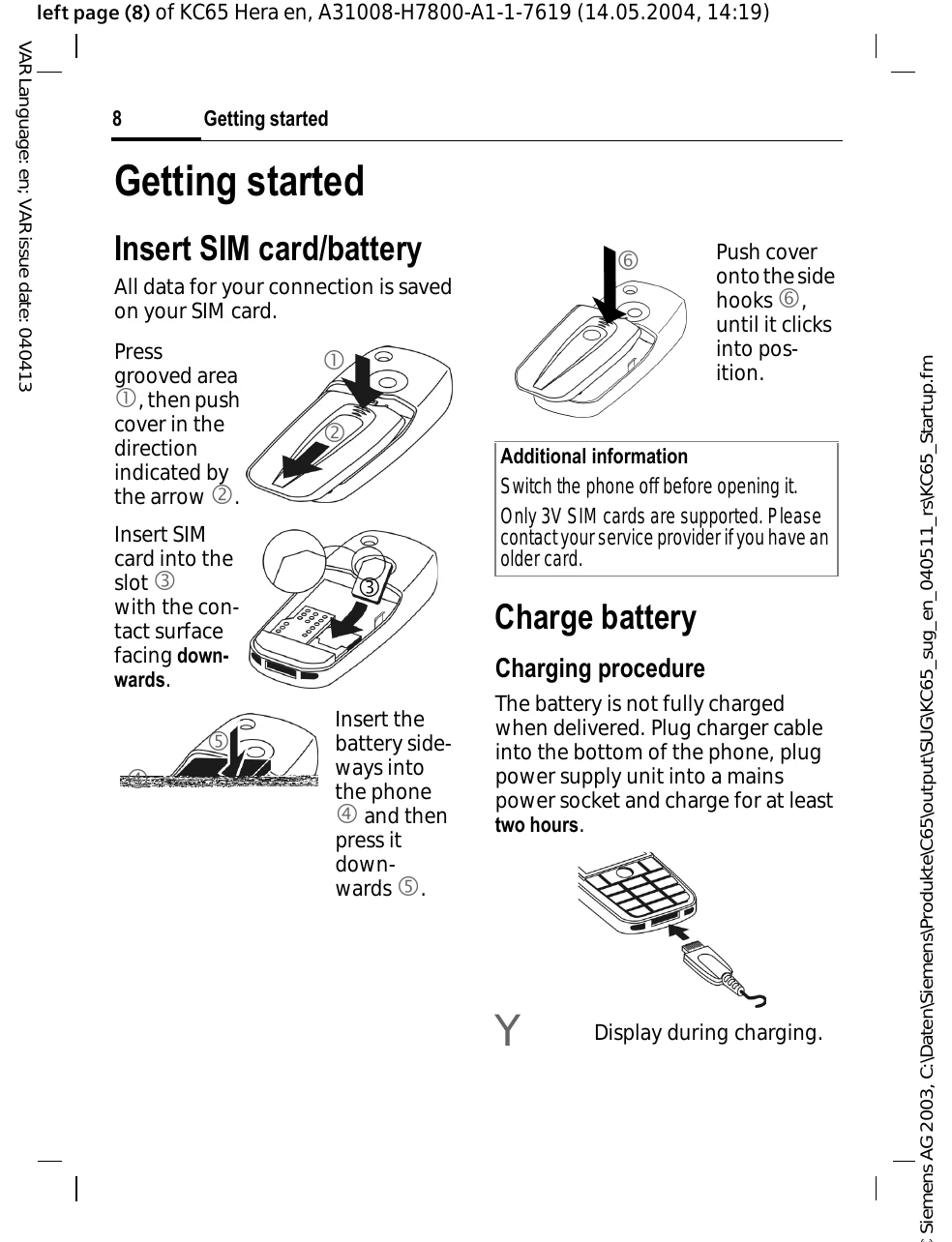
Insert SIM card and battery. Charge the battery for at least two hours. Switch the phone on by pressing and holding the B key. Enter the PIN if prompted. Set the time and date. Familiarize yourself with the phone's keys and display symbols.
Standby Mode: The phone is ready for use when the service provider name is displayed. Press and hold B to return to standby mode.
Main Menu: Press C to access the graphical main menu. Use the joystick to navigate and select functions.
Text Entry: Use number keys repeatedly for letters or activate T9 input. Special characters can be accessed using the '*' key.
Calling: Enter the number and press the A key. Use B to end calls.
| Problem | Possible Cause | Solution |
|---|---|---|
| Phone does not switch on. | Battery discharged. | Charge the battery. |
| Battery not inserted correctly. | Insert the battery correctly. | |
| No network connection. | SIM card not inserted. | Insert the SIM card. |
| In a "dead" zone. | Move to an area with better reception. | |
| Cannot make calls. | PIN not entered correctly. | Enter the correct PIN. |
| Phone code entered incorrectly. | Enter the correct phone code. | |
| Display is dark. | Display illumination is too low. | Adjust illumination in menu settings. |
| Battery drains quickly. | Extreme temperatures. | Avoid extreme temperatures. |
| Frequent use of features like camera or internet. | Reduce usage of power-intensive features. |