Brand: SIEMENS
Category: Microwave Oven
Document Type: Manual
Language: EN
Brand: SIEMENS
Category: Microwave Oven
Document Type: Manual
Language: EN
Uploaded: Nov. 21, 2025, 8:49 p.m.
Please note that for malfunctions occurring outside the warranty period, a service technician will charge a fee.
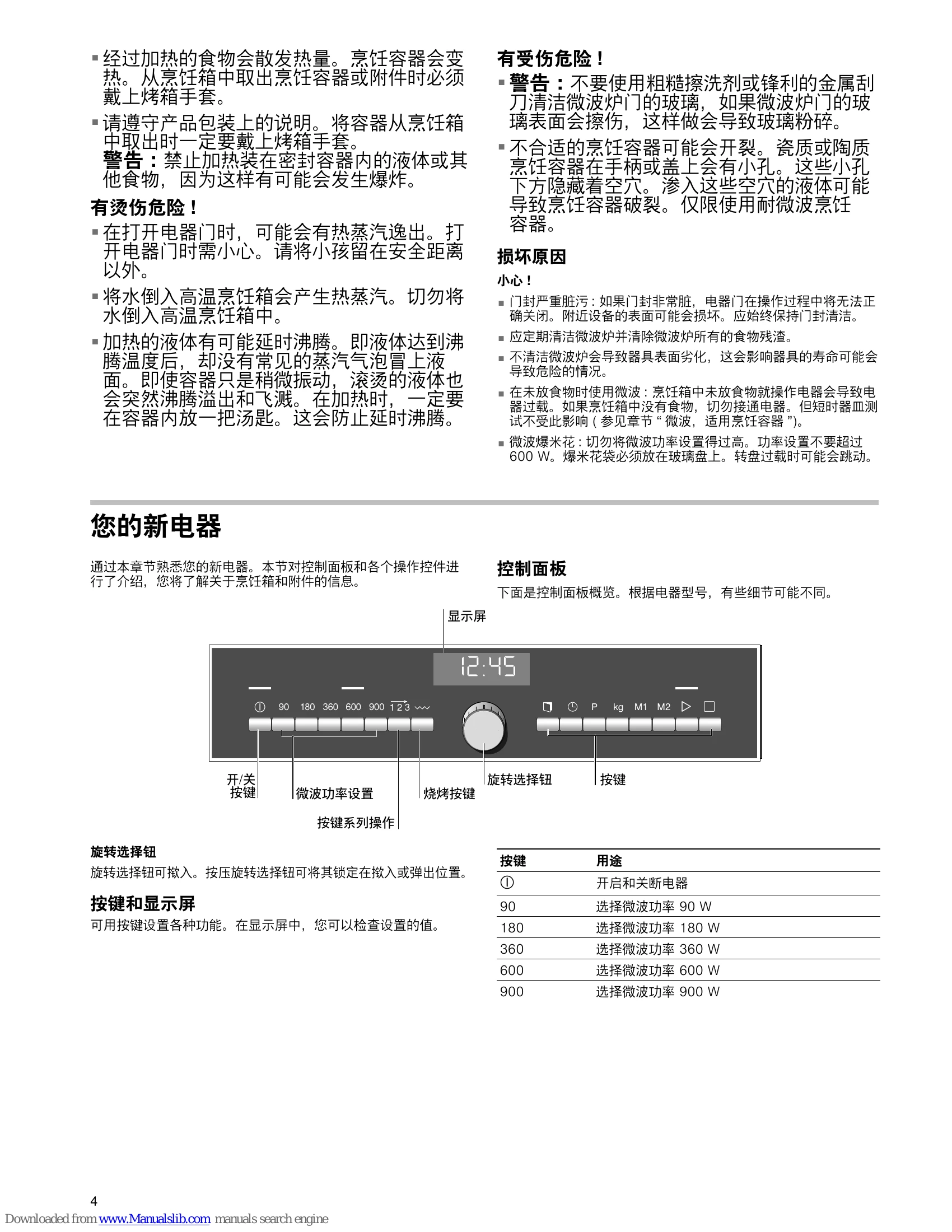
Switching the appliance on and off: Press the ① button to switch the microwave oven on and off.
Setting the clock: After connecting the appliance, the clock setting is displayed. Set using the rotary selector and buttons.
Microwave operation: Select the microwave power button, set the cooking time, and press the ▷ button to start.
1, 2, 3 series of operations: Set up to three different combinations of microwave power and time, then start.
Grilling: Select the grill setting (high, medium, low), set the cooking time, and press the ▷ button to start.
MicroCombi operation: Use microwave and grill functions simultaneously. Select microwave power, set cooking time, press the ~ button 3 times, then press the ▷ button to start.
Memory: Save frequently used settings to M1 or M2 for easy recall.
Automatic programmes: Select a programme, enter the food weight, then press the ▷ button to start.
| Problem | Possible cause | Remedy/information |
|---|---|---|
| The appliance does not work | Faulty circuit breaker | Look in the fuse box and check that the circuit breaker for the appliance is in working order. |
| The appliance does not work. A cooking time appears in the display. | Plug not plugged in | Plug in the plug |
| Power cut | Check whether the kitchen light works. | |
| The microwave does not switch on. | Incorrect operation | Switch off the circuit breaker in the fuse box. Reconnect it after approx. 10 seconds. |
| The ▷ button was not pressed after the setting had been made. | Press the button or switch the appliance off. | |
| The door was not fully closed. | Check whether food residues or foreign objects are trapped in the door. Make sure that the seal surfaces are clean. Check whether the door seal is twisted. | |
| Food takes longer than before to heat up. | The button has not been pressed. | Press the button. |
| The microwave power setting is too low. | Select a higher power setting. | |
| A larger amount than usual has been placed in the appliance. | Double the amount = almost double the time | |
| The food was colder than usual. | Stir or turn food during cooking. | |
| A signal sounds. The colon in the display is flashing. | The appliance is in demonstration mode. | 1. Press the 123 button. 2. Press and hold the P button for three seconds. The demonstration mode is deactivated. |