Brand: SIEMENS
Category: Control Unit
Document Type: Parts/Service
Language: EN
Brand: SIEMENS
Category: Control Unit
Document Type: Parts/Service
Language: EN
Uploaded: Nov. 21, 2025, 6:32 p.m.
Manual Publish Date: 2005-06-01
None
The key switches on the back of the TFT display control various functions. The MENU key opens/closes the OSD menu, POWER turns the display on/off, and ENTER selects sub-menus or confirms parameters. UP/DOWN keys navigate menus or search for video signals.
To lock or unlock the OSD menu, switch off the display, then press and hold UP and DOWN simultaneously during power-on for approximately 10 seconds. A confirmation message will appear.
For external switched-mode power supply issues, measure output voltage or swap low voltage connectors. For TFT display problems, check the power supply, connectors, video signal, and input selection switch. Note that TFT displays are not repairable and must be replaced if defective.
Adjustments for video mode, geometry, brightness, contrast, and backlight intensity involve using the OSD menu. Specific steps are provided for each, often requiring a test pattern and setting values to specific levels. The OSD time should be set to "Off" during adjustments and reset afterward.
| Part description | Part number | Remarks |
|---|---|---|
| 15" LCD Color TFT Display (REP) | 07142354 | is included in the repair kit. |
| External switched-mode power supply | 07141083 | 230V ~ Power cable not included. |
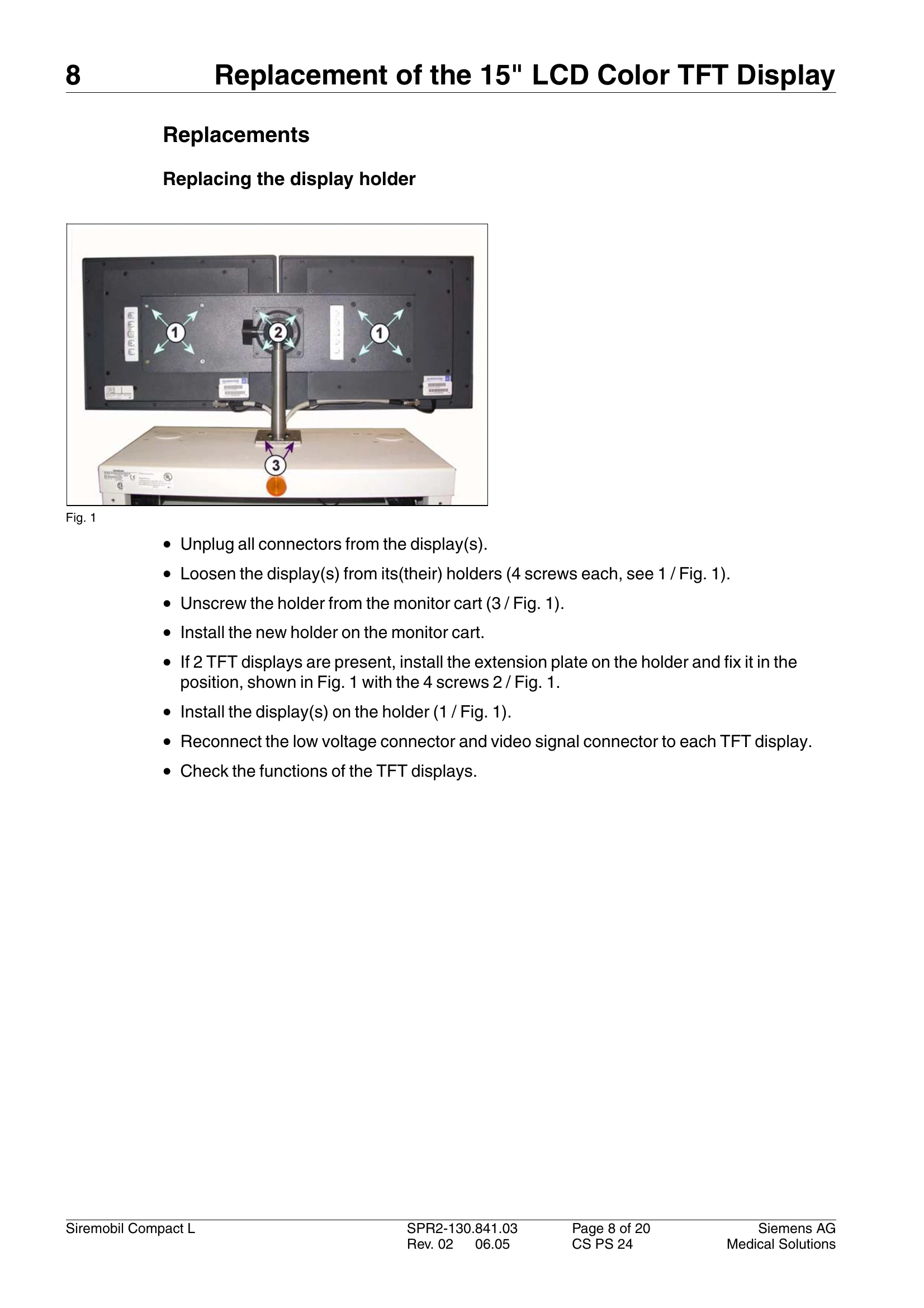
| Display holder | 07142347 | Fastening screws not included |