Brand: SIEMENS
Category: Control Unit
Document Type: Manual
Language: EN
Brand: SIEMENS
Category: Control Unit
Document Type: Manual
Language: EN
Uploaded: Nov. 21, 2025, 7:18 p.m.
Manual Publish Date: 2015-06-01
These operating instructions provide information for installing and connecting SCALANCE M874 and M876 devices. It covers product characteristics, interfaces, scope of delivery, article numbers, unpacking, and checking.
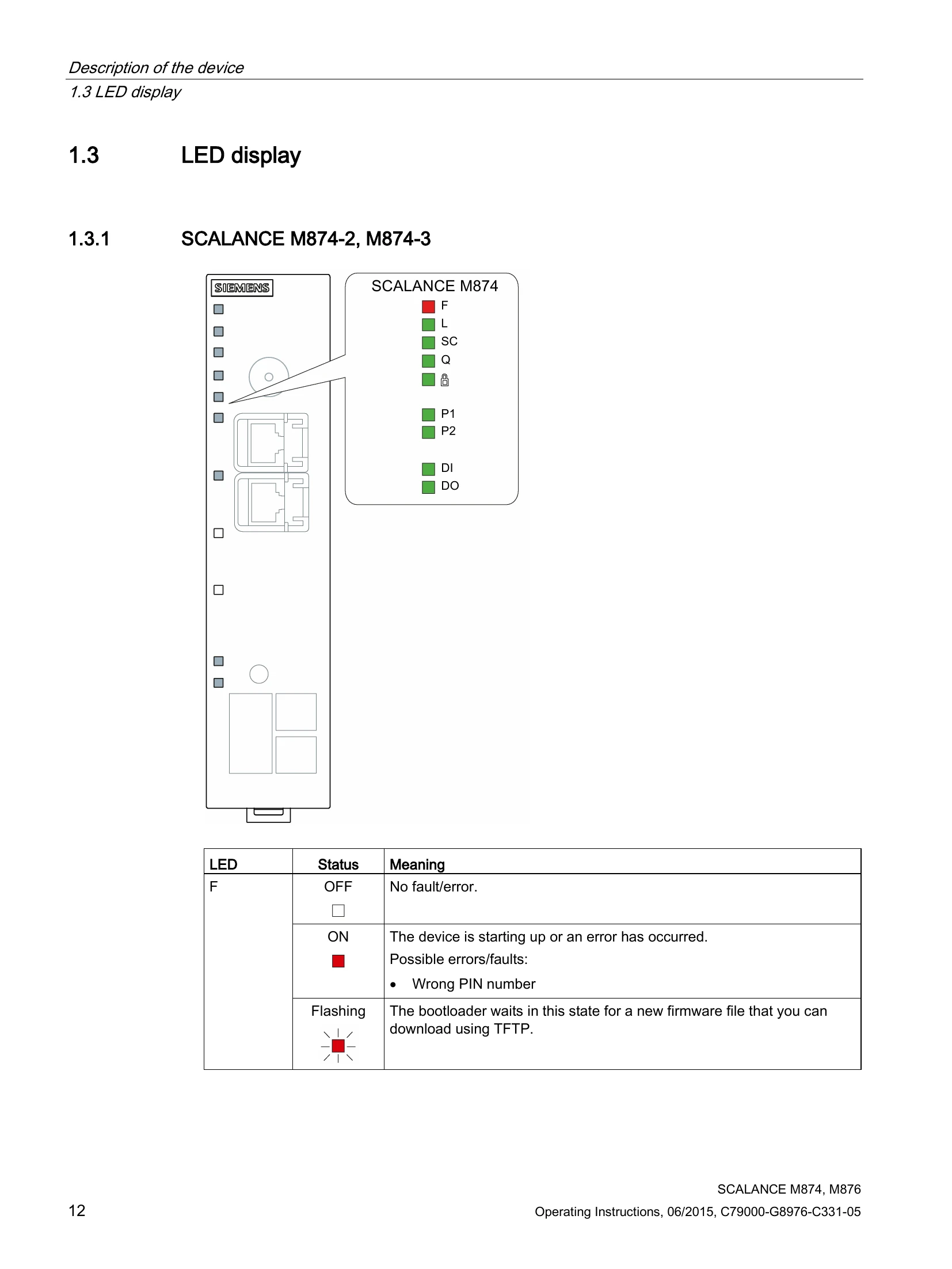
The instructions detail LED displays for different models, the function of the SET button, and the use of C-PLUG and KEY-PLUG for configuration transfer. It also outlines safety notices for installation, including those for hazardous areas and general notes according to ATEX and IECEx standards.
Further sections cover types of installation, strain relief for cables, shielding of cables, permitted installation direction, and clearances. Connecting up procedures are described, including SIM card usage, power supply, grounding, digital input/output, antennas, and Ethernet ports.
| LED | Status | Meaning |
|---|---|---|
| F | OFF | No fault/error. |
| ON | The device is starting up or an error has occurred. Possible errors/faults: • Wrong PIN number | |
| Flashing | The bootloader waits in this state for a new firmware file that you can download using TFTP. | |
| L | OFF | Device turned off, no power supply. |
| ON | Device turned on, power supply present. | |
| SC | OFF | SIM card OK, no connection. |
| ON | Wrong PIN number / SIM card error | |
| ON | Connection established | |
| Q | OFF | No reception Signal strength: < -109 dBm |
| Flashing | Signal strength bad: -89 dBm to -109 dBm | |
| On | Signal strength medium: -73 dBm to -89 dBm | |
| ON | Signal strength good: > -73 dBm | |
| A | OFF | No VPN connection is established. |
| ON | All configured VPN connections are established. | |
| Flashing | Only some of the configured VPN connections are established. | |
| P1/P2 | OFF | Ethernet connection to local computer or LAN not established |
| ON | Ethernet connection to local computer or LAN established | |
| ON | Device receiving / sending data | |
| DI | OFF | Digital input inactive |
| ON | Digital input active. | |
| DO | OFF | Digital output inactive |
| ON | Digital output active. |