Brand: SHARP
Category: Audio
Document Type: Manual
Language: EN
Brand: SHARP
Category: Audio
Document Type: Manual
Language: EN
Uploaded: Nov. 21, 2025, 6:31 p.m.
Sharp Electronics Corporation warrants the Product to be free from defective workmanship and materials for one year parts and ninety days labor.
Recording: This unit supports both analog and digital recording. Connect your audio source via analog cable (included) or optional optical digital cable. Use the REC button to start and the OFF button to stop recording. Synchro recording automatically starts when sound is detected, while manual recording allows you to start and stop at will. You can also record from a microphone.
Playback: Insert a MiniDisc and playback starts automatically. Use the Volume and Bass controls to adjust the sound. Various playback modes are available, including normal, random, and repeat play.
Editing: Functions like Move, Divide, Combine, and Disc/Track naming allow you to organize and customize your MiniDiscs.
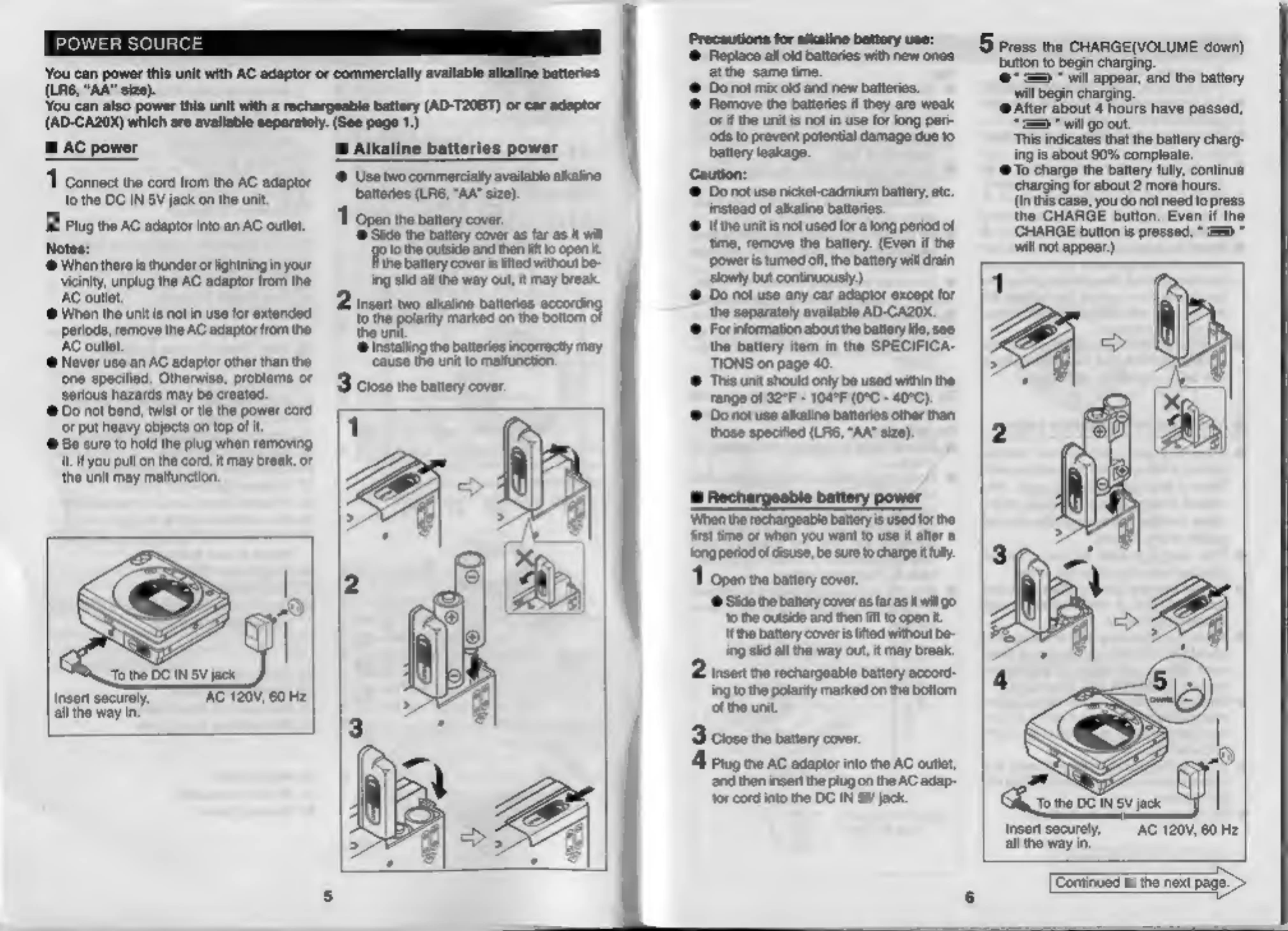
Power: The unit can be powered by AC adapter or batteries. Ensure batteries are properly inserted and charged if using rechargeable ones.
| PROBLEM | CAUSE |
|---|---|
| The unit does not turn on. | Is the AC adaptor disconnected? Is the battery exhausted? Is the unit in the hold mode? Has condensation formed inside the unit? Is the unit being influenced by mechanical shock or by static electricity? |
| No sound is heard from the headphones. | Is the volume set too low? Is the headphones plugged in? Are you trying to play a MiniDisc with data on it instead of a MiniDisc containing music? |
| When the operation buttons are pressed, the unit does not respond. | Is the unit in the hold mode? Is the battery exhausted? |
| Some sounds are skipped. | Is the battery exhausted? Is the unit being subjected to excessive vibration? |
| The MiniDisc cannot be ejected. | Has the track number or character information been written on the disc yet? |
| Recording and editing are impossible. | Is the unit in the recording or editing mode? Is the MiniDisc protected against accidental erasure? Is the unit connected properly to the other equipment? Is the AC adaptor unplugged or did a power failure occur while recording or editing? Is the unit in the hold mode? Is an optical signal being output from the external equipment? |