Manual for EM-SL50GRILL

Manual for EM-SL50GRILL

Brand: SANYO

Category: Microwave Oven

Document Type: Manual

Language: EN
Uploaded: Nov. 21, 2025, 6:12 p.m.

Warranty Information

None

Setting Clock Time: Press CLOCK, then use TIME/MENU dial and CLOCK button to set hours and minutes (12 or 24-hour format).

Microwave Cooking: Press POWER button repeatedly to select power level (900W down to 80W), then use TIME/MENU dial to set cooking time. Press START/QUICK START.

Grill Cooking: Press GRILL button, set desired time (up to 90 minutes) using TIME/MENU dial, then press START/QUICK START.

Pre-set: Set a cooking program, press PRESET, set start time using TIME/MENU dial, press PRESET again, then press START/QUICK START.

Auto Cook Menu: Turn TIME/MENU dial to select food category, press WEIGHT ADJ./KITCHEN TIMER for weight/servings, then press START/QUICK START.

Auto Defrost: Press DEFROST, select MEAT or POULTRY, press WEIGHT ADJ./KITCHEN TIMER for weight (100g-1800g), then press START/QUICK START.

Express Cooking: Press START/QUICK START repeatedly to set desired cooking time at HIGH power.

Setting Timer: Press WEIGHT ADJ./KITCHEN TIMER, set time using TIME/MENU dial, then press START/QUICK START.

Child Lock: Press and hold STOP/LOCK for 3 seconds to set or cancel. LOCK indicator appears when set.

Troubleshooting and error codes

If the oven fails to operate: What to check
Oven does not operate 1. Check if the oven is plugged in securely. Wait 10 seconds and plug in again.
2. Check circuit fuse or main circuit breaker. Test outlet with another appliance.
3. Ensure control panel is programmed correctly and timer is set.
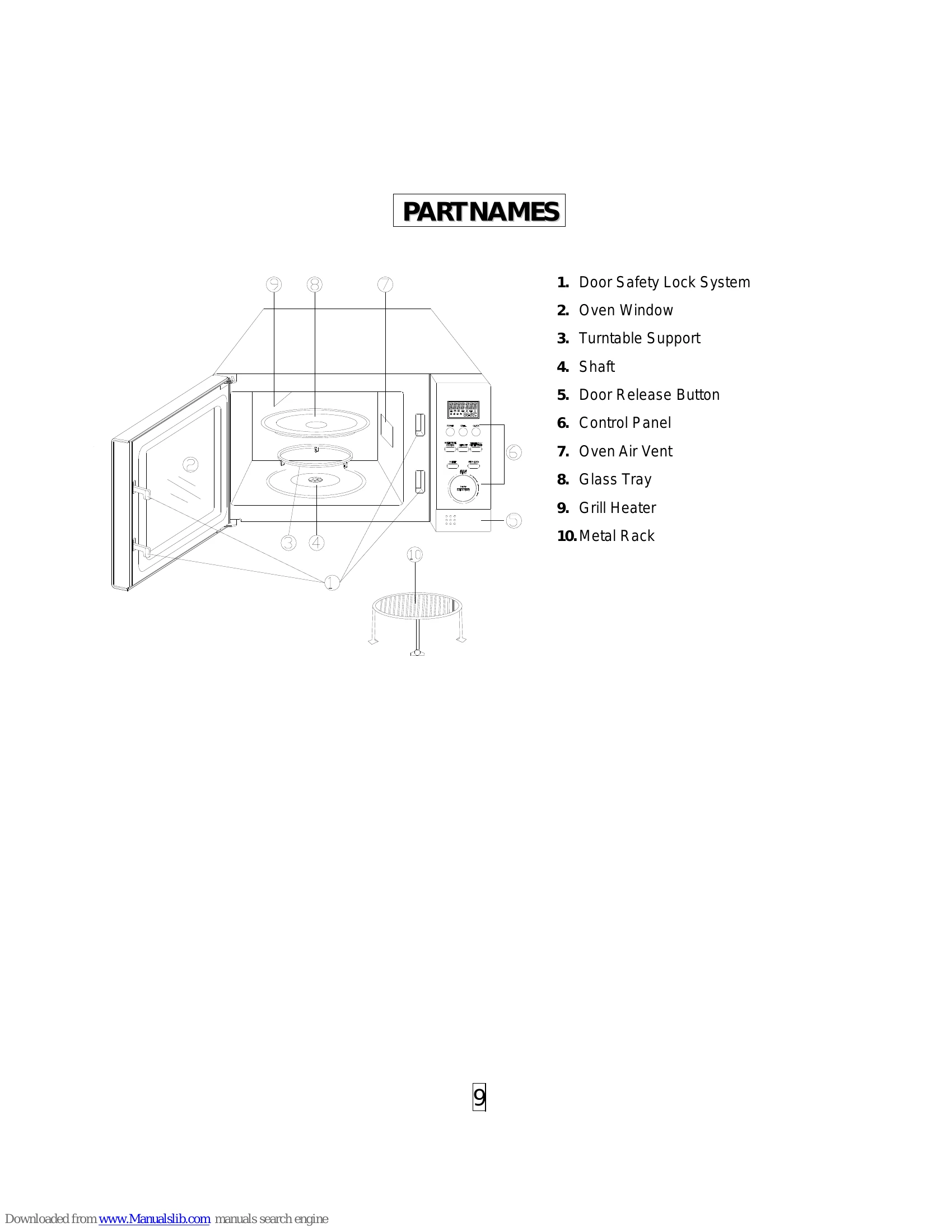
4. Confirm the door is securely closed, engaging the safety lock system.
Privacy Policy