Manual for VPC-S6

Manual for VPC-S6

Brand: SANYO

Category: Digital Camera

Document Type: Manual

Language: EN
Uploaded: Nov. 21, 2025, 7:46 p.m.

Warranty Information

None

Getting Up and Running

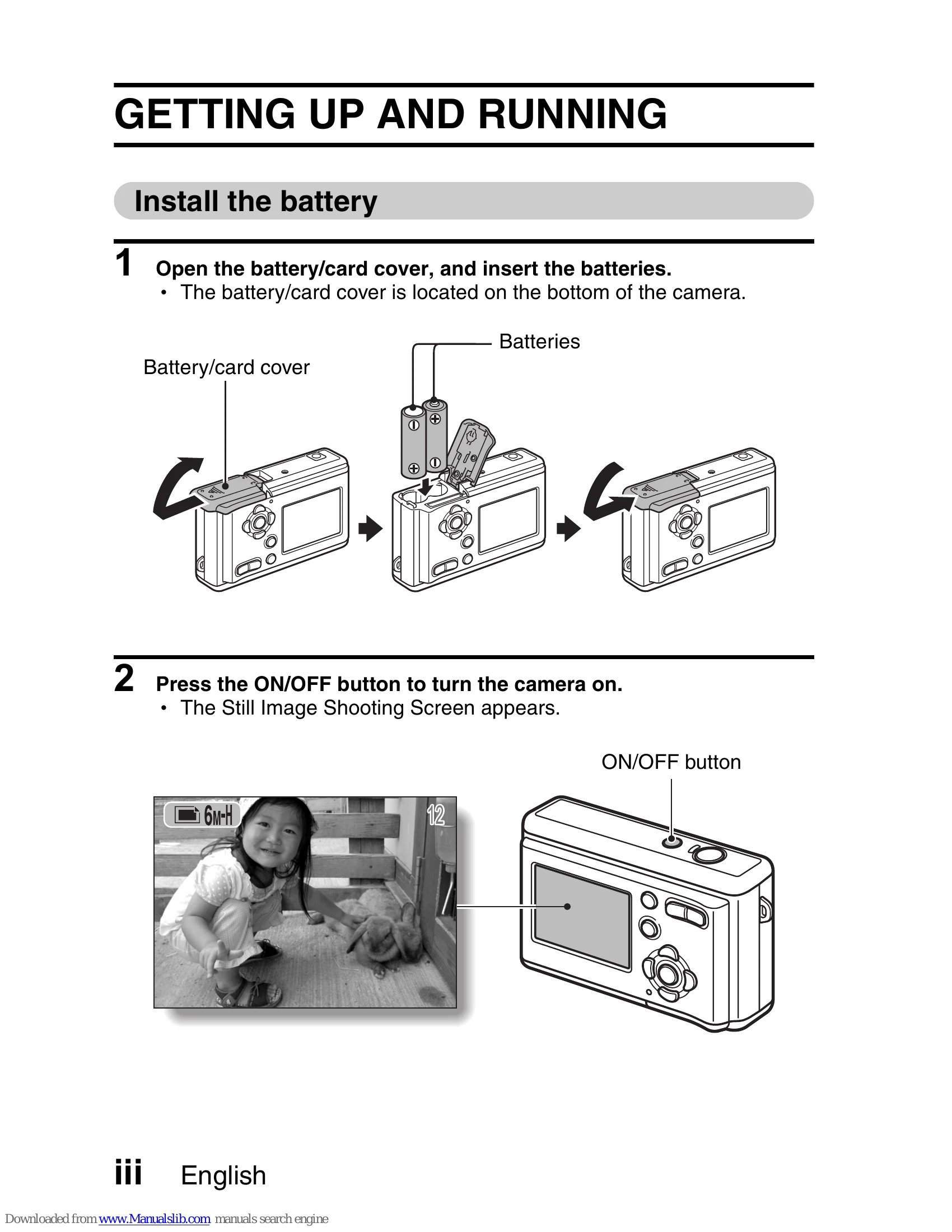
  1. Install the battery: Open the battery/card cover on the bottom of the camera and insert batteries.
  2. Turn on the camera: Press the ON/OFF button. The Still Image Shooting Screen will appear.

Shooting

Still image photography:

  1. Press the shutter button to capture the image.

Video clip recording:

  1. Press the MENU button, then the [▷] button to enter video clip mode.
  2. Press the MENU button again.
  3. Press the shutter button to start recording. Press it again to stop.
  4. To return to still image mode, press MENU, then [✔], then MENU.

Playback

Still image playback:

  1. Press the playback button [►].
  2. Use the [✔] or [►] buttons to view other images. Press the playback button again to return to the Shooting Screen.

Video clip playback:

  1. Press the playback button [►].
  2. Use the [✔] or [►] buttons to select the video clip to play.
  3. Press the SET button to begin playback. Press the playback button again to return to the Shooting Screen.

When you are finished taking pictures...

Press the ON/OFF button to turn the camera off.

Troubleshooting and error codes

Access light status Camera status
Off Power OFF
Lit Connected to a computer or printer
Slow Power save mode (sleep)
Flashing (Fast) Error or when error is displayed; warning
Flashing (Very fast) Accessing card or internal memory
Privacy Policy