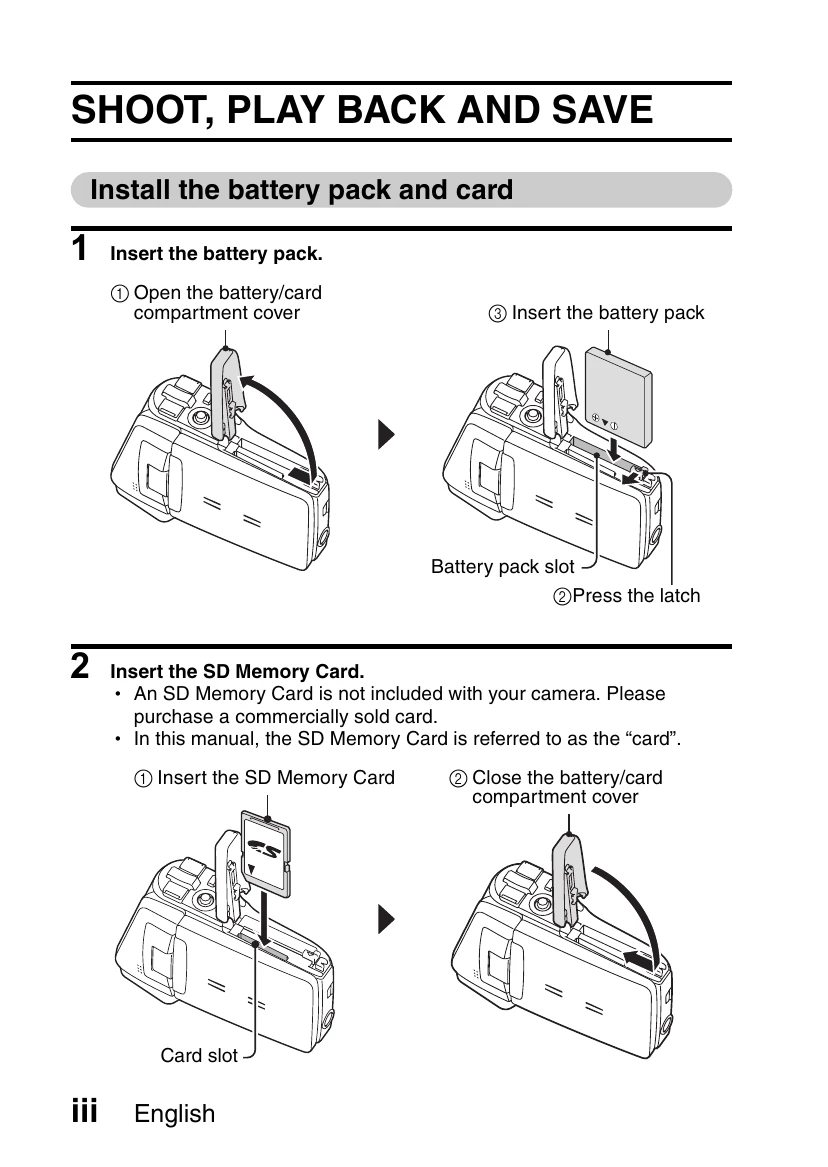
Getting Started: Install battery pack and memory card. Turn on the camera.
Shooting Video Clips: Open the monitor unit, press the ON/OFF button, then press the record button to start and stop recording.
Shooting Still Images: Open the monitor unit, press the ON/OFF button, then press the capture button.
Playback: Press the REC/PLAY button, then use the SET button to navigate and play video clips or still images.
Saving to DVD: Use the supplied software to burn recorded video clips onto a DVD. This involves installing software, connecting the camera to a computer, copying video clips, and then burning them to a DVD.