Brand: SANYO
Category: Camcorder
Document Type: Manual
Language: EN
Brand: SANYO
Category: Camcorder
Document Type: Manual
Language: EN
Uploaded: Nov. 21, 2025, 7:07 p.m.
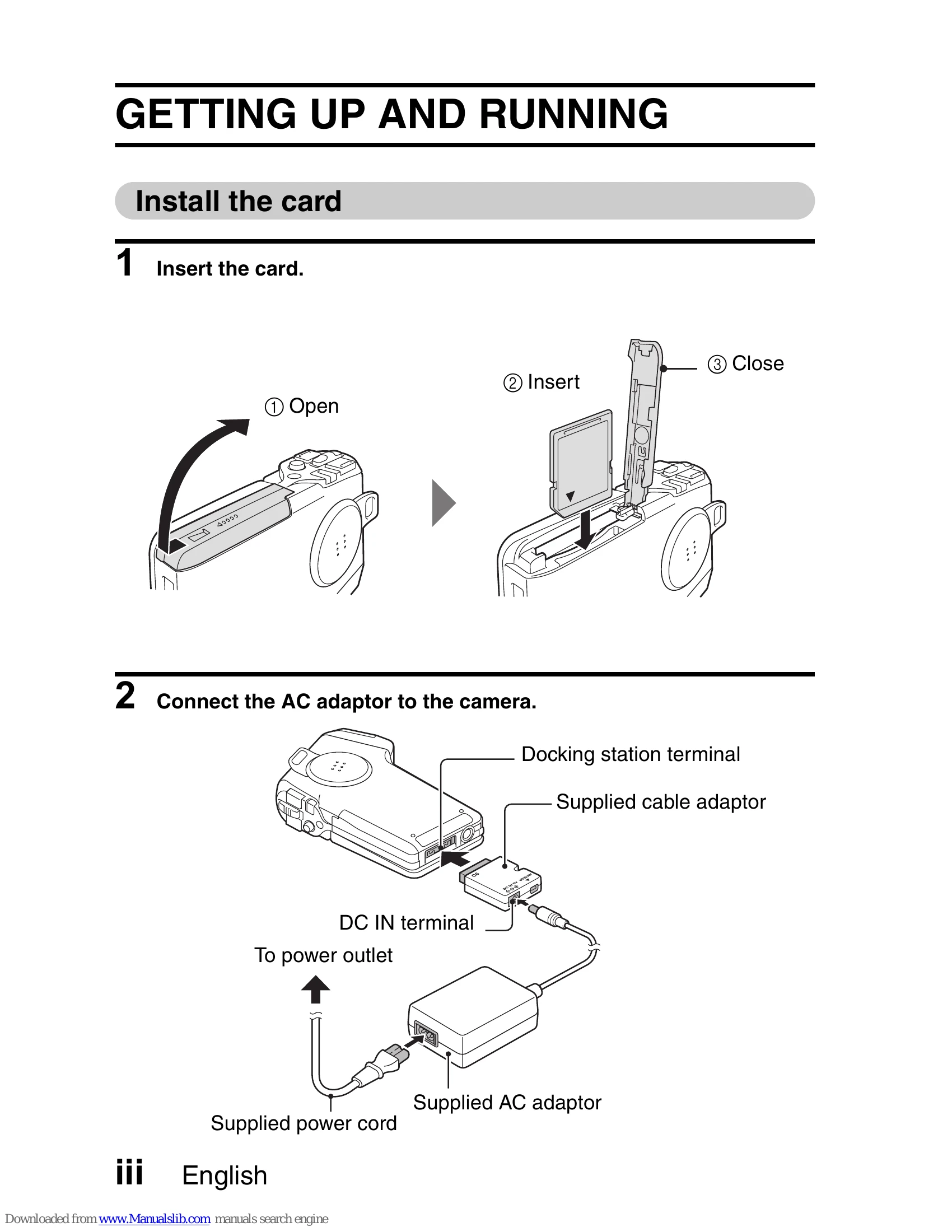
1. Insert the SD memory card into the camera.
2. Connect the AC adapter to the camera and a power outlet.
Video Clip Recording:
Still Image Photography:
Video Clip Playback:
Still Image Playback:
Turning off: Press the ON/OFF button.
| Color | Multi-indicator status | Camera status |
|---|---|---|
| Green | Lit | Connected to computer or printer (USB) |
| Flashing | Power save mode active | |
| Red | Lit | Charging |
| Slow | Battery charge error (overcharged or defective battery) | |
| Flashing | During self-timer photography | |
| Fast | Accessing data | |
| Orange | Lit | Connected to TV/VIDEO (AV) |