Brand: SANYO
Category: Camcorder
Document Type: Manual
Language: EN
Brand: SANYO
Category: Camcorder
Document Type: Manual
Language: EN
Uploaded: Nov. 21, 2025, 7:33 p.m.
None
| Issue | Possible Cause | Solution |
|---|---|---|
| No picture on the monitor screen | Power is not on to all connected devices. Voltage is incorrect. | Ensure power is on and voltage is correct. |
| Signal connecting cables are not correctly connected. | Check all signal cable connections. | |
| Lighting is insufficient. | Increase lighting. | |
| Lens cap has not been removed. | Remove the lens cap. | |
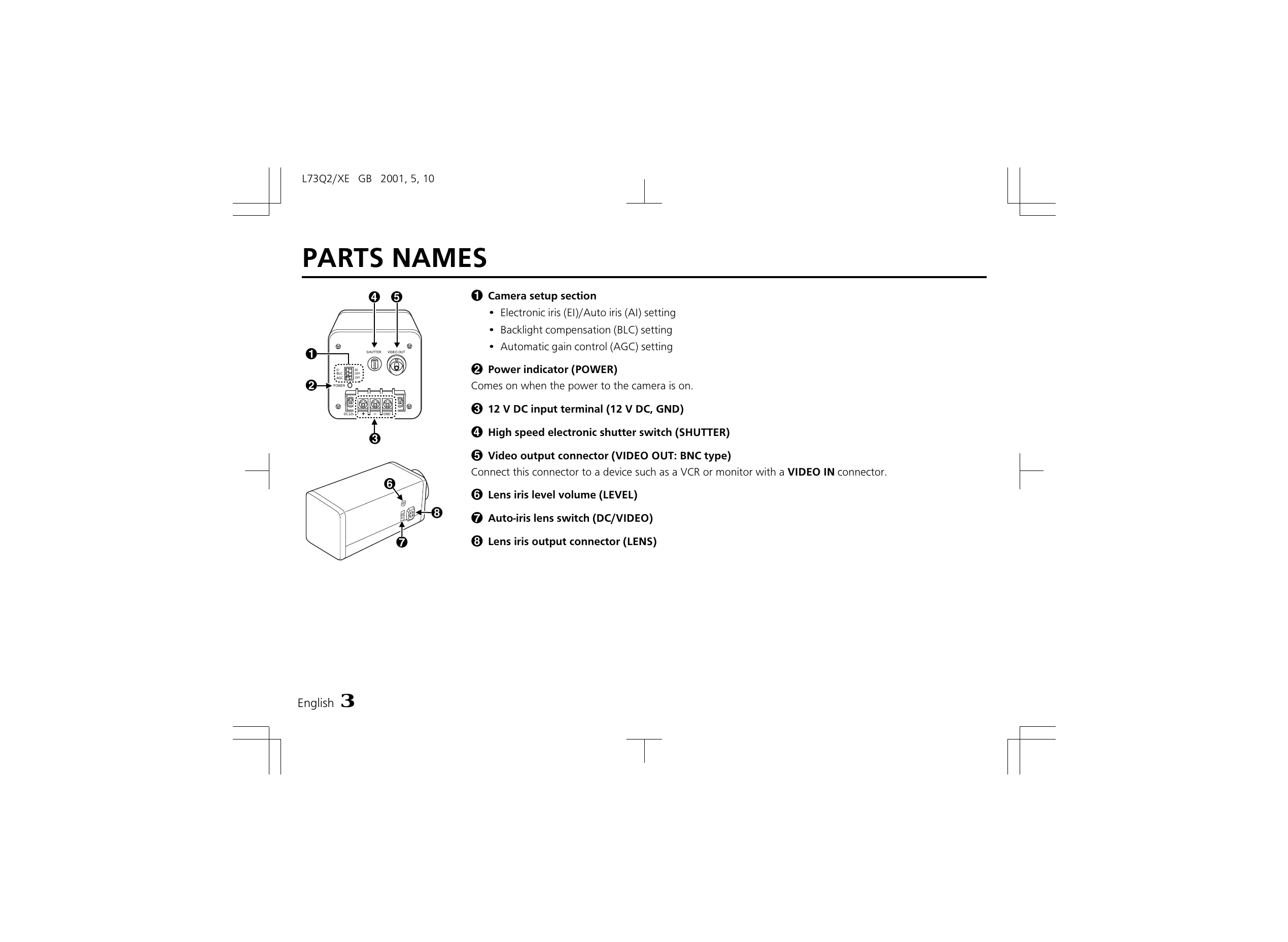
| Lens type (DC or VIDEO) is not correctly selected. | Set the A. I. LENS switch according to the lens type. | |
| Iris control is not correctly set. | For DC type lens, adjust LEVEL volume. For VIDEO type lens, adjust LEVEL volume on the lens. | |
| The picture is not clear | Monitor is not correctly adjusted. | Adjust the monitor. |
| Flange-back position is not correctly set. | Adjust the flange-back position. | |
| Lens focus is not correctly adjusted. | Adjust the lens focus. | |
| Lens surfaces are dirty. | Clean the lens surfaces with a soft cloth or lens cleaning set. |