Brand: SAMSUNG
Category: TV
Document Type: Manual
Language: EN
Brand: SAMSUNG
Category: TV
Document Type: Manual
Language: EN
Uploaded: Nov. 21, 2025, 7:37 p.m.
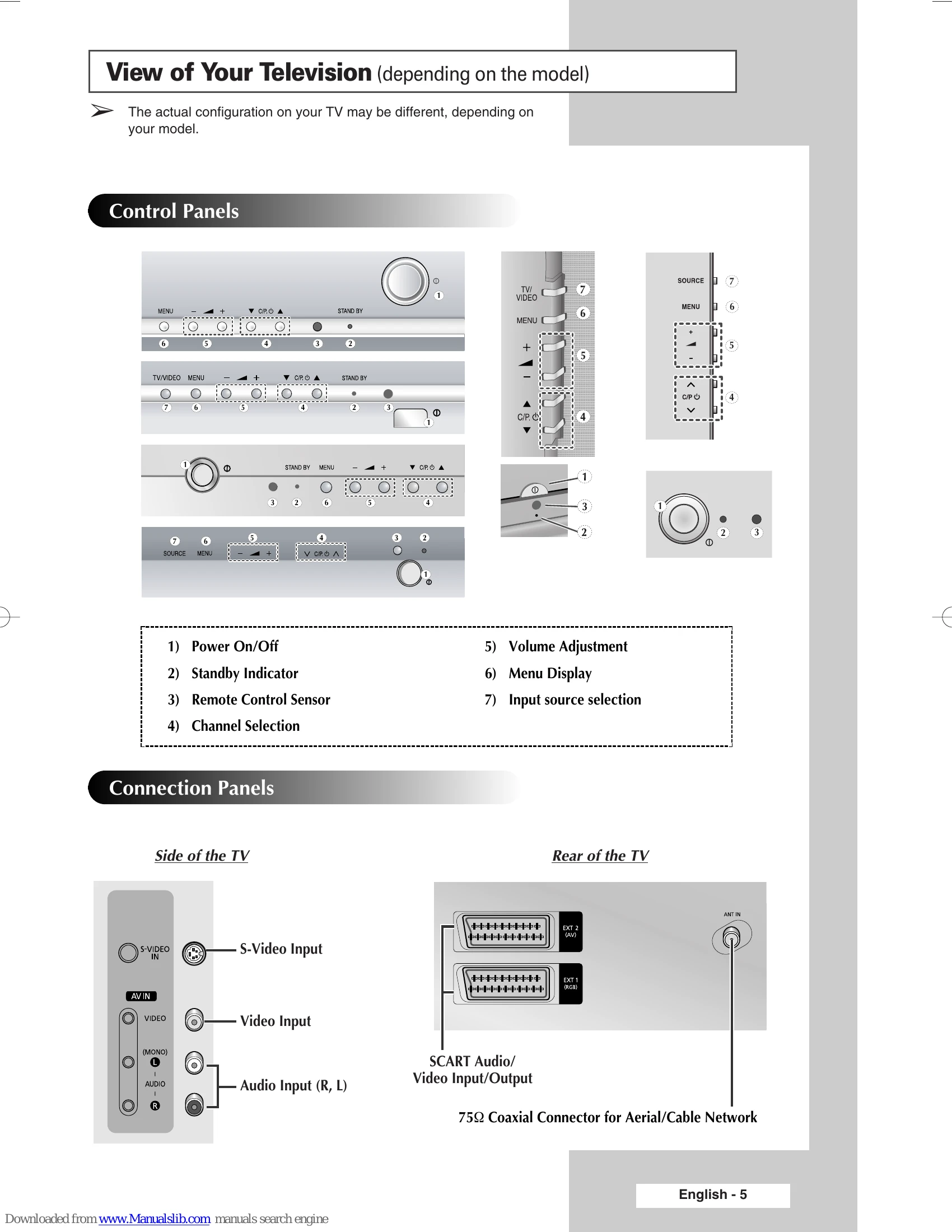
View of Your Television (depending on the model)
Infrared Remote Control
Inserting the Batteries in the Remote Control
Connecting to an Aerial or Cable Television Network
Switching Your Television On and Off
Placing Your Television in Standby Mode
Becoming Familiar with the Remote Control
Plug & Play Feature
Viewing the Demonstration
Choosing Your Language
Storing Channels Automatically
Sorting the Stored Channels
Storing Channels Manually
Skipping Unwanted Channels
Assigning Names to Channels
Fine Tuning Channel Reception
Using the LNA (Low Noise Amplifier) Feature (depending on the model)
Changing the Picture Standard
Customizing the Picture Settings
Selecting the Picture Size (depending on the model)
Selecting the Digital NR
Using the Tilt Control Feature
Setting the Blue Screen
Freezing the Current Picture
Changing the Sound Standard
Adjusting the Sound Settings
Extra Sound Settings (depending on the model)
Selecting the Sound Mode (depending on the model)
Selecting the Melody
Setting and Displaying the Current Time
| Issue | Solution |
|---|---|
| No sound or picture | Check that the mains lead has been connected to a wall socket. Check that you have pressed the "✔" button (On/Off) and the POWER (⏻) button. Check the picture contrast and brightness settings. Check the volume. |
| Normal picture but no sound | Check the volume. Check whether the MUTE (🎕) button on the remote control has been pressed. |
| No picture or black and white picture | Adjust the colour settings. Check that the broadcast system selected is correct. |
| Sound and picture interference | Try to identify the electrical appliance that is affecting the television, then move it further away. Plug your television into a different mains socket. |
| Blurred or snowy picture, distorted sound | Check the direction, location and connections of your aerial. This interference often occurs due to the use of an indoor aerial. |
| Remote control malfunctions | Replace the remote control batteries. Clean the upper edge of the remote control (transmission window). Check the battery terminals. |