Brand: SAMSUNG
Category: Other
Document Type: Manual
Language: EN
Brand: SAMSUNG
Category: Other
Document Type: Manual
Language: EN
Uploaded: Nov. 21, 2025, 7:21 p.m.
Refer to regional contact information for warranty details.
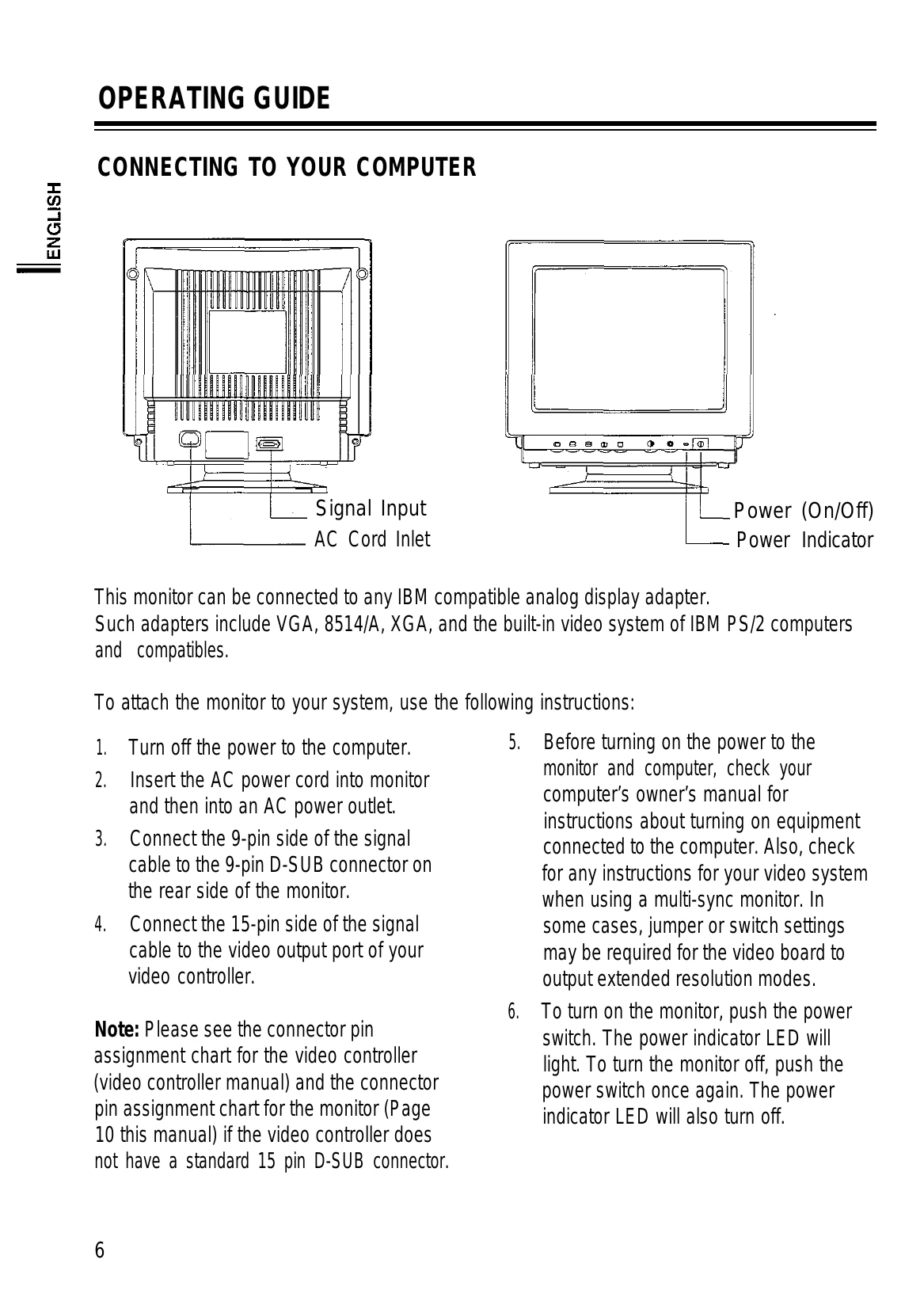
This monitor is a 14-inch, high-resolution, color display monitor. This manual covers its use and points of caution. Please read it thoroughly for best performance and use. Store it safely for future reference.
The carton should contain: CQA4147, CQA4147L monitor, Tilt and swivel stand, This manual, Power cord, 9-15 pin signal cable.
Familiarize yourself with the controls for optimal display adjustment.
| TROUBLE CONDITION | POSSIBLE CAUSE | CORRECTIVE MEASURE |
|---|---|---|
| Image is not displayed. | Is the power cord connected? Is the power switch ON? Is the signal cable properly connected? |
Connect the power cord. Turn on the power switch. Connect the signal cable correctly. |
| Color of image on screen is abnormal. | Is there a magnetized item near? Is the pin arrangement of the signal connector correct? Is the signal cable connected properly? |
Move the magnetized item away. Use a signal connector which matches the pin arrangement. Connect the signal cable correctly. |
| Picture is unstable. (The displayed image is tearing or rolling) | Are there signals, which are outside of the required frequency range? Is the pin arrangement of the signal connector correct? Is the signal cable correctly connected? |
Input signals which are within the frequency range of the monitor. Use the signal connector which matches the pin arrangement. Connect the signal cable correctly. |
| The displayed image is too small or shifted, and the controls can't adjust properly. | Are there signals, which are outside of the required frequency range? | Input signals which are within the frequency range of the monitor. |