| Your earbuds do not work |
- Charge the battery completely.
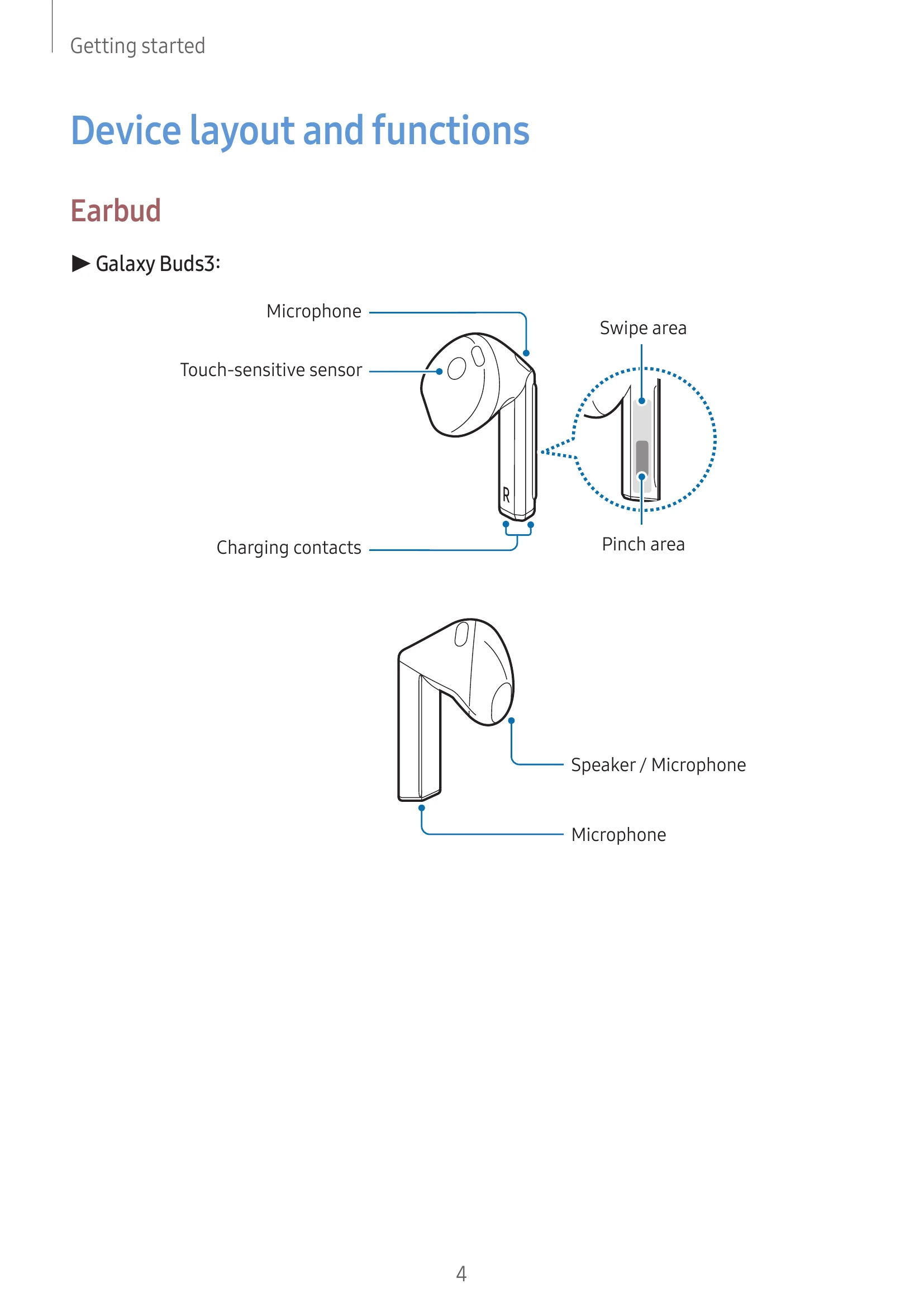
- Ensure the touch-sensitive sensor makes contact with your ear.
- If gesture features malfunction, restart the earbuds by inserting them into the charging case for 7 seconds or more.
|
| Another Bluetooth device cannot locate your earbuds |
- Close and reopen the charging case to enter Bluetooth pairing mode.
- Ensure devices are within the maximum Bluetooth connection range (10 m).
- If issues persist, contact a Samsung Service Centre.
|
| A Bluetooth connection is not made or your earbuds and the mobile device are disconnected |
- Ensure there are no obstacles between devices.
- Update the Galaxy Wearable app to the latest version.
- Ensure devices are within the maximum Bluetooth connection range (10 m).
- Restart the mobile device and reopen the Galaxy Wearable app.
- If only one earbud is connected, restart both earbuds.
|
| The battery does not charge properly (For Samsung-approved chargers) |
- Ensure charging contacts are clean and in contact.
- Ensure the charger is connected properly.
- Wipe charging contacts with a dry cloth if dirty.
- If issues persist, contact a Samsung Service Centre.
|
| The charging time and the battery life is different between the earbuds |
- Charging time may differ due to internal components.
|
| The battery depletes faster than when first purchased |
- Avoid extreme temperatures.
- Battery life naturally decreases over time.
- Store charged earbuds in the charging case when not in use.
|
| You cannot hear others speaking |
- Adjust the volume on the connected mobile device.
|
| Sound echoes during a call |
- Adjust the volume on the connected mobile device or move to another area.
|
| Sound is emitted from the connected mobile device, not the earbuds, during a call |
- Check if earbuds are worn properly.
- Remove and reinsert the earbuds.
|
| Audio quality is poor |
- Check carrier network and avoid electromagnetic waves.
- Ensure devices are within Bluetooth range (10 m).
- Adjust the connected device's sound volume.
|
| Your earbuds sound comes slower than the screen when playing videos and games |
- This is a known time lag issue.
|
| The noise controls modes do not work well |
- Wear both earbuds and ensure Active noise cancelling is on.
- Clean microphones if there is buildup.
- Ensure the latest software version is installed.
|
| Your Galaxy Buds are hot to the touch |
- Normal during extended use. If overheating persists, contact a Samsung Service Centre.
|
| A small gap appears around the outside of the Galaxy Buds |
- This is a normal manufacturing feature that may slightly expand over time.
|
| When the earbuds are removed from your ears, the ear tips are turned upside down (Galaxy Buds3 Pro) |
- Turn ear tips back to their original direction.
|