Brand: SAMSUNG
Category: MOBILE PHONE
Document Type:
Language: EN
Brand: SAMSUNG
Category: MOBILE PHONE
Document Type:
Language: EN
Uploaded: Aug. 10, 2025, 12:09 a.m.
Manual Publish Date: 2008-09-25
Samsung T919 phones and accessories are warranted for defects in material and workmanship for 1 Year (90 Days for Leather Case/Holster).
This section explains how to start using your phone by first configuring your hardware, activating your service, and then setting up your voice mail.
When you subscribe to a cellular network, you are provided with a plug-in SIM card loaded with your subscription details, such as your PIN, available optional services, and many others features.
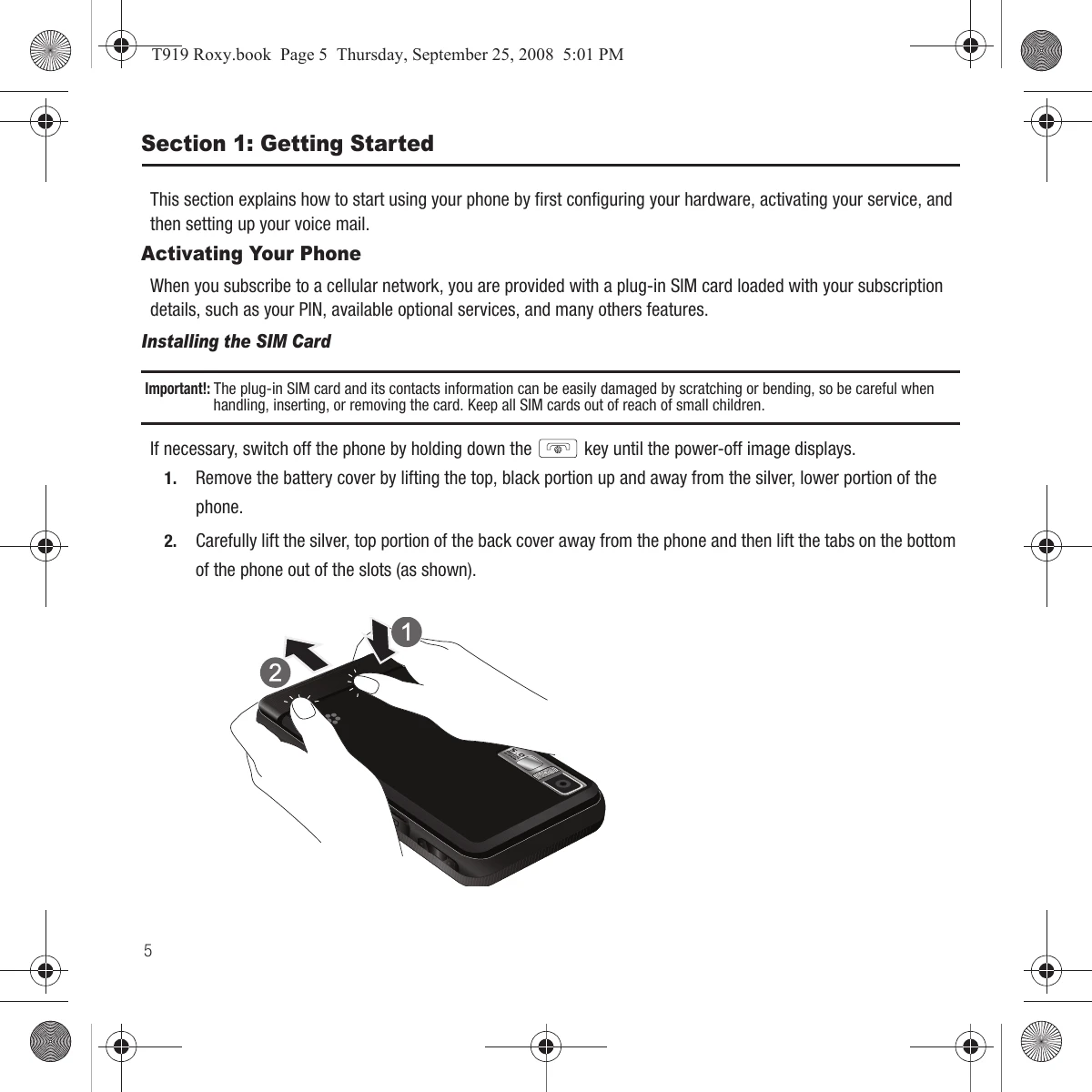
Follow the instructions to remove the back cover, insert the SIM card, and then replace the battery and cover.
Connect the travel adapter to the phone and a wall outlet to charge the Li-ion battery. Ensure the battery is installed before charging.
Press and hold the power key to turn the phone on or off. You may be prompted for a password or PIN.
Follow on-screen prompts to set up your voice mail, including creating a password, greeting, and recording your name.
Access voice mail by pressing and holding the '1' key or through the phone's menu.
| Phone does not turn on. | Battery is discharged. | Connect the charger and recharge the battery. |
| Phone does not detect SIM card. | SIM card is not inserted correctly. | Remove and reinsert the SIM card, ensuring it is correctly oriented. |
| Cannot make or receive calls. | No network signal. | Move to an area with better signal reception. |
| Screen is too dim or too bright. | Brightness setting is incorrect. | Adjust the LCD brightness in the Display settings. |
| Backlight turns off too quickly. | Backlight timer is set too short. | Adjust the Backlight time in the Display settings. |