Manual for S19C300B

Manual for S19C300B

Brand: SAMSUNG

Category: Computer

Document Type: Manual

Language: EN
Uploaded: Nov. 21, 2025, 7:49 p.m.

Manual Publish Date: 2013-01-01

Warranty Information

Refer to the manual for details on product warranty and service information.

Before Using the Product

Cleaning

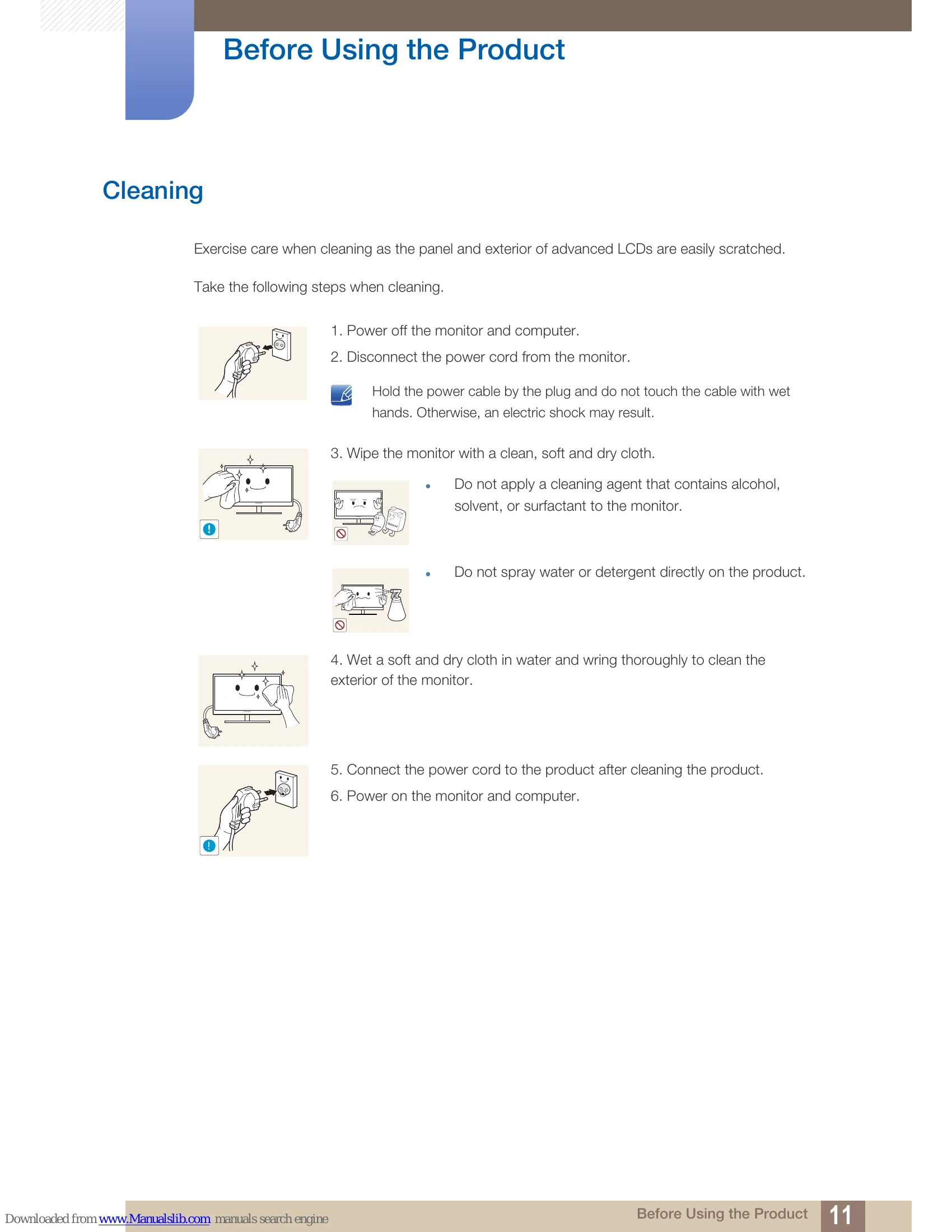
Exercise care when cleaning as the panel and exterior of advanced LCDs are easily scratched. Take the following steps when cleaning:

  1. Power off the monitor and computer.
  2. Disconnect the power cord from the monitor.
  3. Wipe the monitor with a clean, soft and dry cloth.
  4. Wet a soft and dry cloth in water and wring thoroughly to clean the exterior of the monitor.
  5. Connect the power cord to the product after cleaning the product.
  6. Power on the monitor and computer.

Securing the Installation Space

Ensure some space around the product for ventilation. An internal temperature rise may cause fire and damage the product. Be sure to allow the amount of space as shown below or greater when installing the product.

Precautions for storage

Be sure to contact Samsung Customer Service Center (page 147) if the inside of the monitor needs cleaning. (Service fee will be charged.)

Safety Precautions

Symbols for safety precautions

  • Warning: A serious or fatal injury may result if instructions are not followed.
  • Caution: Personal injury or damage to properties may result if instructions are not followed.
  • Prohibited Activities: Activities marked by this symbol are prohibited.
  • Instructions to Follow: Instructions marked by this symbol must be followed.

Electricity and Safety

Warning

  • Do not use a damaged power cord or plug, or a loose power socket.
  • Do not plug many products into the same power socket.
  • Do not touch the power plug with wet hands.
  • Insert the power plug all the way in so it is not loose.
  • Connect the power plug to a grounded power socket (type 1 insulated devices only).
  • Do not bend or pull the power cord with force.
  • Do not place the power cord or product near heat sources.
  • Remove foreign substances such as dust around the plug pins and power socket with a dry cloth.

Installation and Safety

Warning

  • DO NOT PLACE CANDLES, INSECT REPELLANTS OR CIGARETTES ON TOP OF THE PRODUCT. DO NOT INSTALL THE PRODUCT NEAR HEAT SOURCES.
  • Avoid installing the product in a narrow space with bad ventilation, such as a bookshelf or wall closet.
  • Keep the plastic packaging bag for the product in a place that cannot be reached by children.

Operation

Warning

  • High voltage runs through the product. Do not attempt to disassemble, repair, or modify the product on your own.
  • Contact Samsung Customer Service Center (page 147) for repair.
  • Before moving the product, turn off the power switch and disconnect the power cable and all other connected cables.
  • If the product generates a strange noise, a burning smell, or smoke, remove the power cord immediately and contact Samsung Customer Service Center (page 147).
  • Do not let children hang from the product or climb on top of it.
  • If the product falls or the exterior is damaged, power off the product, remove the power cord, and contact Samsung Customer Service Center (page 147).
  • Do not put a heavy object, toy, or sweets on top of the product.

Troubleshooting and error codes

Problem Solution
No image is displayed. - Check if the monitor is powered on.
- Check if the signal cable is connected properly.
- Check if the computer is powered on.
Screen flickering or unstable image. - Check the scanning rate and resolution settings.
- Ensure the signal cable is securely connected.
Incorrect colors. - Adjust the color settings in the OSD menu.
No sound. - This monitor does not have built-in speakers. Use external speakers.
Privacy Policy