Brand: SAMSUNG
Category: Computer
Document Type: Manual
Language: EN
Brand: SAMSUNG
Category: Computer
Document Type: Manual
Language: EN
Uploaded: Nov. 21, 2025, 7:40 p.m.
Manual Publish Date: 2020-08-01
Refer to the warranty or contact the retailer for warranty information.
About this manual: This user manual details the computer's functions and features. Please read it before use for safety and proper operation.
Instructional icons: ! Warning (injury risk), ! Caution (equipment damage risk), Note (tips), → (instruction path), Select (click/tap).
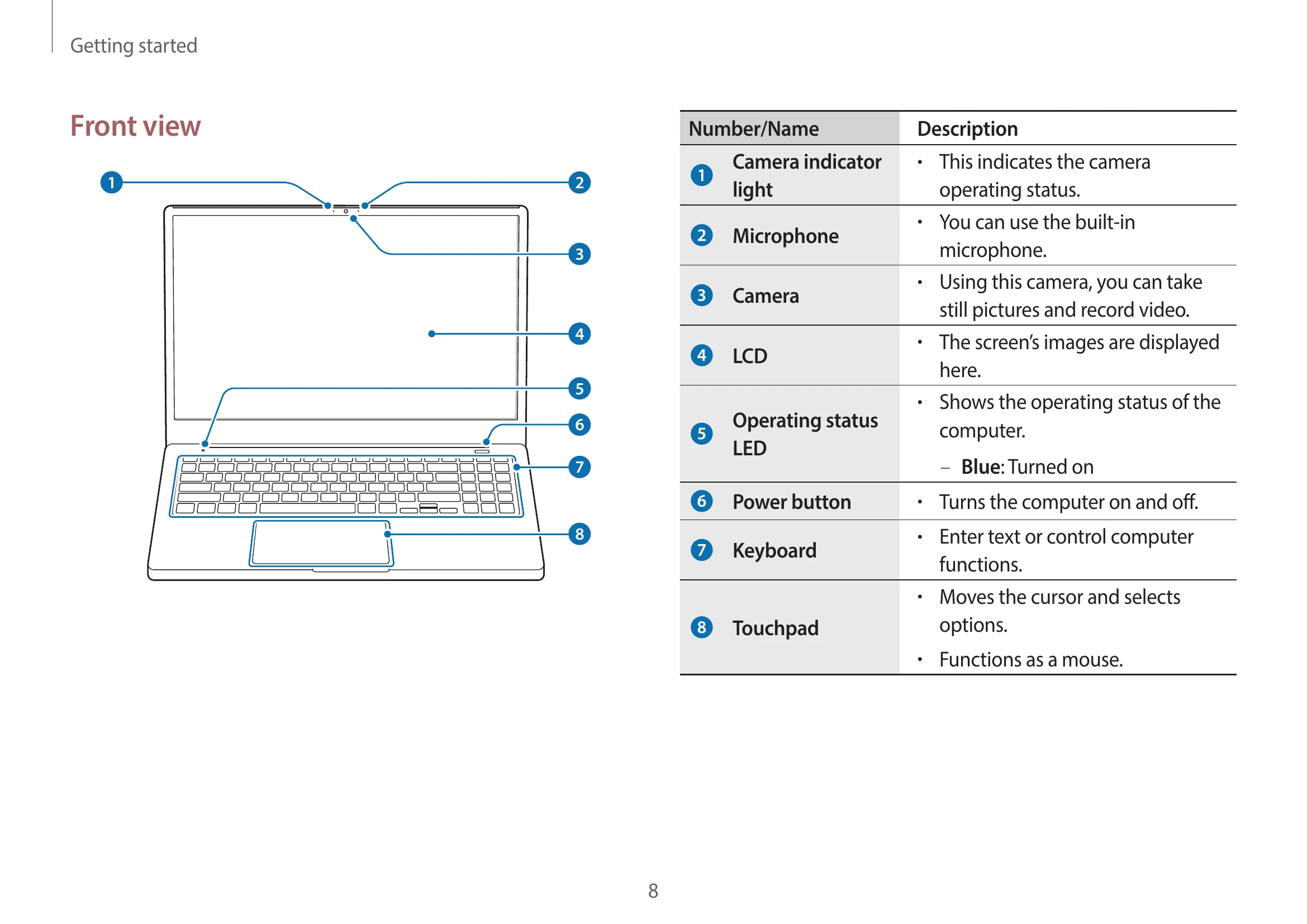
Turning the computer on: Ensure battery is charged. Open LCD panel. It may turn on automatically, or press the Power button.
Turning the computer off: Select Start button, then Shut down.
Unlocking the screen: Use mouse, keyboard, or touchpad. Enter password if required.
Keyboard: Enter text and access functions. Hot keys can be used with Fn key or Fn Lock.
Touchpad: Move cursor, select items. Supports clicking, double-clicking, right-clicking, dragging, and gestures like swiping and pinching.
Memory card slot: Supports micro SD, micro SDHC, micro SDXC. Insert/remove with care.
| Key/Icon | Description |
|---|---|
| F1 | Samsung Settings: Launch the Samsung Settings application. |
| F2 | Screen brightness control: Adjust the brightness of the display. |
| F3 | LCD/External monitor: Switch between the LCD and an external display device when an external display device is connected to the computer. |
| F4 | Touchpad: Turn the touchpad function on or off. |
| F5 | Mute: Mute or unmute the audio. |
| F6 | Volume Control: Adjust the volume level. |
| F7 | Turn the LCD on or off. |
| F8 | Hide a selected window by decreasing its brightness and opacity. |
| F9 | Blocking recording feature: Limit the use of the camera and the microphone to prevent recording. |
| F10 | Quick Search: Search for content on the device quickly. |
| F11 | N/A |
| F12 | N/A |